Local AI server vs cloud rental for local AI in 2026
Self-hosted homelab inference rig. 48 GB combined VRAM for ~$2,500 used.
- VRAM
- 48 GB
- Bandwidth
- 936 GB/s
- TDP
- 850 W
- Price
- $2,500-3,500 (full dual-3090 build)
On-demand H100 rental at $2-4/hr. No capex, no maintenance, instant scaling.
- VRAM
- 80 GB
- Bandwidth
- 2000 GB/s
- TDP
- 350 W
- Price
- $2-4/hr (Lambda / RunPod / Vast.ai 2026 spot)
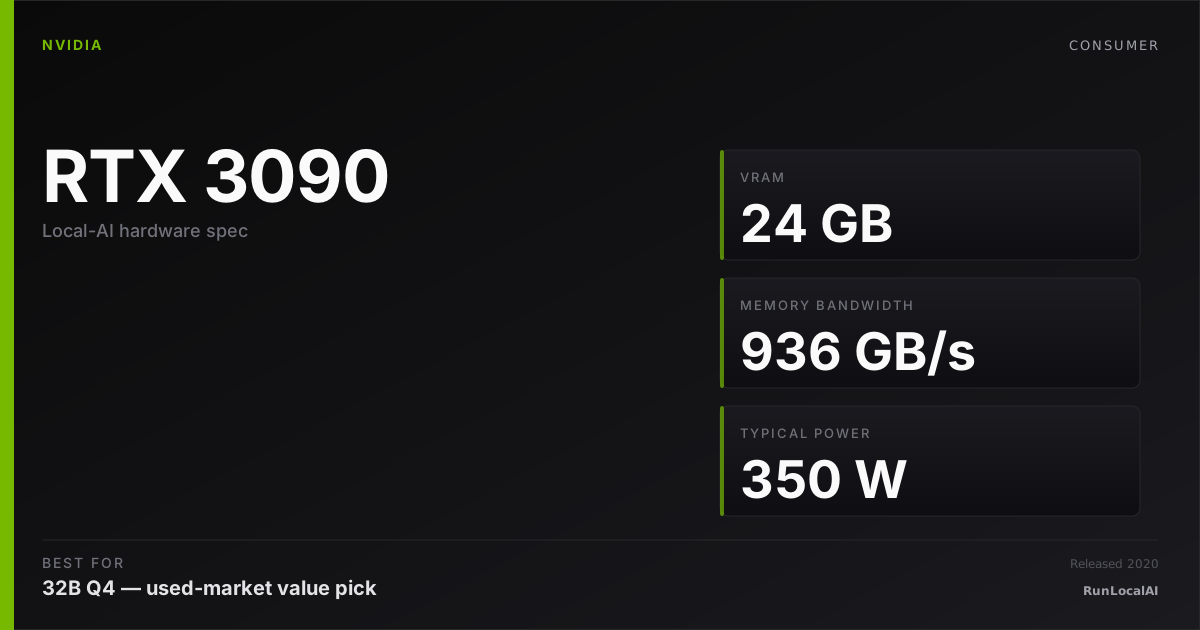
Local AI server (dual 3090 reference)
Self-hosted homelab inference rig. 48 GB combined VRAM for ~$2,500 used.
Cloud H100 rental (Lambda / RunPod reference)
On-demand H100 rental at $2-4/hr. No capex, no maintenance, instant scaling.
Dual RTX 3090 server build at ~$2,500 (used GPUs + supporting hardware) vs cloud H100 rental at $2-4/hr (Lambda, RunPod, Vast.ai). The decision: capex (self-hosted, fixed cost, ongoing electricity) vs opex (pay-per-hour, scales with usage, no maintenance).
Local server wins on: privacy (no cloud), no latency from network, fixed cost ceiling, learn-by-owning value, 24/7 availability with no surprise bills. Loses on: capex shock, maintenance burden, peak capability ceiling (no H100-class GPU at $2,500).
Cloud rental wins on: zero capex, instant scaling, access to H100 / B200 / latest hardware, no maintenance. Loses on: ongoing cost (sustained usage adds up fast), latency, privacy concerns, surprise bills, dependency on provider.
The math depends entirely on usage pattern. < 200 hrs/month = rent. > 24/7 sustained = own. Most operators land somewhere in between.
Who wins each workload
Each row is a workload local-AI operators actually run. Verdicts derived from VRAM math + bandwidth — no editorial hand-wave.
What each card actually runs
VRAM math against a canonical set of popular models. The largest context window that fits with headroom appears in each cell.
| Model | Local AI server (dual 3090 reference) | Cloud H100 rental (Lambda / RunPod reference) |
|---|---|---|
Qwen 3 14B Q4_K_M 14B params · Q4_K_M | 32K ctx | 32K ctx |
Qwen 3 32B Q4_K_M 32B params · Q4_K_M | 16K ctx | 16K ctx |
Llama 3.3 70B Q4_K_M 70B params · Q4_K_M | 4K ctx, tight | 16K ctx |
DeepSeek R1 distill 32B 32B params · Q4_K_M | 16K ctx | 16K ctx |
Mixtral 8x22B Q4 141B params · Q4_K_M | OOM | OOM |
FLUX.1 image gen 12B params · FP16 | 1 | 1 |
Fit figures are estimates. We have removed throughput and cost rankings without matched measurements. Compare model, quantization, context and runtime in the benchmark records. Price ranges are editorial estimates, not live merchant quotes.
Quick decision rules
Operational matrix
| Dimension | Local AI server (dual 3090 reference) Self-hosted homelab inference rig. 48 GB combined VRAM for ~$2,500 used. | Cloud H100 rental (Lambda / RunPod reference) On-demand H100 rental at $2-4/hr. No capex, no maintenance, instant scaling. |
|---|---|---|
Capex Upfront cost. | Limited $2,500-3,500 (full dual-3090 build). | Excellent $0. Rental is opex-only. |
Per-hour cost (sustained usage) Ongoing operational cost. | Excellent ~$0.10-0.15/hr (electricity only at 700W combined). | Limited $2-4/hr typical. Adds up fast at sustained usage. |
Peak capability What workloads each unlocks. | — 48 GB nominal memory: check 70B Q4 with a checked context budget. Reserve space for KV cache and runtime; offload is a separate configuration. | — 80 GB nominal memory: check 70B Q4 with a checked context budget. Reserve space for KV cache and runtime; offload is a separate configuration. |
Privacy / data control Where the inference runs. | Excellent Fully on-prem. No cloud dependency. | Limited Cloud provider has access to your VPC. Regulatory implications real. |
Maintenance burden Operational cost beyond hardware. | Limited You maintain the hardware (drivers, thermal, networking, OS). | Excellent Provider handles infrastructure. You manage workload only. |
Scaling flexibility Adding more compute when needed. | Limited Add cards / build second machine. Capex commitment again. | Excellent Spin up 4× H100 instance instantly. Pay only when used. |
Latency Time from prompt to first token. | Excellent Local. Sub-millisecond network. | — 80 GB nominal memory: check 70B Q4 with a checked context budget. Reserve space for KV cache and runtime; offload is a separate configuration. |
Tiers are qualitative editorial labels, not derived from a single benchmark. For tok/s and VRAM measurements on these cards, browse the corpus or request a benchmark.
Who should AVOID each option
Avoid the Local AI server (dual 3090 reference)
- If your usage is < 200 hrs/month (rent is cheaper)
- If you need occasional H100-class capability (rent for it)
- If you don't want to maintain hardware (drivers, thermals, etc.)
Avoid the Cloud H100 rental (Lambda / RunPod reference)
- If you'll use > 200 hrs/month sustained (capex pencils out)
- If privacy / on-prem is a hard requirement
- If you want predictable fixed monthly cost
Workload fit
Local AI server (dual 3090 reference) fits
- Sustained 24/7 inference / homelab serving
- On-prem regulatory workloads
- Best $/hour at sustained usage
Cloud H100 rental (Lambda / RunPod reference) fits
- Sporadic / project-based AI work
- Occasional H100 fine-tuning bursts
- Zero-capex experimentation phase
Reality check
Most 'should I build a server or rent' decisions resolve to: rent first, learn your usage pattern, buy when you can predict it. Buying first and discovering you under-utilize is the most expensive mistake.
Cloud rental costs are highly variable. Lambda is cheaper than AWS; spot instances are cheaper than on-demand; preemptible adds risk. The $2-4/hr range is typical but not guaranteed.
Owning teaches you operations skills (driver issues, thermal management, networking, monitoring) that pure rental never does. Real value if you're growing technically; pure cost if you just want to run inference.
The 200 hrs/month break-even is approximate. Includes electricity (~$0.10/hr at 700W combined dual-3090) + amortized capex over 3 years. Adjust for your specific situation.
Power, noise, and heat
- Dual 3090 server sustained: 600-700W combined. Heat output is real — needs proper room cooling for 24/7 operation. Audibly loud.
- Cloud H100: zero local heat / noise / power impact. The provider's datacenter handles all thermal + power.
- Annual electricity for owned dual-3090 at 8 hrs/day inference: ~$200-250 at $0.15/kWh. At 24/7: ~$600-750/year.
- If your home power is constrained (older wiring, shared circuit), owning 700W+ inference hardware adds real operational complexity.
Where to buy
Where to buy Local AI server (dual 3090 reference)
Editorial price range: $2,500-3,500 (full dual-3090 build)
Where to buy Cloud H100 rental (Lambda / RunPod reference)
Editorial price range: $2-4/hr (Lambda / RunPod / Vast.ai 2026 spot)
Affiliate links — no extra cost. Prices are editorial ranges, not real-time. Click through to verify.
Some links above are affiliate links. We may earn a commission at no extra cost to you. How we make money.
Editorial verdict
Rent first if you're new to local AI or your usage pattern is uncertain. Cloud H100 at $2-4/hr lets you experiment without capex. After 3-6 months you'll know whether you're hitting 200+ hrs/month, at which point ownership pencils out.
Build a local server if you're already using > 200 hrs/month, have privacy / on-prem requirements, or want to grow technically by operating real hardware. Dual 3090 at $2,500 is the leverage build.
Don't fall into 'buy the best you can afford' thinking. Cloud rental is genuinely better for sporadic users, project-based work, and anyone whose usage is < 4-6 hrs/day average.
Hybrid is real: own a modest local server for daily inference + rent H100 for occasional heavy fine-tuning. Many serious operators land here. The math works because daily inference doesn't need H100; fine-tuning does.
HonestyWhy benchmark numbers on this page might not reflect your real experience
- tok/s is not user experience. Humans read at ~10-15 tok/s — anything above that is buffer time, not perceived speed.
- Context length changes everything. A 70B Q4 model at 1024 tokens generates ~25 tok/s; the same model at 32K context drops to ~8-12 tok/s as KV cache fills.
- Quantization changes the conclusion. Q4_K_M vs Q5_K_M vs Q8 produce different speed AND different quality. A benchmark at one quant doesn't translate to another.
- Thermal throttling changes long sessions. The first 15 minutes of a benchmark see boost-clock peak; the next 4 hours see steady-state, which is 5-15% slower depending on case airflow.
- Driver and runtime versions silently shift winners. A 2024 benchmark on PyTorch 2.4 + CUDA 12.4 doesn't reflect 2026 reality on PyTorch 2.6 + CUDA 12.6. Discount benchmarks older than 6 months.
- Vendor and YouTuber benchmarks are cherry-picked. The standard 'Llama 3.1 70B Q4 at 1024 tokens' chart shows peak decode on a tiny prompt — exactly the conditions least representative of daily use.
- A 25-30% throughput gap between two cards rarely translates to a 25-30% experience gap. Both cards are fast enough; the differentiator is usually VRAM ceiling, not raw decode speed.
We try to surface these caveats where they apply. If a number on this page reads more confident than it should, please email us via contact. See also our methodology and editorial philosophy.
Don't see your specific workload?
The matrix above is editorial. If you want a measured tok/s number for a specific model + quant on either card, file a benchmark request — the community claims requests and reproduces them under our methodology checklist.