NVIDIA GeForce RTX 3090
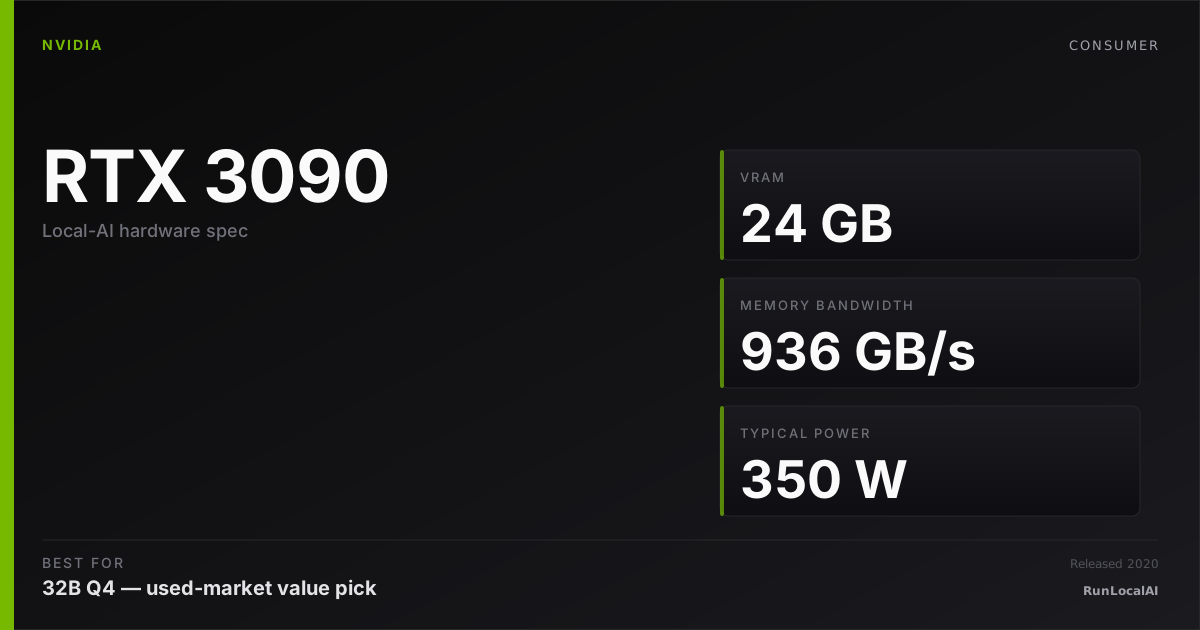
The original 24GB CUDA value pick. Used market still strong in 2026 — many AI hobbyists run dual 3090 setups for 70B inference.
Affiliate disclosure: as an Amazon Associate and partner of other retailers, we earn from qualifying purchases. The verdict on this page is our editorial opinion; affiliate links never influence what we recommend.
Sub-scores sum to 722 / 1000. Headline = 722 × 0.70 (Estimated-confidence discount) = 505. This is an algorithmic performance-tier score — distinct from, and often lower than, the editorial “Our verdict” below, which weighs value and real-world fit (especially for hardware we haven’t measured yet). How scoring works →
Extrapolated from 936 GB/s bandwidth — 112.3 tok/s estimated. No measured benchmarks yet.
Plain-English: Workable at 32B, comfortable at 14B and below — snappy enough for a coding agent; vision models supported.
Verdicts extrapolated from catalog VRAM + bandwidth + ecosystem flags. Hover any chip for the rationale. Want measured numbers? Submit your own run with runlocalai-bench --submit.
What it does well
The RTX 3090 provides 24 GB GDDR6X and 936 GB/s memory bandwidth. A 32B Q4_K_M model has about 19.3 GB of weights; fit depends on the remaining KV-cache and runtime budget. Two cards provide 48 GB nominal memory and can make 70B Q4 viable with a supported split. Four cards provide 96 GB nominal memory. These capacities do not establish throughput or concurrency.
Where it breaks
- Used market is genuinely used. 2020-2022-era cards have been through crypto mining, gaming, or sustained inference workloads. Visual inspection + thermal-paste replacement + repaste is realistic prep cost. Buying from reputable resellers (Micro Center / Newegg refurb / B&H used) reduces but doesn't eliminate the lottery.
- 350 W TGP is honest. Not as bad as the 5090's 575 W or 4090's 450 W, but the 8-pin (×2 or ×3) connector + need for 750 W+ PSU still applies. Dual-3090 setups need 1200 W+ headroom.
- Software stack drift over time. Ampere is 2020-era silicon. Most things still work; some bleeding-edge model architectures (FP8 hardware-native via Hopper/Blackwell, certain quantization formats) bypass Ampere or run via fallback paths.
- Form factor is huge. 3-slot card. Dual-GPU spacing in standard ATX motherboards is tight; cooling between two 3090s requires either spaced PCIe risers or careful airflow planning.
- Resale value declining. The 3090's used-price floor depends on continued demand. The arrival of 5090 + 5080 supply will compress 3090 pricing further over 2026; buying at $1000+ is questionable.
Ideal model range
- Single-card starting point: 32B Q4 at a checked context; 7B–14B quantized models leave more headroom.
- 70B Q4: about 42.3 GB of weights before runtime and KV cache. A single RTX-3090 needs offload. Two 24 GB cards can be viable with a supported split and a constrained context budget.
- FP16: 32B needs about 64 GB of weights; 70B needs about 140 GB. Reserve additional space before selecting a memory tier.
- Concurrency and long context: measure the actual model, cache dtype and runtime. No fixed context or timing guarantee is made here.
Bad use cases
- Anyone buying new at retail. New 3090s in 2026 are vendor-old-stock at 4090-adjacent prices. Either you're buying used (the right move) or you're buying the wrong tier.
- Single-card 70B daily-driver workloads. The 4090's slightly faster bandwidth (1 TB/s vs 940 GB/s) and the 5090's much faster bandwidth (1.79 TB/s) are meaningful when 70B partial-offload is your day-to-day.
- Power-constrained builds. mini-ITX cases, sub-750W PSUs, or operators paying high retail electricity. The 3090 isn't power-efficient on a perf/watt basis vs Ada / Blackwell.
- Anyone who needs warranty + support. Used cards from third-party sellers carry zero warranty, and the original consumer warranty terms didn't anticipate sustained 24/7 inference workloads.
Verdict
Buy this if you're building a multi-GPU homelab rig and $/combined-VRAM is the operative metric. Dual-3090 (48 GB at ~$1,800) and quad-3090 (96 GB at ~$3,200) are the canonical homelab paths into 70B+ territory at fractions of new-card pricing. Visual-inspect the cards, budget for repaste, expect to replace fans within a year.
Skip this if single-card simplicity matters, if you're new to local AI (Ollama on a Mac is faster to value), if you can stretch to a 4090 (better single-card speed at similar 24 GB capacity), or if your workload is firmly under 14B (cheaper cards are better $/throughput).
How it compares
- RTX 3090 / RTX 4090: both provide 24 GB. The 4090 has higher specified bandwidth; a matched benchmark is needed for a throughput comparison.
- RTX 5090: 32 GB and about 1.79 TB/s. It adds context headroom for 32B Q4, but 70B Q4_K_M still exceeds its memory.
- Two RTX 3090s: 48 GB nominal memory with a supported split. This can be viable for 70B Q4, with limited context room and additional system, power and cooling requirements.
- 16 GB GPUs: start by checking 13B–14B Q4 models. A 32B Q4_K_M artifact is about 19.3 GB before overhead.
- Apple M4 Max 128 GB: more total memory, shared with the OS. It does not hold 70B FP16 weights of about 140 GB. Consider Q4/Q8 and check available unified memory. A 192 GB or larger configuration provides a different FP16 budget.
- Workstation GPUs: 48–96 GB on one card can simplify larger model allocations, at a different price and power level.
Overview
What the RTX 3090 actually is, in local-AI terms
The RTX 3090 is the best price-per-VRAM-GB GPU in the local-AI ecosystem in 2026, full stop. 24 GB of GDDR6X at 936 GB/s memory bandwidth, full Ampere tensor cores with INT4 / INT8 support, complete CUDA software coverage, and a used-market price that has settled to roughly half what a new RTX 4090 costs. For every operator who is VRAM-bound rather than throughput-bound — which is most of them — the 3090 is the smart buy.
It is also the canonical card for "70B on a budget" setups. Two used 3090s give you 48 GB of VRAM at a price below a single new 4090, and the inference throughput on a 70B-class model split across them via tensor-parallel is remarkably close to the more expensive card.
Where it fits in the hardware ladder
The 3090 sits at the floor of the "serious local AI" tier in 2026. Below it (RTX 3060 12 GB, RTX 4060 Ti 16 GB) you can run 7B-13B class but lose access to the 32B-class workloads that define what local AI is good for. Above it (4090, 5090) you pay 2-3× the price for ~30-60 % more throughput at the same VRAM tier.
In the dual-card tier:
- 2× 3090 — 48 GB VRAM, ~$1500-2000 used, 70B-class viable
- 2× 4090 — 48 GB VRAM, ~$3000-4000 new, faster but same VRAM ceiling
For a homelab operator deciding between "one 4090" and "two 3090s," the answer is almost always two 3090s if the goal is running 70B-class. See /stacks/dual-3090-workstation.
Best use cases
- 70B Q4 on two cards. A 2× 3090 setup provides 48 GB nominal memory. Use a runtime with a supported model split and check the remaining KV-cache budget. See the dual-3090 stack.
- 32B Q4 on one card. A single 3090 can be a useful starting point for Qwen 2.5 Coder 32B, with about 19.3 GB of Q4_K_M weights before context and runtime. Do not assume 32K context fits every configuration.
- QLoRA experiments. Training needs a separate memory budget for activations, optimizer state and batch size.
- Multi-card homelab. Four cards provide 96 GB nominal memory; the usable per-GPU allocation and runtime split still matter.
What it can run
These are weight-budget estimates, not measured context limits. Use the hardware checker for a specific model and configuration.
| Model class | Quant | Memory planning | Notes |
|---|---|---|---|
| 7B | FP16 | About 14 GB weights | Add KV cache and runtime; check the specific model |
| 13B–14B | Q4 / Q5 | Check the artifact size | Context depends on architecture and cache dtype |
| 32B | Q4_K_M | About 19.3 GB weights | A 24 GB card leaves limited room for context and runtime |
| 70B (single card) | Q4_K_M | About 42.3 GB weights | Does not fit fully in 24 GB; requires system-RAM offload |
| 70B (2× 3090) | Q4_K_M / EXL2 | 48 GB nominal across two GPUs | Viable only with a supported split and a checked per-GPU context budget |
OS support
| OS | Quality |
|---|---|
| Linux (Ubuntu 22.04 / 24.04) | excellent |
| Windows 11 native | excellent |
| Windows (WSL2) | excellent |
| macOS | unsupported |
The 3090's NVLink connector is enabled by default unlike the 4090. If you have an NVLink bridge (becoming rare in 2026), you can NVLink two 3090s together, which gives a real bandwidth boost over PCIe-only tensor-parallel — usually 5-15 % on prefill-heavy workloads.
Software / runtime support
Identical to the 4090 — every major engine supports it:
- Ollama / llama.cpp — full GGUF support
- vLLM / SGLang — full AWQ / GPTQ / FP16 support
- ExLlamaV2 — the recommended single-stream path
- TensorRT-LLM — supported but datacenter-tuned
The Ampere generation lacks the FP8 transformer-engine acceleration that Hopper added, so any FP8 workflow is off the table on a 3090 — use AWQ-INT4 or EXL2 instead. See /systems/quantization-formats.
What breaks first
- VRAM exhaustion at long context. Same as 4090 — 32B + 32K context on a single 24 GB card is right on the edge.
- PCIe bandwidth on dual-card. Most consumer X570 / B550 boards run 2× 3090 at PCIe 4.0 x8 + x8. Tensor-parallel works but prefill on long contexts is bandwidth-bound.
- Power draw under sustained inference. A 3090 pulls 350 W sustained; 2× 3090 needs at minimum a 1200 W Gold PSU and meaningful airflow.
- Thermals on used cards. Cards from crypto-mining service can have degraded fans / thermal pads. Inspect before buying; repaste if needed.
- Driver lineage. Older Ampere drivers (pre-525) had memory-leak bugs under sustained CUDA workloads; pin to a known-good driver version.
Alternatives by intent
| If you want… | Reach for |
|---|---|
| Same VRAM, faster | RTX 4090 |
| More VRAM in one card | RTX 5090 (32 GB) or RTX A6000 (48 GB) |
| 70B in one card | Apple M3 Ultra 192 GB unified memory |
| AMD equivalent | RX 7900 XTX — same VRAM, ROCm tax |
| Cheaper 16 GB card | RTX 4060 Ti 16 GB / RTX 4070 Ti Super 16 GB |
Best pairings
- 2× RTX 3090 + ExLlamaV2 + 70B EXL2 4.0bpw — the 70B-budget canonical setup; see /stacks/dual-3090-workstation
- Single 3090 + Ollama + 32B Q4_K_M — the homelab default
- Single 3090 + vLLM + 32B AWQ-INT4 — the multi-user homelab default
- Ubuntu 22.04 / 24.04 + driver 535+ + CUDA 12.4 — the reference software stack
Who should avoid the RTX 3090
- Anyone buying new at MSRP. The 4090 is a better deal on the new market in 2026; 3090's value is in the used market.
- Operators who need FP8 or the latest tensor-engine kernels. Pre-Hopper.
- Apple-ecosystem operators. Use Apple M-series.
- Anyone without a 1000 W+ PSU and good case airflow. Sustained 350 W per card is no joke.
- Buyers without the patience to inspect a used card. Fans, thermal pads, and solder reflow on power delivery are real risks.
Related
- Stacks: /stacks/dual-3090-workstation, /stacks/local-coding-agent
- System guides: /guides/running-local-ai-on-multiple-gpus-2026, /systems/quantization-formats
- Tools: ExLlamaV2, vLLM, Ollama
- Errors: /errors/wsl2-gpu-not-detected
Some links above are affiliate links. We may earn a commission at no extra cost to you. How we make money.
est. = derived from US street × FX × VAT. obs. = real per-product snapshot.
Featured in these stacks
The L3 execution stacks that pick this hardware as a recommended component, with the one-line note explaining the role it plays in each.
- Stack · L3·Workstation tier·Role: GPUs (2× 24GB used, the cheapest path to 48 GB total)Dual RTX 3090 workstation stack — 70B-class on $1,800 of used GPUs
Used 3090 prices in 2026 sit around $600-900 per card — two for less than half a single new 5090. The NVLink 3.0 bridge between them is the only consumer-tier setup that genuinely extracts tensor-parallel performance over consumer hardware. 4090 has no NVLink; 5090 has no NVLink either.
- Stack · L3·Homelab tier·Role: GPUs (4× 24GB used; the prosumer-ceiling stack)Quad RTX 3090 workstation stack — the prosumer 100B-class ceiling
Quad 3090 is the largest practical multi-GPU setup before datacenter pricing kicks in. Used 3090 economics: $600-900 each → $2,400-3,600 total for the GPUs vs $20,000+ for a single H100 80GB used.
- Stack · L3·Homelab tier·Role: Secondary GPU (slower, takes fewer layers)Mixed RTX 4090 + 3090 workstation — the asymmetric upgrade path
RTX 3090 holds ~45% of layers in layer-split. Its older Ampere architecture and lower memory bandwidth (936 vs 1008 GB/s) make it the pacing card.
Specs
| VRAM | 24 GB |
| Power draw (peak) | 350 W |
| Released | 2020 |
| MSRP | $1499 |
| Backends | CUDA Vulkan |
Models that fit
Open-weight models small enough to run on NVIDIA GeForce RTX 3090 with usable context.
Hardware worth comparing
The closest alternatives by price, memory bandwidth, and form factor, plus a step up and down — so you can frame the buying decision against real options.
Curated head-to-heads against specific cards — the buyer-decision shape that crosses VRAM bands.
- vs RTX 4090 (24 GB) →
- vs RTX 5090 (32 GB) →
- vs RTX 5080 (16 GB) →
- vs Apple Mac Studio (M3 Ultra) (192 GB) →
- vs RTX 5080 (16 GB) →
- vs RTX 4090 (24 GB) →
- vs RTX 5090 (32 GB) →
- vs New midrange GPU (RTX 5070 Ti reference) (16 GB) →
- vs Cloud H100 rental (Lambda / RunPod reference) (80 GB) →
- vs RTX 5070 Ti (16 GB) →
- vs RTX 4090 (24 GB) →
- vs RTX 4070 Ti Super (16 GB) →
Used 3090s remain the highest-leverage AI buy in 2026 — 24 GB at $700-900 still beats every new card's $/GB-VRAM. The guides below frame where this card is the right answer.
- best used GPU for local AI
- best budget GPU for local AI
- best GPU for Llama
- best upgrade from RTX 3060 — the canonical step-up from 12 GB to 24 GB.
Who should buy a used RTX 3090 in 2026
For 32B-class Q4 inference on a used card. The 3090 has 24 GB VRAM. A 32B Q4_K_M model needs roughly 19.3 GB for weights before context and runtime overhead. A 70B Q4 model exceeds this card's memory even before KV cache; it needs offload or more GPU memory.
If you're cost-sensitive but won't accept under 24 GB. The 4060 Ti 16 GB is $450-550 new but caps you at 14B-class. Stepping up from 16 GB to 24 GB makes 32B Q4 a more practical target at a checked context length. The used 3090 is the cheapest delta to make that jump.
For a dual-GPU build with a supported split. Two 3090s provide 48 GB nominal memory. This can make 70B Q4 viable at a constrained context, but the runtime must distribute weights and reserve memory on each GPU. 70B FP16 needs 140 GB of weights; 405B Q4_K_M needs about 245 GB. Neither fits in this pair.
For image pipelines. Check the combined memory of model weights, resolution, extra components and runtime. A language-model inference fit does not establish that a Flux training or ComfyUI pipeline will fit.
Who should skip the RTX 3090
If you can't physically inspect the card before purchase. Used 3090s vary wildly. A mining-pull card with degraded VRAM thermal pads looks identical to a clean card in eBay photos. If you're buying mail-order from an unfamiliar seller without inspection rights, the new 4070 Ti Super or 5070 Ti is the safer buy at a similar price tier.
If your workload is image-gen-only and you're production-shipping. The 4090's Ada compute advantage is 30-50% faster on Flux throughput at the same 24 GB. For high-volume image-gen serving, the 4090 amortizes faster on the time savings.
If you can't accept 350W TDP and the cooling overhead. The 3090 runs hot. In a mid-tower with stock airflow, expect thermal throttling under sustained load. If your case has poor GPU airflow or your power budget is tight, look at the 4060 Ti 16 GB (160W) or wait for a used 4090 deal.
If you specifically need warranty coverage. Used 3090s are out of warranty. Aftermarket coverage exists but is expensive. If a 2-year RMA window is non-negotiable, buy new.
What breaks first on a used 3090
VRAM thermal pads, not the GPU itself. The pads on the back of the 3090 (under the metal backplate) degrade with sustained heat. A card that ran 24/7 in a mining farm for 18 months in 2021-2022 may show memory errors in 2026 — silent corruption that surfaces as occasional generation glitches before the card fully fails. Repad jobs cost $20-40 in materials and an hour of work. Treat it as standard maintenance for any used 3090; most flippers don't repad.
12-pin connector heat under load. The 3090 doesn't use the 12VHPWR connector that infamously failed on 4090s, but the legacy 8-pin × 2 setup can still discolor under PSU sag. Inspect the connectors. Use a PSU rated for 850W+.
Fan bearings on heavily-used cards. Mining cards spun fans at 70-90% for years. The fan bearings are the first mechanical failure mode. If a listing's fans look glossy with no edge wear after "light use," it's a flipper-cleaned mining pull. Dirty fans with even visible dust patterns are honest.
The boost clock under sustained inference, not peak. The 3090 boosts to 1.7-1.9 GHz briefly, then settles to 1.5-1.65 GHz under sustained AI load. If your card boots to 1.7 GHz on idle but holds 1.4 GHz under inference, the cooling is failing. Run an hour of nvidia-smi -q -d POWER,TEMPERATURE on receipt.
Used-market reality for the RTX 3090 in 2026
The good listings outnumber the bad — but you have to know what to look for. Cards in circulation are 4-5 years old. Many were bought new and barely used; many came from mining farms that ran them 24/7. The visual difference is small. Filter by: original packaging present, seller rating ≥99% positive, ≥30-day return window, photos showing fan close-ups + connector close-ups + the underside of the cooler.
Fair price range in 2026: $700-1,000. Listings under $650 are either mining pulls being unloaded fast or scams. Listings over $1,100 are not based on the secondary market — pay the new-card premium and buy a 4070 Ti Super instead at that price.
Sellers to favor: original-owner listings with photos of the original receipt or order confirmation. eBay's Best Offer system gets you 10-15% discounts on overpriced "Buy It Now" listings; it's worth using.
Sellers to avoid: bulk-quantity listings ("multiple available, same model"); stock-photo-only listings; listings without fan close-ups; listings that won't disclose duty cycle. The honest seller will tell you "I gamed on it 2 hours/day for 2 years" or "ran SD on it for the last 6 months." The dishonest seller has rehearsed boilerplate about "barely used."
Stress-test on receipt: run nvidia-smi -q -d POWER,TEMPERATURE for an hour at full inference load. The card should hold 320-340W at 75-80°C. If it throttles below 80°C at lower power, the thermal pads are failing — return within the seller's window.
Frequently asked
What models can NVIDIA GeForce RTX 3090 run?
Does NVIDIA GeForce RTX 3090 support CUDA?
How much does NVIDIA GeForce RTX 3090 cost?
Where next?
Reviewed by RunLocalAI Editorial. See our editorial policy for how we research and verify hardware specifications.