Mac Studio vs Windows AI PC for local AI in 2026
Apple Silicon homelab hub. Unified memory up to 512 GB.
- VRAM
- 192 GB
- Bandwidth
- 819 GB/s
- TDP
- 250 W
- Price
- $5,000-9,500 (96-512 GB unified configs)
Custom desktop with discrete GPU; the dominant ecosystem path.
- VRAM
- 24 GB
- Bandwidth
- 1008 GB/s
- TDP
- 600 W
- Price
- $3,000-4,500 (full build with 4090, ATX case, 1000W PSU, 64 GB DDR5)
Mac Studio (M3 Ultra)
Apple Silicon homelab hub. Unified memory up to 512 GB.
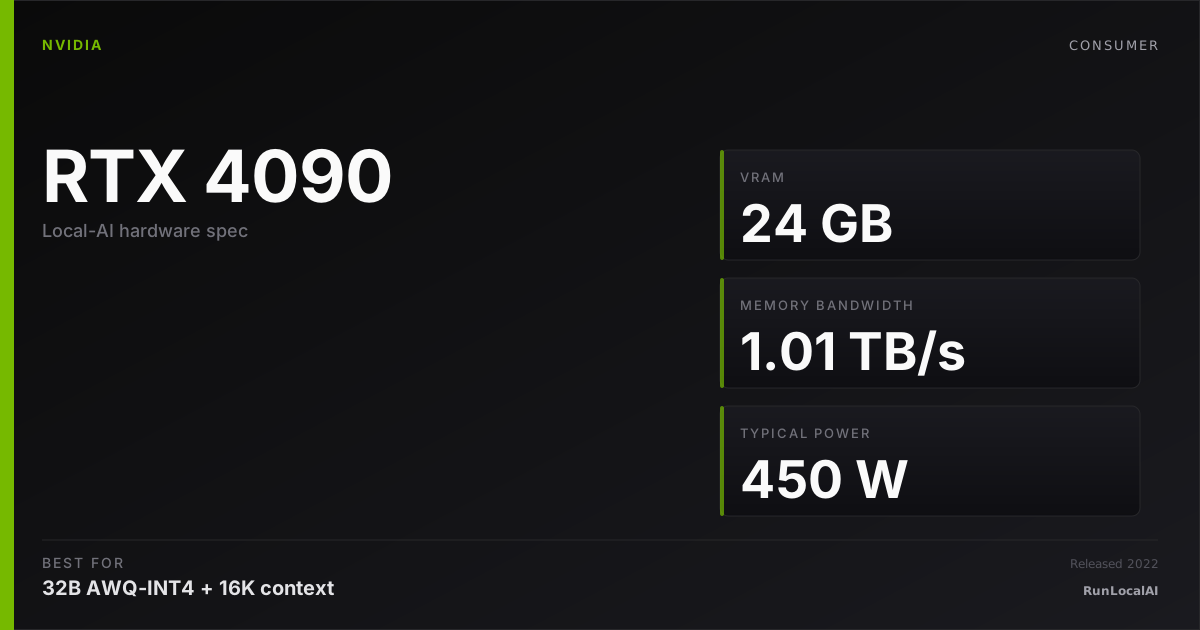
Windows AI PC (RTX 4090 reference build)
Custom desktop with discrete GPU; the dominant ecosystem path.
Be honest about what you'll actually do. Most local AI workflows in 2026 (Ollama for chat, LM Studio for casual use, small LoRA fine-tunes, image generation) run on either. The real differences show in the 5% of edge cases — and that 5% is where you should make the platform choice.
Memory planning: Mac Studio (M3 Ultra) — 192 GB nominal memory: check 70B Q8 with a checked context budget. Reserve space for KV cache and runtime; offload is a separate configuration. Windows AI PC (RTX 4090 reference build) — 24 GB nominal memory: check 32B Q4. Reserve space for KV cache and runtime; offload is a separate configuration.
Who wins each workload
Each row is a workload local-AI operators actually run. Verdicts derived from VRAM math + bandwidth — no editorial hand-wave.
What each card actually runs
VRAM math against a canonical set of popular models. The largest context window that fits with headroom appears in each cell.
| Model | Mac Studio (M3 Ultra) | Windows AI PC (RTX 4090 reference build) |
|---|---|---|
Qwen 3 14B Q4_K_M 14B params · Q4_K_M | 32K ctx | 32K ctx |
Qwen 3 32B Q4_K_M 32B params · Q4_K_M | 16K ctx | 4K ctx, tight |
Llama 3.3 70B Q4_K_M 70B params · Q4_K_M | 16K ctx | OOM |
DeepSeek R1 distill 32B 32B params · Q4_K_M | 16K ctx | 2K only |
Mixtral 8x22B Q4 141B params · Q4_K_M | 16K ctx | OOM |
FLUX.1 image gen 12B params · FP16 | 1 | OOM |
Fit figures are estimates. We have removed throughput and cost rankings without matched measurements. Compare model, quantization, context and runtime in the benchmark records. Price ranges are editorial estimates, not live merchant quotes.
Quick decision rules
Operational matrix
| Dimension | Mac Studio (M3 Ultra) Apple Silicon homelab hub. Unified memory up to 512 GB. | Windows AI PC (RTX 4090 reference build) Custom desktop with discrete GPU; the dominant ecosystem path. |
|---|---|---|
Memory ceiling for inference How big a model fits. | Excellent 96-512 GB unified. 100B+ quantized inference real. FP16 70B fits at 192 GB+. | — 24 GB nominal memory: check 32B Q4. Reserve space for KV cache and runtime; offload is a separate configuration. |
Ecosystem breadth What runtime / framework support looks like. | Acceptable llama.cpp, MLX, Ollama all native. vLLM partial. Day-zero new model wheels often skip MPS. | Excellent Every runtime ships CUDA-first. vLLM, TensorRT-LLM, ExLlamaV2, every research repo. |
Power draw + noise What it's like to live with. | Excellent 150-250W under load. Effectively silent. Sits on a desk. | Limited 600W+ full system. Audible AIB fan ramp. Lives in another room ideally. |
Upgrade path What happens 3 years in. | Limited Sealed. Buy a new Mac when it's slow. RAM is soldered. | Excellent Drop in next-gen GPU. Upgrade RAM, NVMe, CPU separately. 10-year platform life realistic. |
Total cost (2026) Realistic acquisition cost for the comparable AI tier. | Limited $5,000-9,500 (96-512 GB unified configs). Premium for silence + integration. | Strong $3,000-4,500 full build (4090 + ATX + 64 GB DDR5 + 1000W PSU + Win). |
Image generation Stable Diffusion / Flux performance. | Acceptable ComfyUI works. ~30-50% slower than 4090 on Flux. Native ARM-Mac quality good. | Excellent Reference platform for ComfyUI / AUTOMATIC1111. Fastest at every quant tier. |
Setup complexity Time from purchase to first inference. | Excellent Unbox, install Ollama, run. ~10 min to first token. | Acceptable PC build (or buy prebuilt), driver install, runtime install, model download. ~2-4 hours for new builders. |
Privacy / on-prem fit How well it fits regulated workflows. | Excellent Self-contained. No cloud dependency. Apt for sensitive workflows. | Excellent Self-contained. Same privacy posture; just more configurable. |
Tiers are qualitative editorial labels, not derived from a single benchmark. For tok/s and VRAM measurements on these cards, browse the corpus or request a benchmark.
Who should AVOID each option
Avoid the Mac Studio (M3 Ultra)
- If your stack is CUDA-locked (vLLM serious, TensorRT, custom CUDA)
- If multi-GPU scaling is on the roadmap (Mac is sealed)
- If $/perf at 70B Q4 inference is the dominant axis
Avoid the Windows AI PC (RTX 4090 reference build)
- If you want a single-box, silent, plug-and-play setup
- If you need >32 GB VRAM-equivalent without dual-GPU complexity
- If you're a Mac household and don't want to learn PC building / Windows
Workload fit
Mac Studio (M3 Ultra) fits
- 100B+ quantized inference (unified memory)
- Silent creative workflows (image / audio gen)
- FP16 70B inference at 192 GB+ tier
Windows AI PC (RTX 4090 reference build) fits
- CUDA-locked ecosystems (vLLM, TensorRT)
- Multi-GPU homelab path
Where to buy
Where to buy Mac Studio (M3 Ultra)
Editorial price range: $5,000-9,500 (96-512 GB unified configs)
Where to buy Windows AI PC (RTX 4090 reference build)
Editorial price range: $3,000-4,500 (full build with 4090, ATX case, 1000W PSU, 64 GB DDR5)
Affiliate links — no extra cost. Prices are editorial ranges, not real-time. Click through to verify.
Some links above are affiliate links. We may earn a commission at no extra cost to you. How we make money.
Editorial verdict
Pick a Windows AI PC (RTX 4090 build) if you want best-in-class CUDA ecosystem support, the broadest runtime compatibility, the best $/perf at 24 GB VRAM, and a multi-decade upgrade path. The setup cost is real (PC build experience required or pay for prebuilt).
The wrong reasons to pick either: brand loyalty, peer pressure, prestige. Match the platform to the workload. Mac Studio for unified-memory + silence + creative workflows. Windows AI PC for CUDA-locked ecosystems + multi-GPU scaling + ecosystem breadth.
HonestyWhy benchmark numbers on this page might not reflect your real experience
- tok/s is not user experience. Humans read at ~10-15 tok/s — anything above that is buffer time, not perceived speed.
- Context length changes everything. A 70B Q4 model at 1024 tokens generates ~25 tok/s; the same model at 32K context drops to ~8-12 tok/s as KV cache fills.
- Quantization changes the conclusion. Q4_K_M vs Q5_K_M vs Q8 produce different speed AND different quality. A benchmark at one quant doesn't translate to another.
- Thermal throttling changes long sessions. The first 15 minutes of a benchmark see boost-clock peak; the next 4 hours see steady-state, which is 5-15% slower depending on case airflow.
- Driver and runtime versions silently shift winners. A 2024 benchmark on PyTorch 2.4 + CUDA 12.4 doesn't reflect 2026 reality on PyTorch 2.6 + CUDA 12.6. Discount benchmarks older than 6 months.
- Vendor and YouTuber benchmarks are cherry-picked. The standard 'Llama 3.1 70B Q4 at 1024 tokens' chart shows peak decode on a tiny prompt — exactly the conditions least representative of daily use.
- A 25-30% throughput gap between two cards rarely translates to a 25-30% experience gap. Both cards are fast enough; the differentiator is usually VRAM ceiling, not raw decode speed.
We try to surface these caveats where they apply. If a number on this page reads more confident than it should, please email us via contact. See also our methodology and editorial philosophy.
Don't see your specific workload?
The matrix above is editorial. If you want a measured tok/s number for a specific model + quant on either card, file a benchmark request — the community claims requests and reproduces them under our methodology checklist.