RTX 4090 vs RTX 5090 for local AI in 2026
24 GB Ada flagship; the local-AI workhorse.
- VRAM
- 24 GB
- Bandwidth
- 1008 GB/s
- TDP
- 450 W
- Price
- $1,400-1,900 (2026 used) / $1,800-2,200 (new where available)
32 GB GDDR7 flagship; Blackwell consumer.
- VRAM
- 32 GB
- Bandwidth
- 1792 GB/s
- TDP
- 575 W
- Price
- $2,000-2,500 (2026 retail; supply-constrained)
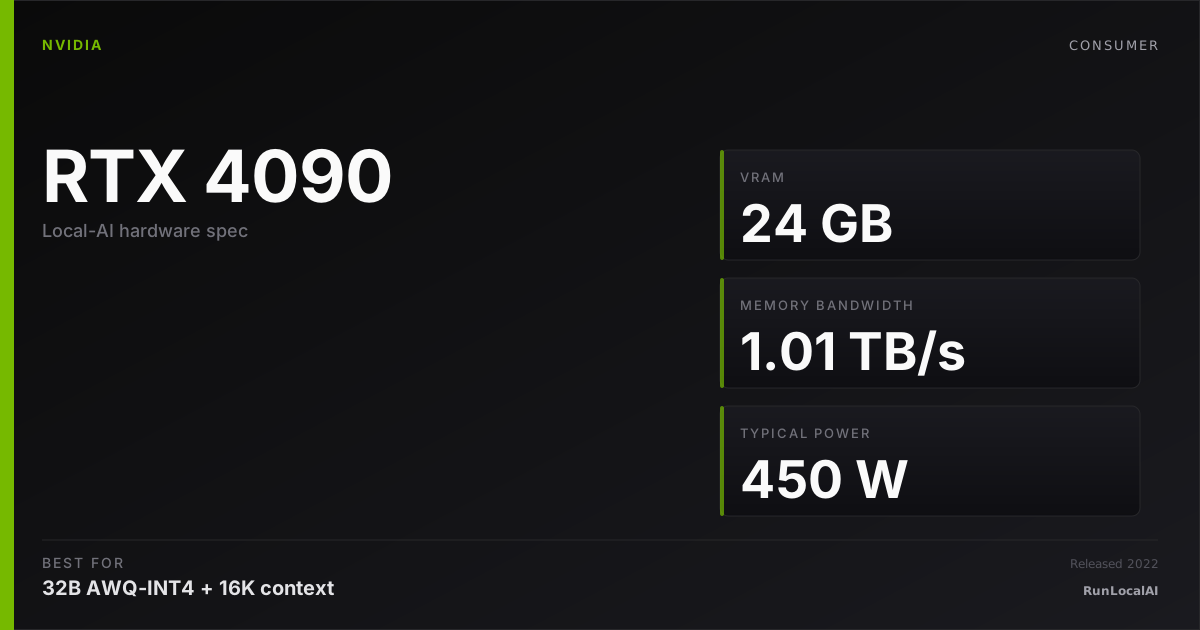
RTX 4090
24 GB Ada flagship; the local-AI workhorse.
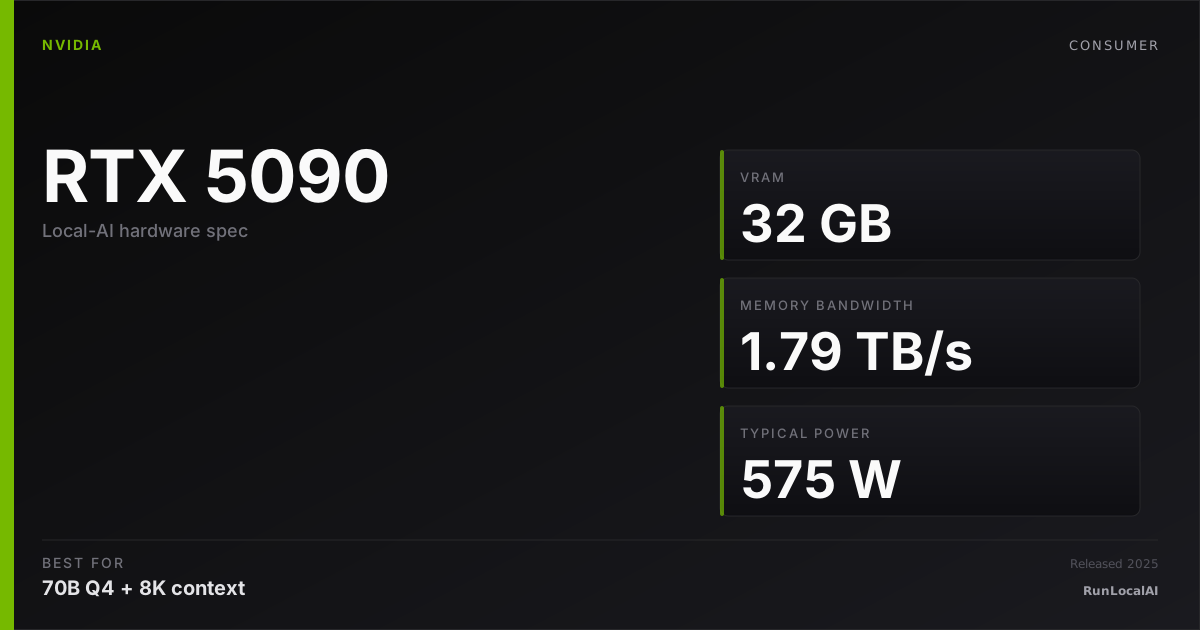
RTX 5090
32 GB GDDR7 flagship; Blackwell consumer.
The RTX 5090 is the 2026 flagship: 32 GB GDDR7, 1.79 TB/s memory bandwidth, 575W TDP. The RTX 4090 has 24 GB GDDR6X, 1.0 TB/s bandwidth, 450W TDP. On paper the 5090 wins everything. On price + supply + thermal headroom, the 4090 still wins for many operators.
Buyers in 2026 face a real tradeoff: 4090 supply has tightened with manufacturing wind-down; 5090 supply is constrained by demand. Used 4090 vs new 5090 is the practical choice.
Memory planning: RTX 4090 — 24 GB nominal memory: check 32B Q4. Reserve space for KV cache and runtime; offload is a separate configuration. RTX 5090 — 32 GB nominal memory: check 32B Q4. Reserve space for KV cache and runtime; offload is a separate configuration.
Who wins each workload
Each row is a workload local-AI operators actually run. Verdicts derived from VRAM math + bandwidth — no editorial hand-wave.
What each card actually runs
VRAM math against a canonical set of popular models. The largest context window that fits with headroom appears in each cell.
| Model | RTX 4090 | RTX 5090 |
|---|---|---|
Qwen 3 14B Q4_K_M 14B params · Q4_K_M | 32K ctx | 32K ctx |
Qwen 3 32B Q4_K_M 32B params · Q4_K_M | 4K ctx, tight | 16K ctx |
Llama 3.3 70B Q4_K_M 70B params · Q4_K_M | OOM | OOM |
DeepSeek R1 distill 32B 32B params · Q4_K_M | 2K only | 16K ctx |
Mixtral 8x22B Q4 141B params · Q4_K_M | OOM | OOM |
FLUX.1 image gen 12B params · FP16 | OOM | 1 |
Fit figures are estimates. We have removed throughput and cost rankings without matched measurements. Compare model, quantization, context and runtime in the benchmark records. Price ranges are editorial estimates, not live merchant quotes.
Quick decision rules
Operational matrix
| Dimension | RTX 4090 24 GB Ada flagship; the local-AI workhorse. | RTX 5090 32 GB GDDR7 flagship; Blackwell consumer. |
|---|---|---|
VRAM Larger = bigger models / longer context. | — 24 GB nominal memory: check 32B Q4. Reserve space for KV cache and runtime; offload is a separate configuration. | — 32 GB nominal memory: check 32B Q4. Reserve space for KV cache and runtime; offload is a separate configuration. |
Memory bandwidth Higher = faster decode for large models. | — 24 GB nominal memory: check 32B Q4. Reserve space for KV cache and runtime; offload is a separate configuration. | Excellent 1.79 TB/s GDDR7. ~70-80% faster decode on memory-bound regimes. |
Power draw Wall-power under sustained load. | Acceptable 450W TDP. 850W PSU sufficient. | Limited 575W TDP. 1000W+ PSU recommended; consider 1200W for headroom. |
Price (2026) Realistic acquisition cost. | Strong $1,400-1,900 used; $1,800-2,200 new where available. | Acceptable $2,000-2,500 retail; supply-constrained, scalper markups common. |
Software stack maturity Driver / CUDA / runtime stability in 2026. | Excellent Mature; vLLM / llama.cpp / Ollama all rock-solid since 2023. | Strong Solid in 2026 but newer; some edge cases on bleeding-edge runtimes. |
Cooling + form factor Fits standard cases / multi-GPU rigs. | Acceptable 3-slot; air-cooled fits most ATX cases. Multi-GPU spacing tight. | Limited 4-slot reference; AIB models vary. Multi-GPU often impractical. |
Resale value (3 yr) Predicted % of MSRP held. | Strong ~50-65% expected; gaming + AI demand props the floor. | Strong ~50-65% expected; flagship status holds value but newer silicon depreciates faster initially. |
Tiers are qualitative editorial labels, not derived from a single benchmark. For tok/s and VRAM measurements on these cards, browse the corpus or request a benchmark.
Who should AVOID each option
Avoid the RTX 4090
- If you're running 32K+ context regularly
- If you don't care about price and just want the 2026 flagship
Avoid the RTX 5090
- If your PSU is 850W or smaller
- If you're building a multi-GPU rig (4-slot form factor is brutal)
- If you're price-sensitive and a 4090 used would do the job
Workload fit
RTX 4090 fits
- Multi-GPU tensor parallel
- Used-market resale-friendly
RTX 5090 fits
- Long-context agent loops
- Single-card maximum performance
Where to buy
Where to buy RTX 4090
Editorial price range: $1,400-1,900 (2026 used) / $1,800-2,200 (new where available)
Where to buy RTX 5090
Editorial price range: $2,000-2,500 (2026 retail; supply-constrained)
Affiliate links — no extra cost. Prices are editorial ranges, not real-time. Click through to verify.
Some links above are affiliate links. We may earn a commission at no extra cost to you. How we make money.
Editorial verdict
If you're starting fresh in 2026 with a $2,000+ budget and want maximum future-proofing, the 5090 is the safer long-term pick. The 32 GB + 1.79 TB/s combination unlocks workloads (FP16 32B, longer context) the 4090 can't comfortably hit.
Multi-GPU operators should strongly prefer 4090 — two 4090s for ~$3,000 used outperform one 5090 on most tensor-parallel workloads, and you get 48 GB combined VRAM.
Who should skip both cards
The 4090-vs-5090 debate assumes you need the fastest consumer NVIDIA card. But many local-AI users don't — and spending $1,600-2,500 on either card is the wrong allocation.
If your models fit in 16 GB. A 7B-14B Q4 model runs at 50-100 tok/s on an RTX 4060 Ti 16 GB at $450 new. The 4090 and 5090 run the same model at 130-180 tok/s — but for a chat interface, the human reading speed is approximately 10-15 tok/s. The extra throughput translates to zero user-perceptible improvement. If you're not running 32B+ models, skip both and buy a budget GPU.
If you need 70B-class models on a budget. A used RTX 3090 ($700-900) runs 70B Q4 with offload at approximately 8-12 tok/s. The 4090 runs the same model with the same offload at approximately 10-15 tok/s — the 25% throughput gap doesn't change the fundamental limitation that 70B doesn't fit a 24 GB card. The 5090 at 32 GB loads 70B Q4 with minimal offload, but at $2,500 — roughly 3× the cost of a used 3090. If 70B is your target, dual used 3090s ($1,400-1,800) outperform a single 5090 at a lower total cost.
If you're not gaming. Both cards are gaming-first GPUs. The tensor core count, memory bandwidth, and VRAM are the AI-relevant specs. You're paying for RT cores, DLSS frame-gen hardware, and display engines that sit idle during inference. A used A6000 (48 GB, $2,500-3,500) or L40S (48 GB, $4,000-5,000) allocates more of its BOM cost to the things inference cares about — VRAM capacity and memory bandwidth — at the expense of the gaming features you won't use.
If you're buying for a machine that lives in your bedroom or shared workspace. Both the 4090 (450W) and 5090 (575W) are loud under sustained load. Partner AIB models at 45-48 dBA are fatiguing for long coding sessions. If silence matters more than throughput, an Apple M4 Max MacBook Pro (approximately 100W, near-silent) or Mac Mini M4 Pro (approximately 75W, silent) are better fits.
Power, noise, heat, and electricity cost: 4090 vs 5090
The 4090 and 5090 represent two different thermal philosophies, and the 5090's 575W TDP is the highest of any consumer GPU. Here's the operating envelope comparison.
TDP comparison: 450W (4090) vs 575W (5090). The 5090 draws approximately 28% more power than the 4090. But for LLM inference — which is bandwidth-bound, not compute-bound — neither card sustains its full TDP during decode. The 4090 sits at approximately 250-350W during Qwen 32B decode; the 5090 at approximately 300-400W. The real-world power gap during inference is approximately 15-20%, not the 28% TDP gap suggests.
Noise: the 5090 is meaningfully louder under load. The 4090's 450W TDP is manageable with a triple-fan AIB cooler running at approximately 1,400-1,700 RPM (38-42 dBA). The 5090's 575W TDP pushes those same triple-fan coolers to approximately 1,800-2,200 RPM (44-48 dBA). The 6 dBA difference is approximately 2× perceived loudness — the 5090 is noticeably, persistently louder than the 4090 under sustained inference. If you're noise-sensitive, the 4090 is the quieter choice despite being the older generation. Water-cooled 5090s exist but add $200-300 and reduce the value proposition further.
Heat: the 5090 adds a non-trivial thermal load to a small room. Over a 4-hour inference session, the 4090 dumps approximately 1.0-1.4 kWh of heat; the 5090 dumps approximately 1.2-1.6 kWh. In a 120-square-foot office, the temperature difference between running a 4090 and a 5090 for an afternoon is approximately 2-4°F — the 5090 is meaningfully warmer. In summer without air conditioning, this can be the difference between comfortable and uncomfortable.
Electricity cost: the gap is small in absolute terms. At $0.16/kWh, 4 hours/day of inference on a 4090 costs approximately $8.50-10.50/month; on a 5090, approximately $10-13/month. The $2-3/month difference is negligible compared to the $600-1,000 upfront price gap between the cards. Electricity cost is the wrong axis on which to decide between these two cards — the VRAM and bandwidth differences dominate the value equation.
Power supply requirements: the 5090 shifts the PSU conversation. A 4090 system runs comfortably on a quality 850W PSU. A 5090 system realistically wants 1000W+, and partner cards with factory overclocks recommend 1200W. This adds approximately $50-100 to the total system cost and limits ITX/SFF case compatibility. If you're building in a small form factor, the 4090's lower PSU requirement opens up case options the 5090 closes.
HonestyWhy benchmark numbers on this page might not reflect your real experience
- tok/s is not user experience. Humans read at ~10-15 tok/s — anything above that is buffer time, not perceived speed.
- Context length changes everything. A 70B Q4 model at 1024 tokens generates ~25 tok/s; the same model at 32K context drops to ~8-12 tok/s as KV cache fills.
- Quantization changes the conclusion. Q4_K_M vs Q5_K_M vs Q8 produce different speed AND different quality. A benchmark at one quant doesn't translate to another.
- Thermal throttling changes long sessions. The first 15 minutes of a benchmark see boost-clock peak; the next 4 hours see steady-state, which is 5-15% slower depending on case airflow.
- Driver and runtime versions silently shift winners. A 2024 benchmark on PyTorch 2.4 + CUDA 12.4 doesn't reflect 2026 reality on PyTorch 2.6 + CUDA 12.6. Discount benchmarks older than 6 months.
- Vendor and YouTuber benchmarks are cherry-picked. The standard 'Llama 3.1 70B Q4 at 1024 tokens' chart shows peak decode on a tiny prompt — exactly the conditions least representative of daily use.
- A 25-30% throughput gap between two cards rarely translates to a 25-30% experience gap. Both cards are fast enough; the differentiator is usually VRAM ceiling, not raw decode speed.
We try to surface these caveats where they apply. If a number on this page reads more confident than it should, please email us via contact. See also our methodology and editorial philosophy.
Don't see your specific workload?
The matrix above is editorial. If you want a measured tok/s number for a specific model + quant on either card, file a benchmark request — the community claims requests and reproduces them under our methodology checklist.