NVIDIA GeForce RTX 5090
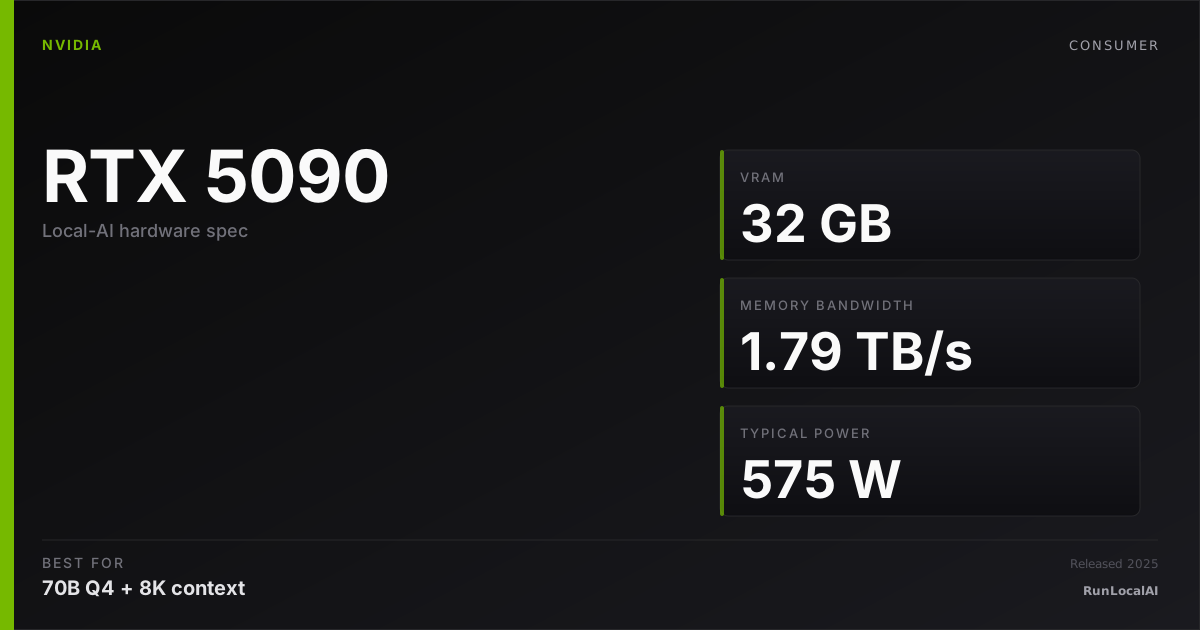
Blackwell flagship with 32 GB GDDR7 and about 1.79 TB/s memory bandwidth. More context headroom than a 24 GB card for 32B Q4; 70B Q4 still requires offload or more GPU memory.
Affiliate disclosure: as an Amazon Associate and partner of other retailers, we earn from qualifying purchases. The verdict on this page is our editorial opinion; affiliate links never influence what we recommend.
Sub-scores sum to 900 / 1000. Headline = 900 × 0.70 (Estimated-confidence discount) = 630. This is an algorithmic performance-tier score — distinct from, and often lower than, the editorial “Our verdict” below, which weighs value and real-world fit (especially for hardware we haven’t measured yet). How scoring works →
Extrapolated from 1792 GB/s bandwidth — 215.0 tok/s estimated. No measured benchmarks yet.
Plain-English: Comfortable at 32B and below — snappy enough for a coding agent; vision models supported.
Verdicts extrapolated from catalog VRAM + bandwidth + ecosystem flags. Hover any chip for the rationale. Want measured numbers? Submit your own run with runlocalai-bench --submit.
What it does well
The RTX 5090 provides 32 GB GDDR7 at about 1.79 TB/s. It gives a 32B Q4 model more context headroom than a 24 GB GPU. It cannot fully hold 70B Q4_K_M weights (about 42.3 GB) or 32B FP16 weights (64 GB). Compare published benchmark configurations for speed; the earlier unlinked timing ranges have been removed.
Where it breaks
- 575 W TGP is real. This is a 1000 W+ PSU card, not a 750 W card. Add headroom for CPU + drives + transient spikes; many operators end up at 1200 W. The 12V-2x6 connector replaces the controversial 4090-era 12VHPWR but the fitment + power-budget caution stays.
- Supply + price are not normal yet. 2025-into-2026 retail is supply-constrained — MSRP $1,999 is rarely the price you actually pay. Scalper-adjacent pricing of $2,300–2,800 is the operator-grade reality.
- 32B-class workloads are over-spec. If your daily target is Qwen 3 32B / Qwen 2.5 Coder 32B / QwQ 32B, the 5090 isn't doing more for you than a 4090 does — the workload fits 24 GB. You're paying the 5090 premium for headroom you don't need.
- Multi-GPU economics are awkward. Two 5090s for ~$5,000 buy you 64 GB combined VRAM. Two used 3090s buy you 48 GB combined for ~$1,800. For homelab operators chasing $/VRAM, the calculus often favors the older silicon.
Ideal model range
- Single-card starting point: 32B Q4 with more memory headroom than a 24 GB card.
- 70B Q4: about 42.3 GB of weights before runtime and KV cache. A single RTX-5090 needs offload. Two 24 GB cards can be viable with a supported split and a constrained context budget.
- FP16: 32B needs about 64 GB of weights; 70B needs about 140 GB. Reserve additional space before selecting a memory tier.
- Concurrency and long context: measure the actual model, cache dtype and runtime. No fixed context or timing guarantee is made here.
Bad use cases
- Genuine frontier-MoE workloads — DeepSeek V3 671B, Llama 4 Maverick / Behemoth — need workstation hardware (RTX 6000 Ada / RTX PRO 6000 Blackwell) or multi-GPU. 32 GB doesn't change that math.
- Power-constrained builds — mini-ITX cases, 750 W PSUs, anyone running 24/7 inference and paying retail electricity. The 5090 is a thermal + power statement.
- Maximum tok/s on small models — 7B at >~300 tok/s is throughput territory where smaller cards (RTX 5070 Ti, RTX 4070 Super) are better $/throughput. The 5090 is over-specced for sub-13B workloads.
- Anyone betting on future supply normalization — if the 5090 is still scalper-priced when you check, the 4090 used market and the dual-3090 path are honest alternatives. Don't pay 30%+ premium for a card you can wait on.
Verdict
Consider this card if you have a verified 32B quantized workload that benefits from more than 24 GB, and the price, power and cooling requirements fit your build. Check the actual artifact and context in the hardware checker.
Choose another configuration if full-GPU 70B Q4 or 32B FP16 is the requirement. Consider more GPU memory or an explicitly supported multi-GPU split. A used dual-3090 setup has 48 GB nominal memory, with additional setup and power requirements.
How it compares
- RTX 3090 / RTX 4090: both provide 24 GB. The 4090 has higher specified bandwidth; a matched benchmark is needed for a throughput comparison.
- RTX 5090: 32 GB and about 1.79 TB/s. It adds context headroom for 32B Q4, but 70B Q4_K_M still exceeds its memory.
- Two RTX 3090s: 48 GB nominal memory with a supported split. This can be viable for 70B Q4, with limited context room and additional system, power and cooling requirements.
- 16 GB GPUs: start by checking 13B–14B Q4 models. A 32B Q4_K_M artifact is about 19.3 GB before overhead.
- Apple M4 Max 128 GB: more total memory, shared with the OS. It does not hold 70B FP16 weights of about 140 GB. Consider Q4/Q8 and check available unified memory. A 192 GB or larger configuration provides a different FP16 budget.
- Workstation GPUs: 48–96 GB on one card can simplify larger model allocations, at a different price and power level.
Overview
What the RTX 5090 actually is, in local-AI terms
The RTX 5090 has 32 GB of GDDR7 at about 1.79 TB/s and Blackwell hardware acceleration. Compared with the RTX 4090, it adds 8 GB of memory. That can provide more context room for a 32B quantized model, but it does not make a 70B Q4 model fully GPU-resident.
A 70B model needs at least 35 GB of raw 4-bit weights, and approximately 42.3 GB at Q4_K_M, before KV cache and runtime. Published benchmark configurations should establish speed comparisons; bandwidth alone is not a measurement.
Check current prices, available power and case clearance before choosing the 5090 over a 24 GB card.
Where it fits in the hardware ladder
In the consumer-NVIDIA tier:
| Card | VRAM | BW | Bin |
|---|---|---|---|
| RTX 4090 | 24 GB | 1008 GB/s | workstation default through 2025 |
| RTX 5090 | 32 GB | 1792 GB/s | consumer flagship 2026 |
| RTX Pro 6000 Blackwell | 96 GB | ~1.8 TB/s | workstation tier above 5090 |
vs the datacenter ladder:
| Card | VRAM | BW | Notes |
|---|---|---|---|
| RTX 5090 | 32 GB | 1.79 TB/s | consumer; no NVLink |
| H100 SXM | 80 GB | 3.35 TB/s | datacenter; NVLink |
| H200 | 141 GB | 4.8 TB/s | datacenter capacity tier |
The 5090 has 32 GB on one card. This is useful headroom for 32B Q4, but both 70B INT4 and 405B Q4 exceed that capacity before context and runtime.
Best use cases
- 32B Q4 coding and chat with more context headroom. Qwen 2.5 Coder 32B at Q4 is a candidate; FP16 weights need about 64 GB and cannot fit on this card.
- FP4 experimentation. Use an engine that supports the model and Blackwell kernels. Faster arithmetic does not reduce the memory needed to store all model weights.
- Training experiments. Check optimizer, activation and batch memory separately from inference.
- Image pipelines. Check the combined footprint of the image model, resolution and any concurrent language model.
70B Q4 requires offload or a larger GPU memory configuration; a single 5090 has 32 GB.
What it can run
These are weight-budget estimates, not measured context limits. Use the hardware checker for a specific model and configuration.
| Model class | Quant | Memory planning | Notes |
|---|---|---|---|
| 7B | FP16 | About 14 GB weights | Add model-specific KV cache and runtime |
| 13B–14B | FP16 | About 26–28 GB weights | Limited remaining headroom; do not assume 64K context |
| 32B | Q4_K_M | About 19.3 GB weights | More headroom than 24 GB, but context still needs checking |
| 32B | FP16 / Q8 | At least 64 / 32 GB weights | Does not fit fully in 32 GB with runtime and context |
| 70B | Q4_K_M | About 42.3 GB weights | Requires offload or more GPU memory |
| 70B | 4-bit FP4 | At least 35 GB weights before scales | Hardware FP4 support does not make 70B fit in 32 GB |
| 405B | Q4_K_M | About 245 GB weights | Requires a substantially larger memory configuration |
OS support
| OS | Quality |
|---|---|
| Linux (Ubuntu 24.04 LTS) | excellent — reference |
| Windows 11 native | excellent |
| Windows (WSL2) | excellent |
| macOS | unsupported |
If your CUDA path is broken on WSL2, see /errors/wsl2-gpu-not-detected.
Software / runtime support
The 5090's Blackwell architecture is supported across the leading-edge inference engines, with the caveat that engine support for FP4 lags hardware availability through 2026:
- Ollama / llama.cpp — full GGUF + CUDA; FP4 lands incrementally
- vLLM — full AWQ / GPTQ / FP16 / FP8; FP4 maturing through 2026
- SGLang — same coverage as vLLM
- ExLlamaV2 — single-stream throughput king on this hardware via TabbyAPI
- TensorRT-LLM — first-class; FP4 path the most mature here
- LM Studio — full GUI path with CUDA acceleration
- PyTorch — first-class CUDA target
What breaks first
- Power delivery. The 5090 pulls up to 575 W under sustained inference; the 12V-2x6 connector + cheap PSUs is a known fire-and-instability path. Pair with a Platinum-rated 1200 W+ PSU and high-quality cabling.
- Thermals in compact cases. 575 W of dissipation is a real cooling problem; small-form-factor builds throttle quickly without aggressive airflow.
- CUDA toolkit / driver lag for FP4. Engines are still catching up; expect a 6-12 month tail of "this engine doesn't yet use the 5090's FP4 path" through 2026.
- PCIe Gen5 x16 dependency. The 5090 wants Gen5 bandwidth for prefill on long contexts; older Gen4 boards still work but are bandwidth-limited.
- Multi-GPU absence of NVLink. Like the 4090, no NVLink — multi-card is PCIe only.
Alternatives by intent
| If you want… | Reach for |
|---|---|
| Cheaper, same-tier consumer | RTX 5080 (16 GB) or used RTX 4090 |
| Even more VRAM | RTX Pro 6000 Blackwell (96 GB) or RTX A6000 (48 GB) |
| 70B FP16 single-machine | Apple M3 Ultra 192 GB unified memory |
| AMD path | RX 9070 XT — much cheaper, ROCm tax applies |
| Datacenter throughput | H100 SXM or H200 |
Best pairings
- Ollama or llama.cpp + 32B Q4 — check artifact size and context before loading.
- vLLM + a supported quantized model — reserve KV-cache space for concurrency.
- TensorRT-LLM — verify model and FP4 kernel support in the installed version.
- A compatible driver, CUDA and runtime combination — record versions when benchmarking.
- A coding client connected to the chosen runtime — see the local coding-agent stack.
Who should avoid the RTX 5090
- Operators happy with 24 GB. A 4090 is dramatically better dollars-per-token; the 5090 only wins when 32 GB or FP4 matter.
- Anyone on a sub-1200 W PSU. Power delivery is non-negotiable.
- Compact-case builders without aggressive cooling. 575 W is a real thermal problem.
- Apple-ecosystem operators. Different stack entirely.
- Workloads where 13B-class models suffice. A 16 GB card saves ~$2000 at the same tier of usefulness.
Related
- Stacks: /stacks/local-coding-agent, /stacks/h100-tensor-parallel-workstation
- System guides: /guides/running-local-ai-on-multiple-gpus-2026, /systems/quantization-formats
- Tools: vLLM, TensorRT-LLM, ExLlamaV2
- Errors: /errors/wsl2-gpu-not-detected
Some links above are affiliate links. We may earn a commission at no extra cost to you. How we make money.
est. = derived from US street × FX × VAT. obs. = real per-product snapshot.
Specs
| VRAM | 32 GB |
| Power draw (peak) | 575 W |
| Released | 2025 |
| MSRP | $1999 |
| Backends | CUDA Vulkan |
Models that fit
Open-weight models small enough to run on NVIDIA GeForce RTX 5090 with usable context.
Hardware worth comparing
The closest alternatives by price, memory bandwidth, and form factor, plus a step up and down — so you can frame the buying decision against real options.
Curated head-to-heads against specific cards — the buyer-decision shape that crosses VRAM bands.
The 5090 only justifies its price for buyers who specifically need 32 GB on one card or are running production image/video gen. The guides below cover those workloads.
Frequently asked
What models can NVIDIA GeForce RTX 5090 run?
Does NVIDIA GeForce RTX 5090 support CUDA?
How much does NVIDIA GeForce RTX 5090 cost?
Where next?
Reviewed by RunLocalAI Editorial. See our editorial policy for how we research and verify hardware specifications.