RTX 5090 vs dual RTX 4090 for local AI in 2026
32 GB GDDR7 flagship; Blackwell consumer.
- VRAM
- 32 GB
- Bandwidth
- 1792 GB/s
- TDP
- 575 W
- Price
- $2,000-2,500 (2026 retail; supply-constrained)
Two 24 GB Ada flagships = 48 GB combined VRAM.
- VRAM
- 48 GB
- Bandwidth
- 1008 GB/s
- TDP
- 900 W
- Price
- $3,800-4,200 used (~$1,900-2,100 each)
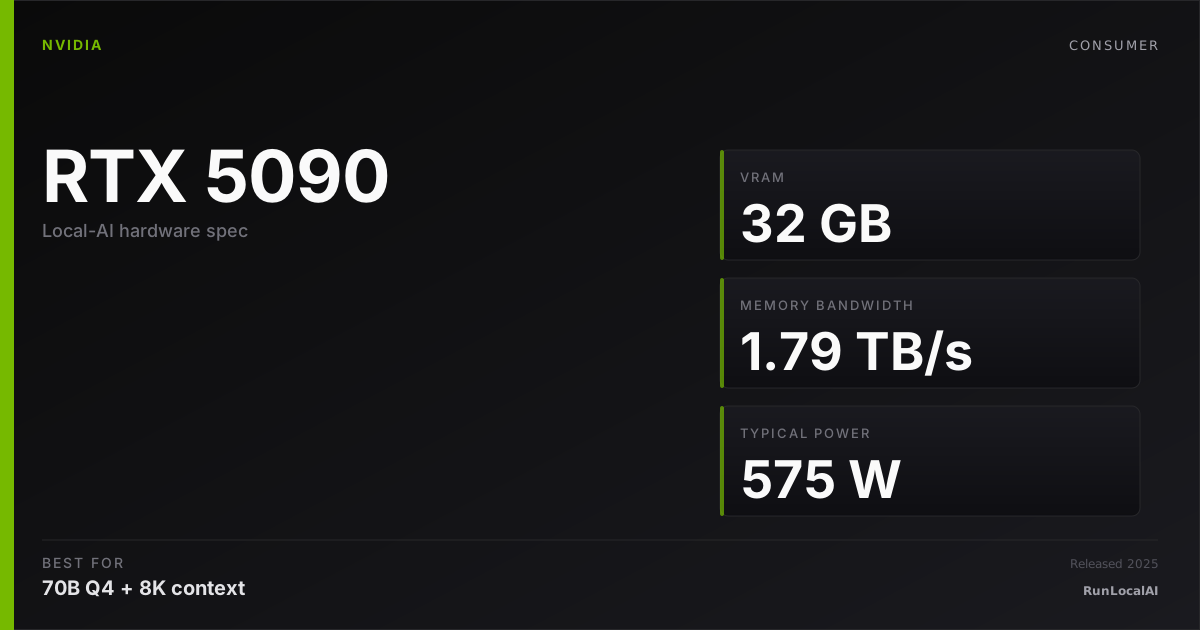
RTX 5090
32 GB GDDR7 flagship; Blackwell consumer.
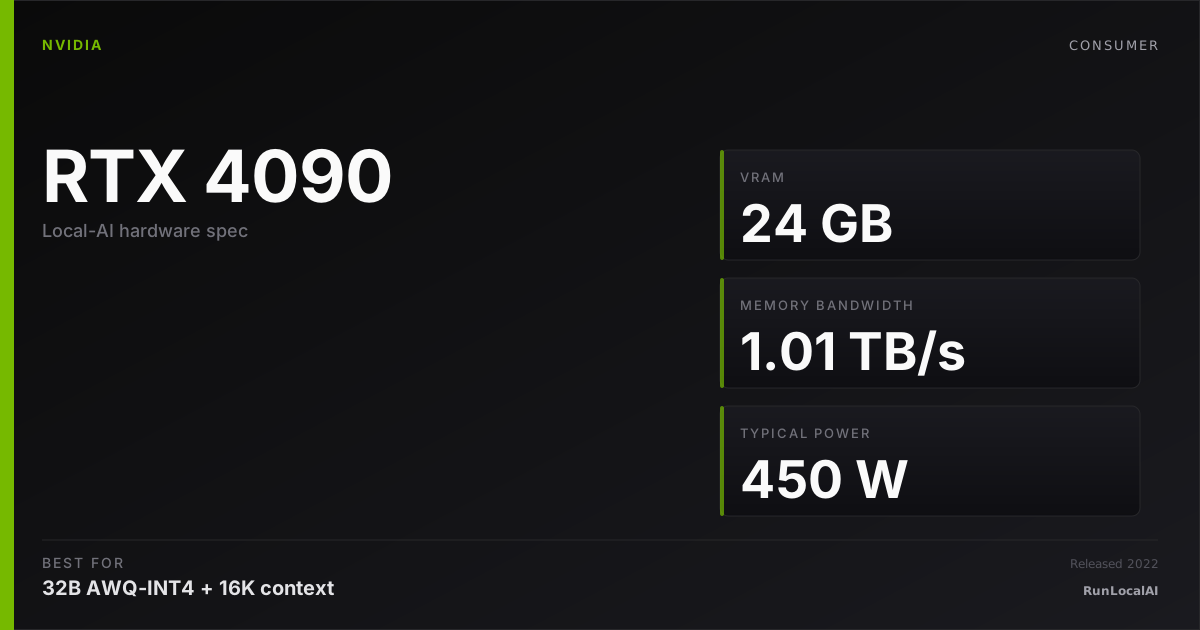
Dual RTX 4090
Two 24 GB Ada flagships = 48 GB combined VRAM.
Single RTX 5090 (32 GB GDDR7, 1.79 TB/s, $2,000-2,500 new) vs dual RTX 4090 (48 GB GDDR6X combined, ~2.0 TB/s aggregate, $3,800-4,200 used). At similar approximate throughput, the 5090 wins on simplicity; the dual 4090 wins when VRAM ceiling decides the workload.
Total cost pushes very different directions. The 5090 is one plug-and-play card with warranty. Dual 4090 is two used cards requiring a 1200W+ PSU, multi-GPU config, and twice the cooling. The ops burden is the hidden cost of multi-card.
Memory planning: RTX 5090 — 32 GB nominal memory: check 32B Q4. Reserve space for KV cache and runtime; offload is a separate configuration. Dual RTX 4090 — 48 GB nominal memory: check 70B Q4 with a checked context budget. Reserve space for KV cache and runtime; offload is a separate configuration.
Who wins each workload
Each row is a workload local-AI operators actually run. Verdicts derived from VRAM math + bandwidth — no editorial hand-wave.
What each card actually runs
VRAM math against a canonical set of popular models. The largest context window that fits with headroom appears in each cell.
| Model | RTX 5090 | Dual RTX 4090 |
|---|---|---|
Qwen 3 14B Q4_K_M 14B params · Q4_K_M | 32K ctx | 32K ctx |
Qwen 3 32B Q4_K_M 32B params · Q4_K_M | 16K ctx | 16K ctx |
Llama 3.3 70B Q4_K_M 70B params · Q4_K_M | OOM | 4K ctx, tight |
DeepSeek R1 distill 32B 32B params · Q4_K_M | 16K ctx | 16K ctx |
Mixtral 8x22B Q4 141B params · Q4_K_M | OOM | OOM |
FLUX.1 image gen 12B params · FP16 | 1 | 1 |
Fit figures are estimates. We have removed throughput and cost rankings without matched measurements. Compare model, quantization, context and runtime in the benchmark records. Price ranges are editorial estimates, not live merchant quotes.
Quick decision rules
Operational matrix
| Dimension | RTX 5090 32 GB GDDR7 flagship; Blackwell consumer. | Dual RTX 4090 Two 24 GB Ada flagships = 48 GB combined VRAM. |
|---|---|---|
VRAM ceiling Decides which model classes fit. | — 32 GB nominal memory: check 32B Q4. Reserve space for KV cache and runtime; offload is a separate configuration. | — 48 GB nominal memory: check 70B Q4 with a checked context budget. Reserve space for KV cache and runtime; offload is a separate configuration. |
Memory bandwidth Decode speed on memory-bound workloads. | Excellent 1.79 TB/s GDDR7 single card. | Excellent 1.0 TB/s per card; tensor-parallel effective ~1.7-1.9 TB/s. |
Total cost (2026) Realistic acquisition. | Acceptable $2,000-2,500 new. One card, one PSU upgrade. | Limited $3,800-4,200 used for the pair. Buy from a single seller if possible. |
Power + noise Sustained-load envelope. | Limited 575W single card. 1000W PSU. One fan source. | Limited 900W combined. 1200W+ PSU. Two fan sources. Real heat output. |
Tensor-parallel scaling Multi-user / large-model throughput. | — Single card. No multi-GPU upside. | Excellent Dual-card TP scales 1.7-1.9x; vLLM / ExLlamaV2 tested. |
Ease of build Time from purchase to first token. | Excellent One card. Install driver, pull model, run. ~1 hour. | Limited Two cards + Linux + NCCL config + PCIe lane verification. Full weekend. |
Warranty + reliability What happens when a card fails. | Excellent New silicon; 3-year manufacturer warranty. | Limited Used cards. No warranty unless seller offers. Plan for thermal pad replacement. |
Tiers are qualitative editorial labels, not derived from a single benchmark. For tok/s and VRAM measurements on these cards, browse the corpus or request a benchmark.
Who should AVOID each option
Avoid the RTX 5090
- If multi-user vLLM serving at concurrent throughput is required
- If 48 GB combined VRAM at used-market prices fits your budget
Avoid the Dual RTX 4090
- If single-card simplicity + warranty matters more than VRAM ceiling
- If quantized 70B Q4 is your daily (32 GB plenty)
- If you don't have a Linux box with 2× 4-slot spacing + 1200W+ PSU
Workload fit
RTX 5090 fits
- Single-card warranty + simplicity
Dual RTX 4090 fits
- Multi-user vLLM production serving
- 48 GB combined VRAM workloads
Reality check
The spec-sheet bandwidth advantage of dual 4090 (1.8 TB/s effective TP) is close enough to the 5090's 1.79 TB/s that it's not a deciding factor. VRAM is the dimension.
If you're considering dual 4090, also consider dual 3090 (~$1,600-2,000 used for 48 GB). Slower compute but same VRAM ceiling at half the price. Different tradeoff — used Ampere vs used Ada.
Used-market notes
- Sourcing matched 4090s from the used market: two identical AIB models from one seller is ideal. Mismatched coolers can create asymmetric thermal throttling under multi-GPU load.
- Check ECC counts on both cards before buying. Used 4090s from AI builders have less wear than mining-rig cards; verify thermal performance under 30-min sustained load.
- Replace thermal pads on both cards before deployment: ~$60-100 + 2 hours. Reduces hot-card throttling in multi-GPU setups.
Power, noise, and heat
- Dual 4090 sustained inference: 700-900W combined GPU draw. Needs 1200W+ PSU with adequate headroom. Heat output requires well-ventilated space.
- Single 5090 sustained: 500-575W. Manageable with 1000W PSU. Still loud but one fan source.
- Annual electricity (4hrs/day): dual 4090 ~$180-220/year, single 5090 ~$120-150/year. Marginal but real over 3-5 years.
Where to buy
Where to buy RTX 5090
Editorial price range: $2,000-2,500 (2026 retail; supply-constrained)
Where to buy Dual RTX 4090
Editorial price range: $3,800-4,200 used (~$1,900-2,100 each)
Affiliate links — no extra cost. Prices are editorial ranges, not real-time. Click through to verify.
Some links above are affiliate links. We may earn a commission at no extra cost to you. How we make money.
Editorial verdict
The hidden cost of dual-card is ops time. NCCL config, driver pinning, PCIe lane management, and asymmetric thermals are real friction that single-card 5090 avoids entirely.
HonestyWhy benchmark numbers on this page might not reflect your real experience
- tok/s is not user experience. Humans read at ~10-15 tok/s — anything above that is buffer time, not perceived speed.
- Context length changes everything. A 70B Q4 model at 1024 tokens generates ~25 tok/s; the same model at 32K context drops to ~8-12 tok/s as KV cache fills.
- Quantization changes the conclusion. Q4_K_M vs Q5_K_M vs Q8 produce different speed AND different quality. A benchmark at one quant doesn't translate to another.
- Thermal throttling changes long sessions. The first 15 minutes of a benchmark see boost-clock peak; the next 4 hours see steady-state, which is 5-15% slower depending on case airflow.
- Driver and runtime versions silently shift winners. A 2024 benchmark on PyTorch 2.4 + CUDA 12.4 doesn't reflect 2026 reality on PyTorch 2.6 + CUDA 12.6. Discount benchmarks older than 6 months.
- Vendor and YouTuber benchmarks are cherry-picked. The standard 'Llama 3.1 70B Q4 at 1024 tokens' chart shows peak decode on a tiny prompt — exactly the conditions least representative of daily use.
- A 25-30% throughput gap between two cards rarely translates to a 25-30% experience gap. Both cards are fast enough; the differentiator is usually VRAM ceiling, not raw decode speed.
We try to surface these caveats where they apply. If a number on this page reads more confident than it should, please email us via contact. See also our methodology and editorial philosophy.
Don't see your specific workload?
The matrix above is editorial. If you want a measured tok/s number for a specific model + quant on either card, file a benchmark request — the community claims requests and reproduces them under our methodology checklist.