NVIDIA H100 SXM
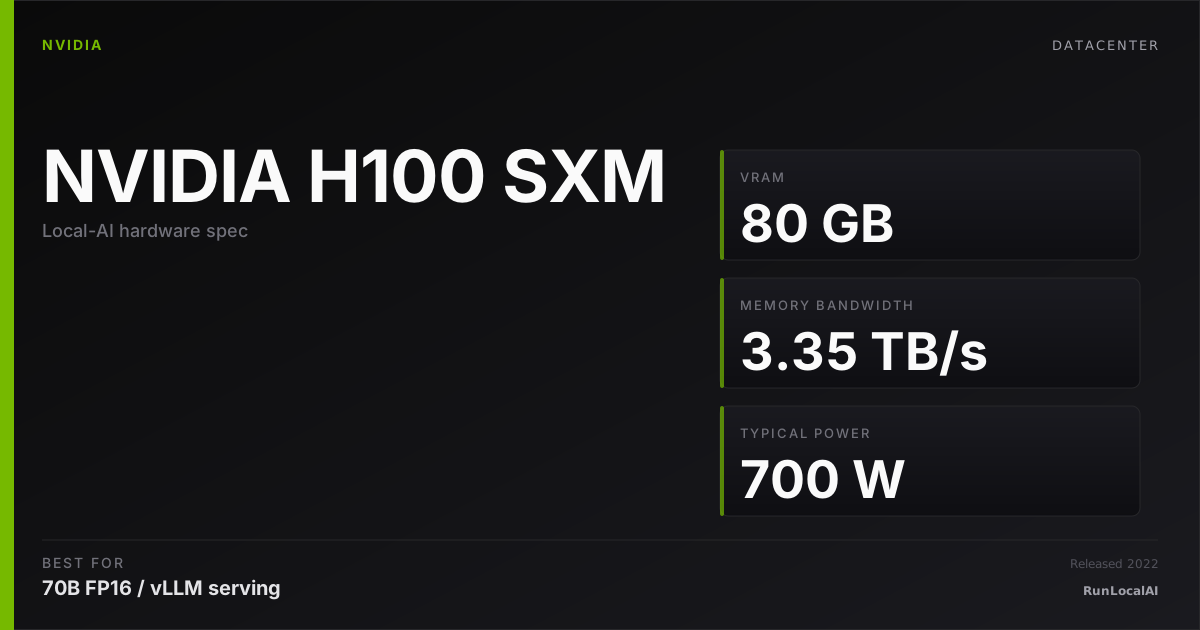
Hopper SXM5 — 80GB HBM3 at 3.35 TB/s. The original GPU that trained GPT-4. Cloud-rentable.
Affiliate disclosure: as an Amazon Associate and partner of other retailers, we earn from qualifying purchases. The verdict on this page is our editorial opinion; affiliate links never influence what we recommend.
Sub-scores sum to 936 / 1000. Headline = 936 × 0.70 (Estimated-confidence discount) = 655. This is an algorithmic performance-tier score — distinct from, and often lower than, the editorial “Our verdict” below, which weighs value and real-world fit (especially for hardware we haven’t measured yet). How scoring works →
Extrapolated from 3350 GB/s bandwidth — 402.0 tok/s estimated. No measured benchmarks yet.
Plain-English: Runs 70B comfortably — snappy enough for a coding agent; vision models supported.
Verdicts extrapolated from catalog VRAM + bandwidth + ecosystem flags. Hover any chip for the rationale. Want measured numbers? Submit your own run with runlocalai-bench --submit.
What it does well
The H100 SXM5 is the GPU that defined production LLM training and inference for the modern era. 80 GB HBM3 at 3.35 TB/s, 700 W TDP, and full NVLink mesh (900 GB/s between cards) at the SXM5 socket level — this is what an 8× DGX H100 box uses, and it's still the dominant deployment in 2026 hyperscaler cap-ex despite B200's Blackwell launch. Hopper architecture features are mature: native FP8 with first-gen Transformer Engine, dynamic FP8 scaling that delivers ~2× FP16 throughput on most modern frameworks, MIG (multi-instance GPU) for safe multi-tenant partitioning, and confidential computing extensions. The full NVIDIA stack is aggressively H100-tuned: TensorRT-LLM ships H100-specific kernels first, vLLM has the most-optimized H100 paths, and most production research papers from 2024–2025 cite H100 cluster training. Cap-ex around $30,000–$32,000 retail (or $25,000+ used as B200 ramps) and ~$3.50–$5.00/hr SXM rental — the standard datacenter inference / training tier when you need the SXM5 NVLink mesh advantage.
Where it breaks
- Architecture is no longer current. B200 is the 2026 flagship: 192 GB / 8 TB/s / FP4 native. For new cap-ex on frontier training workloads, B200 is the right tier.
- No FP4 native. Hopper has FP8 but not FP4 — frameworks now exploiting FP4 (TRT-LLM 0.10+, vLLM v0.7+, certain quantization libraries) get meaningful additional throughput on Blackwell that H100 can't match.
- DGX motherboard requirement. SXM5 doesn't fit standard PCIe servers — you need a DGX-class chassis or an HGX baseboard from Supermicro / Dell / HPE. The motherboard premium is real.
- Power and thermal density. 700 W TDP per card, 8-card baseboards pull 5.5+ kW continuous. This is datacenter-only — no office or even small colo deployment.
- Memory ceiling vs H200 / MI300X. 80 GB. H200 at the same socket gives 141 GB. MI300X gives 192 GB. For memory-bound large-context inference, H100 SXM is the floor of the SXM-tier.
- Resale erosion is starting. Used H100 SXM has dropped from $40,000+ peaks to ~$25,000. As B200 production ramps and H200 absorbs the upper tier, expect continued price softening over 2026.
Ideal model range
- Sweet spot: 70B production multi-tenant serving via vLLM continuous batching at full FP8. ~150 concurrent users on a single 8× H100 DGX node.
- Sweet spot: 200B-class production at FP8 across 4×–8× H100 SXM with full NVLink mesh.
- Sweet spot: Frontier-model fine-tuning (70B FP16 full-finetune across 4× H100 SXM, or 200B+ across 8× H100) — the proven training tier.
- Sweet spot: 405B production inference across 8× H100 SXM with NVLink mesh — the standard 2024–2025 deployment that's still common in 2026.
- Stretch: 671B (DeepSeek V3 / R1) production serving across 8× H100 SXM with paged offload to system memory.
- Comfortable: Anything an A100 80GB SXM does, but with FP8 throughput improvements and modern Transformer Engine optimizations.
Bad use cases
- Single-card non-DGX deployments. Pick H100 PCIe instead — same chip, half the TDP, fits any PCIe server, ~25% cheaper.
- Hobbyist / single-developer workloads. Wrong tier entirely. Rent for hours; don't buy.
- Anything that fits 48 GB. L40S at 1/4 the cap-ex wins for production sub-48 GB inference.
- New cap-ex when H200 exists. H200 is the same socket with 76% more memory + 43% more bandwidth at +25% price. Almost always the better buy in 2026.
- Frontier training where FP4 / Blackwell-gen TE2 dominate. Pick B200.
- Cap-ex without a 24×7 high-utilization workload. Rent on Runpod / Lambda at $3.50–$5/hr SXM.
Verdict
Buy this if you're operating production datacenter training or inference at multi-card scale, you need full SXM5 NVLink mesh (8×-card tensor parallelism with 900 GB/s interconnect), you have or are deploying DGX-class infrastructure, and you've validated cap-ex over 18+ month horizon vs rental. H100 SXM5 is the canonical "I run an 8× DGX H100 box for serious LLM workloads" decision and remains a sound 2026 choice when memory ceiling allows.
Skip this if you're standing up new cap-ex (the H200 at the same socket is almost always the better buy), single-card / no-NVLink-needed deployments (H100 PCIe is cheaper and easier), workload fits 48 GB (L40S wins), frontier-training where FP4 matters (B200), or you're a hobbyist (rent or buy consumer).
How it compares
- vs H100 PCIe (80 GB) → Same chip, same 80 GB. SXM5 has full NVLink mesh + 700 W + DGX socket. PCIe has 350 W + standard PCIe form. Pick SXM5 for 4×–8× clusters; pick PCIe for 1–2 card deployments. See /compare/nvidia-h100-sxm-vs-nvidia-h100-pcie.
- vs H200 (141 GB SXM) → Same socket, same architecture. H200 has 76% more memory + 43% more bandwidth at +5% price (DGX H200 vs DGX H100 in 2026 pricing). Pick H200 for any new build; H100 SXM only matches existing H100 cluster or finds steep discount. See /compare/nvidia-h100-sxm-vs-nvidia-h200.
- vs B200 (192 GB SXM) → B200 has 2.4× memory + 2.4× bandwidth + native FP4 + Transformer Engine 2 at +33% price. Pick B200 for frontier training and FP4-aggressive production; H100 SXM for proven Hopper-tier production at lower cap-ex.
- vs A100 80GB SXM → Same memory tier, A100 is one architecture generation older. H100 has FP8 + Transformer Engine + ~67% more bandwidth. Pick H100 SXM for FP8-exploiting workloads; A100 SXM for cost-conscious or matching existing A100 clusters.
- vs MI300X (192 GB) → MI300X has 2.4× memory + 58% more bandwidth at often lower enterprise pricing — but ROCm vs CUDA ecosystem gap is real. Pick MI300X when memory ceiling unlocks workloads and ROCm fits the stack; H100 SXM when CUDA ecosystem maturity is non-negotiable.
Overview
What the H100 SXM actually is, in local-AI terms
The NVIDIA H100 SXM is the production datacenter GPU that defines the upper end of "self-hosted" local AI in 2026. 80 GB of HBM3 memory at ~3.35 TB/s memory bandwidth, the Hopper generation transformer engine with native FP8 acceleration, fourth-generation NVLink at 900 GB/s for multi-GPU scaling, and full software support across every leading-edge inference engine from TensorRT-LLM to vLLM.
It is also price-prohibitive for most "local AI" operators — a single H100 SXM module trades for roughly an order of magnitude more than an RTX 4090. The reason this page exists is not that most readers will buy one; it's that this card is the reference performance ceiling most other hardware is implicitly compared against, and understanding what it does — and where it doesn't — is essential context for picking anything below it.
Where it fits in the hardware ladder
The 2026 NVIDIA datacenter ladder:
| GPU | Mem | BW | Notes |
|---|---|---|---|
| L40S | 48 GB | 864 GB/s | inference-tuned Ada-Lovelace |
| H100 PCIe | 80 GB | 2 TB/s | datacenter, no NVLink at scale |
| H100 SXM | 80 GB | 3.35 TB/s | datacenter, NVLink scale-out |
| H200 SXM | 141 GB | 4.8 TB/s | next-gen capacity boost |
| B100 / B200 | 192 GB | ~8 TB/s | Blackwell — successor |
vs the consumer ceiling:
| GPU | Mem | BW | Notes |
|---|---|---|---|
| RTX 4090 | 24 GB | 1 TB/s | consumer flagship |
| RTX 5090 | 32 GB | 1.79 TB/s | consumer next-gen |
| H100 SXM | 80 GB | 3.35 TB/s | 2.5-3× the consumer ceiling |
Best use cases
- 70B-class production serving with concurrent users. A single H100 + vLLM + AWQ-INT4 or FP8 is the canonical multi-tenant setup.
- Multi-tenant agentic platforms. SGLang on H100 with RadixAttention prefix-cache is the textbook high-throughput agentic backend.
- Cluster scale-out via NVLink + InfiniBand. Where the H100 SXM truly differentiates from PCIe-only cards.
- FP8 training and inference. Hopper's transformer engine + FP8 is the path with no consumer equivalent.
- Self-hosted frontier model inference. DeepSeek V3, Llama 3.1 405B, and similar all assume H100-class infrastructure.
See /stacks/h100-tensor-parallel-workstation and /guides/running-local-ai-on-multiple-gpus-2026.
What it can run
| Model class | Quant | Context | Concurrency |
|---|---|---|---|
| 7B | FP16 | 128K | massive |
| 32B | FP16 | 128K | substantial |
| 70B | FP16 | 32K | moderate |
| 70B | FP8 / AWQ-INT4 | 64-128K | high |
| 405B (8× H100) | FP8 | 32K | moderate |
The 80 GB single-card capacity makes 70B FP16 trivial and 32B FP16 with massive concurrent users the production sweet spot. For 405B-class you need 4-8× H100s with NVLink + tensor-parallel.
OS support
| OS | Quality |
|---|---|
| Ubuntu 22.04 / 24.04 LTS | excellent — the production reference |
| RHEL / Rocky Linux 8/9 | excellent — common in enterprise datacenters |
| Other Linux | partial — distro-dependent driver packaging |
| Windows | not relevant — H100 is a datacenter card |
H100 SXM modules ship in HGX baseboards and are not physically compatible with consumer motherboards. The H100 PCIe variant exists for non-HGX systems but lacks the SXM5 NVLink topology.
Software / runtime support
The H100 has the richest software stack of any GPU in this catalog:
- TensorRT-LLM — NVIDIA's first-party serving engine; H100-tuned; FP8 transformer engine; the throughput-king path
- vLLM — first-class H100 support with FP8 paths
- SGLang — first-class H100 support with RadixAttention prefix-caching
- PyTorch — first-class with cuDNN, Transformer Engine, FP8 paths
- CUDA — reference platform; new CUDA features land H100-first
Quant formats: FP16, BF16, FP8 (Hopper-native), AWQ-INT4, GPTQ, GGUF, all supported. EXL2 / MLX-formats are off-target — H100 is not the right tool for those workloads.
What breaks first
- Cooling. SXM modules are designed for forced-air or liquid HGX baseboards; standalone deployments without proper airflow throttle within seconds.
- NVLink topology in multi-GPU configs. 4× and 8× H100 nodes have specific NVLink fabrics; misconfiguration hurts tensor-parallel scaling.
- NCCL version drift on cluster setups. Pin everything; mixed NCCL versions across nodes silently kill scaling.
- FP8 numerical stability. The transformer engine's FP8 paths are excellent for 90 % of models but require occasional per-layer precision overrides for stability on edge architectures.
- CUDA toolkit lag. New CUDA features land on H100 first but inference engines lag the toolkit by weeks.
Alternatives by intent
| If you want… | Reach for |
|---|---|
| Newer / more memory | H200 (141 GB) or B100 / B200 (Blackwell) |
| Cheaper datacenter inference | L40S (48 GB, ~1/3 the price) |
| Self-hosted "consumer" path | RTX 4090 ×2 — much cheaper, much smaller models |
| Apple-ecosystem self-host | Apple M3 Ultra 192 GB — bandwidth-rich, compute-poor |
| Cloud rental instead of buying | most operators in 2026 should rent rather than own H100s |
Best pairings
- 8× H100 SXM HGX node + TensorRT-LLM + Llama 3.1 405B FP8 — the frontier-self-host configuration
- Single H100 SXM + vLLM + 70B AWQ-INT4 — the production serving sweet spot
- SGLang on H100 cluster — the agentic high-throughput pattern; RadixAttention pays off most when prefix-cache hit rates are high
- NVLink + InfiniBand fabric + Slurm or Kubernetes orchestration — the datacenter operating model
Who should avoid the H100 SXM
- Solo operators and homelabs. The price and infrastructure overhead don't pay back for single-user workloads. Use RTX 4090 or Apple M3 Ultra.
- Anyone without HGX-compatible infrastructure. SXM modules are not consumer-installable.
- Workloads that cap at 32B-class models. Massive overkill; an L40S or 4090 wins on price-perf.
- Operators who would rent compute instead. Cloud H100 rental in 2026 is a better model than ownership for most workloads.
Related
- Stacks: /stacks/h100-tensor-parallel-workstation
- System guides: /guides/running-local-ai-on-multiple-gpus-2026, /systems/quantization-formats
- Tools: TensorRT-LLM, vLLM, SGLang
Some links above are affiliate links. We may earn a commission at no extra cost to you. How we make money.
Featured in this stack
The L3 execution stacks that pick this hardware as a recommended component, with the one-line note explaining the role it plays in each.
- Stack · L3·Production tier·Role: GPUs (4× SXM5 in NVLink-Switch fabric)4× H100 SXM tensor-parallel workstation — frontier MoE serving reference
H100 SXM5 with the NVLink-Switch chassis is the only consumer-tier-or-below configuration where total VRAM ≈ effective VRAM. The 900 GB/s mesh between all 4 cards makes tensor-parallel-4 essentially free vs the PCIe penalty consumer multi-GPU pays.
Specs
| VRAM | 80 GB |
| Power draw (peak) | 700 W |
| Released | 2022 |
| MSRP | $30000 |
| Backends | CUDA |
Models that fit
Open-weight models small enough to run on NVIDIA H100 SXM with usable context.
Hardware worth comparing
The closest alternatives by price, memory bandwidth, and form factor, plus a step up and down — so you can frame the buying decision against real options.
Frequently asked
What models can NVIDIA H100 SXM run?
Does NVIDIA H100 SXM support CUDA?
Where next?
Reviewed by RunLocalAI Editorial. See our editorial policy for how we research and verify hardware specifications.