Apple M4 Max
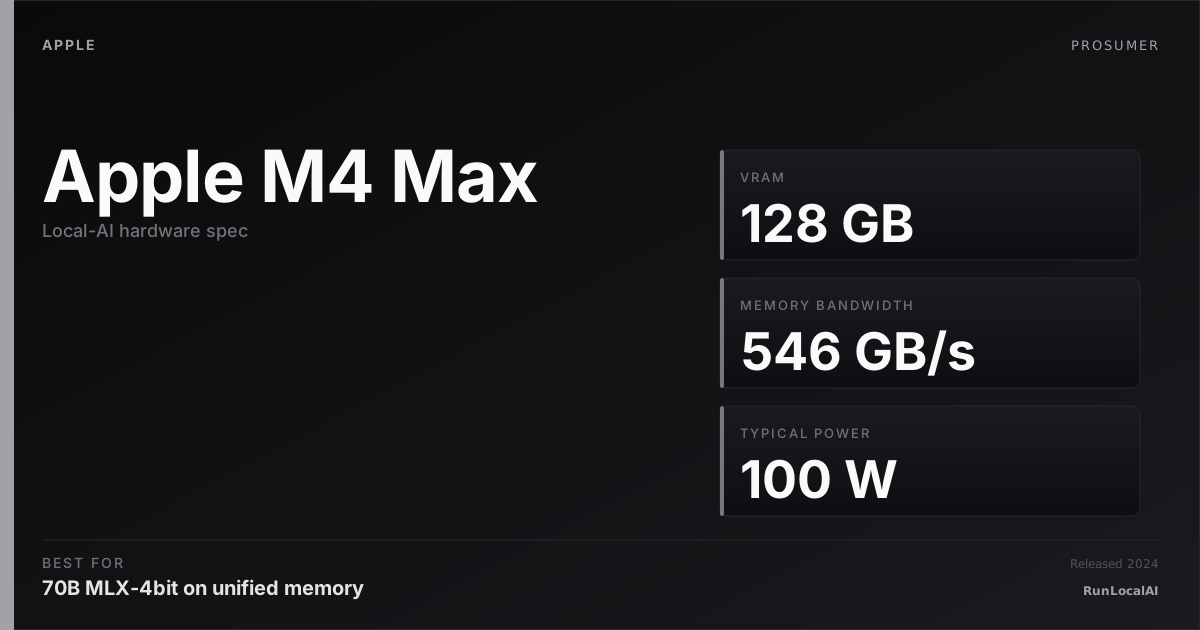
M4 Max — 546 GB/s memory bandwidth, up to 128GB unified. Most capable laptop SoC for 70B+ models.
Affiliate disclosure: as an Amazon Associate and partner of other retailers, we earn from qualifying purchases. The verdict on this page is our editorial opinion; affiliate links never influence what we recommend.
Sub-scores sum to 653 / 1000. Headline = 653 × 0.70 (Estimated-confidence discount) = 457. This is an algorithmic performance-tier score — distinct from, and often lower than, the editorial “Our verdict” below, which weighs value and real-world fit (especially for hardware we haven’t measured yet). How scoring works →
Extrapolated from 546 GB/s bandwidth — 76.4 tok/s estimated. No measured benchmarks yet.
Plain-English: Runs 70B comfortably — snappy enough for a coding agent; vision models supported.
Verdicts extrapolated from catalog VRAM + bandwidth + ecosystem flags. Hover any chip for the rationale. Want measured numbers? Submit your own run with runlocalai-bench --submit.
What it does well
Unified memory is the platform's killer feature for local AI: an M4 Max with 128 GB lets a 70B FP16 model live on the GPU without the ~$10,000 datacenter card such a workload would otherwise require, and a 64 GB M4 Max comfortably runs 70B at Q4–Q5 with full-context room to spare. Memory bandwidth at 546 GB/s on the 64 GB tier (and similar on the 128 GB tier) sits between an RTX 3090 and a 4080 Super — meaningful for memory-bound decode. MLX is genuinely faster than llama.cpp Metal for many workloads, and Apple's silicon roadmap means MLX gains keep landing. Power draw is roughly 1/4 the equivalent NVIDIA setup, which matters for laptops + sustained-quiet workloads. The Mac is also the silicon platform with the cleanest first-time-user story for local AI: install LM Studio, pick a model from the catalog, chat — no driver toolchain, no PSU math, no thermal worry.
Where it breaks
- No CUDA. The single biggest software-stack tradeoff. vLLM, SGLang, TensorRT-LLM, ExLlamaV2 — none run on Apple Silicon. Production-grade serving stacks are CUDA-only.
- Lower decode speed for memory-bound workloads. 546 GB/s vs the 4090's 1.0 TB/s vs the 5090's 1.79 TB/s — that bandwidth gap shows up directly in 70B Q4 decode (M4 Max 25–35 tok/s vs RTX 4090 partial-offload ~22–28 vs RTX 5090 ~40–55).
- Premium pricing for the high-memory configs. A 128 GB M4 Max MacBook Pro is $4,500–$5,500. The 96 GB Mac Studio M2 Ultra is similar. You're paying laptop premiums for the unified-memory privilege.
- Thermal throttling under sustained load. 30+ minute continuous inference in a MacBook Pro will eventually throttle. Workstation-tier sustained AI is a Mac Studio M3 Ultra job, not a laptop job.
- Day-zero new model support is uneven. llama.cpp Metal usually has it within hours; MLX takes days-to-weeks for new architectures. CUDA-first models often hit Metal/MLX last.
Ideal model range
- Sweet spot (64 GB tier): 70B at Q4–Q5 fully on the SoC at ~25–35 tok/s with comfortable 8–16K context. Best-in-class portable 70B inference.
- Sweet spot (128 GB tier): 70B FP16 (~140 GB partial-offload to swap) or comfortable 70B Q5/Q8 with full 32K context, or running multiple smaller models simultaneously. The frontier of laptop-tier local AI.
- Stretch: 100B+ MoE at low quant — DeepSeek V3 671B at Q1/Q2 partially fits 128 GB. Tok/s drops to single digits but it runs, which no NVIDIA consumer card can claim.
- Comfortable: 32B-class at full 32K context, 14B-class at 128K, 7B at 80+ tok/s.
Bad use cases
- Production multi-user serving. vLLM doesn't run here. Concurrent inference at scale is the wrong workload for any Apple Silicon device. Use NVIDIA datacenter or rent.
- Maximum tok/s on small models. Sub-13B at >~150 tok/s is throughput territory where NVIDIA RTX 4070+ wins on $/throughput.
- Anyone CUDA-locked. If your IDE plugin, your fine-tuning pipeline, or your team's deployment target is CUDA, the Mac is fighting upstream. Pick CUDA hardware and integrate; don't fight the ecosystem.
- Tight budget. A used 3090 is $700-1000. M4 Max 64 GB starts at $3,000+. The Apple premium is real and only makes sense if you're paying for the laptop / unified-memory / silent-operation combination, not just for inference.
Verdict
Buy this if you want a single laptop that genuinely runs 70B locally without the workstation-tier price tag and PSU drama, you can pay the Apple premium for the unified-memory architecture, and your stack is MLX-compatible or llama.cpp-Metal-compatible. The 128 GB tier puts laptop frontier-model inference within reach at no other vendor's price point.
Skip this if your software stack requires CUDA (vLLM, SGLang, TensorRT-LLM), you're cost-sensitive vs a used 3090 or 3090 multi-GPU rig, you primarily need throughput on small models (smaller NVIDIA cards win), or you're locked into a Linux-centric homelab where macOS would be the wrong OS for the rest of your workflow.
How it compares
- vs RTX 4090 (24 GB) → 4090 wins on raw decode speed (1 TB/s bandwidth + larger L2) for workloads that fit 24 GB. M4 Max wins on memory ceiling — 70B FP16 doesn't fit a 4090 at all. See /compare/apple-m4-max-vs-rtx-4090.
- vs RTX 5090 (32 GB) → 5090 has 32 GB at 1.79 TB/s bandwidth for ~$2,500. M4 Max 128 GB is ~$4,500-5,500 but 4× the memory ceiling. Pick 5090 for raw single-card speed; pick M4 Max for memory ceiling + portability + laptop form. See /compare/apple-m4-max-vs-rtx-5090.
- vs Mac Studio M3 Ultra → Mac Studio takes the same Apple Silicon platform to higher memory (up to 192 GB) and better thermals (desktop, sustained workloads) at higher price. Pick laptop M4 Max for portability; pick Mac Studio for sustained workstation use.
- vs Dual RTX 3090 homelab → 48 GB combined VRAM at ~$1,800 used vs $4,500+ for 64 GB M4 Max. Multi-GPU rig wins on raw $/VRAM and tensor-parallel-on-vLLM throughput. M4 Max wins on simplicity, silence, single-device portability, and total system cost (no need for a PC chassis + PSU).
- vs Snapdragon X Elite laptops → SDX Elite has 32–64 GB unified memory but inference is CPU-bound (no good NPU acceleration in 2026). M4 Max + Apple Silicon is the only Windows-on-ARM-laptop-class platform that's actually good at local AI.
Overview
What the Apple M4 Max actually is, in local-AI terms
The M4 Max is the canonical Apple Silicon dev-laptop chip for local AI in 2026. Up to 128 GB of unified memory, ~546 GB/s memory bandwidth, the M4-generation GPU with hardware ray tracing and a substantial uplift in matmul throughput vs M3 Max, and a Neural Engine that — while still not addressable for arbitrary transformer kernels via MLX — handles the OS-level on-device AI features Apple ships with Sequoia and Tahoe. In a MacBook Pro 16, the chip runs at around 60-100 W under sustained inference load, with the chassis staying cool enough to keep using.
This is the chip that lets a single dev-laptop comfortably host 32B-class models at MLX-4bit with usable throughput while remaining a normal-feeling laptop. Below it (M4 Pro / M4 base) the memory tier limits you to 13B-class. Above it (M3 Ultra / M4 Ultra) you're on a desktop. The M4 Max is the mobile sweet spot for serious local-AI work.
Where it fits in the hardware ladder
The 2026 Apple Silicon laptop ladder:
| Chip | Mem (max) | BW | Realistic ceiling |
|---|---|---|---|
| M4 (base) | 32 GB | ~120 GB/s | 7B-class |
| M4 Pro | 48 GB | ~273 GB/s | 13B-class |
| M4 Max | 128 GB | ~546 GB/s | 32B-class comfortably; 70B at INT4 possible |
| M4 Ultra (Mac Studio) | 192-256 GB | ~1.1 TB/s | 70B-class FP16 |
vs comparable laptop NVIDIA:
| Chip | "VRAM" | BW |
|---|---|---|
| RTX 5090 Mobile (laptop) | 24 GB | ~1 TB/s |
| RTX 4090 Mobile (laptop) | 16 GB | ~570 GB/s |
| M4 Max (128 GB) | 128 GB unified | 546 GB/s |
The M4 Max trades raw memory bandwidth (NVIDIA wins) for capacity and battery efficiency (Apple wins by a lot). For LLM workloads — where capacity often matters more than raw FLOPs — the M4 Max often wins on what-can-I-actually-load even when the per-token throughput is slightly lower.
Best use cases
- Mobile dev laptop for serious local AI. A MacBook Pro 16 with 64-128 GB M4 Max is the cleanest "fly with my model" workstation in 2026.
- MLX-LM development. The chip is fast enough that 7B-32B model iteration is genuinely interactive. See /stacks/local-coding-agent.
- Battery-aware inference. MLX-LM's lazy evaluation + the M4 Max's efficiency cores let you run a chat model on battery without instantly draining.
- Coding agent backend on the road. Pair MLX-LM with Continue.dev or Aider. 32B coder model + 32K context fits comfortably in 64 GB.
- High-bandwidth ML research. The M4 Max's GPU is meaningfully faster than M3 Max on most matmul-heavy workloads; for ML researchers prototyping on Apple Silicon, it's a real upgrade.
What it can run
The realistic working set on a 64-128 GB M4 Max:
| Model class | Quant | Context | Notes |
|---|---|---|---|
| 7B | FP16 | 128K | massive headroom |
| 13B-14B | FP16 | 128K | comfortable |
| 32B | MLX-4bit | 64-128K | comfortable |
| 32B | FP16 | 32K | works on 64 GB+ |
| 70B | MLX-4bit | 16-32K | tight on 64 GB; comfortable on 128 GB |
| 70B | FP16 | — | needs M-series Ultra |
For a deeper picture of MLX vs GGUF on Apple Silicon see /systems/quantization-formats.
OS support
| OS | Quality |
|---|---|
| macOS 15 Sequoia | excellent |
| macOS 16 Tahoe | excellent — recommended |
| Anything else | unsupported |
The M-series GPU is not directly accessible from Linux (Asahi Linux progresses but the GPU stack is not local-AI-ready). Apple Silicon means macOS, period.
Software / runtime support
The M4 Max is fully supported across the Apple-Silicon-aware part of the local-AI ecosystem:
- MLX-LM — first-class; the throughput-king path on this hardware
- llama.cpp — full Metal backend support; cross-platform fallback
- Ollama — full Metal support; the daemon-first path
- LM Studio — full GUI path; defaults to MLX engine on Apple Silicon
- ExecuTorch — supported via the CoreML / MPS backends for on-device deployment
- ONNX Runtime — supported via the CoreML EP
The Neural Engine remains not addressable for arbitrary transformer kernels — MLX runs everything through the integrated GPU via Metal.
What breaks first
- Unified memory pressure under heavy KV-cache. The M4 Max swaps to disk silently when the unified memory budget is exceeded; tokens-per-sec collapses. See /errors/metal-out-of-memory.
- MLX dependency drift. The MLX framework moves quickly; pip-upgrading mid-project occasionally breaks working setups. Pin versions.
- Battery vs performance trade. Sustained inference on battery throttles the chip; "low power mode" is not the right setting for a heavy LLM workload.
- MacBook chassis thermals on the 14". The 14" chassis is more thermally limited than the 16"; sustained 32B inference is more pleasant on the 16".
- Bleeding-edge model architectures. New attention variants and MoE routers land on llama.cpp (CUDA-first) before MLX.
Alternatives by intent
| If you want… | Reach for |
|---|---|
| Bigger memory in same family | Apple M3 Ultra (192 GB) Mac Studio |
| Cheaper Apple laptop | Apple M4 Pro (48 GB max) |
| NVIDIA laptop equivalent | RTX 5090 Mobile — different stack, more raw throughput, less memory |
| Desktop-class throughput | RTX 5090 + workstation |
| Snapdragon laptop | Snapdragon X Elite — different stack, NPU-led |
Best pairings
- MacBook Pro 16 with 64-128 GB M4 Max + MLX-LM + 32B MLX-4bit — the canonical mobile dev setup
- LM Studio + MLX backend — the GUI version of the same setup
- Continue.dev + Aider routed at the local MLX-LM HTTP server — the IDE + terminal coding agent setup; see /stacks/local-coding-agent
- Open WebUI pointed at MLX-LM's :8080 endpoint
- Mac Studio M3 Ultra as a household inference server, M4 Max as the dev laptop — the Apple-ecosystem split
Who should avoid the M4 Max
- Operators on Linux / Windows. Wrong ecosystem.
- Multi-tenant production serving with concurrent users. MLX-LM is single-stream-shaped.
- Workloads that need AWQ / GPTQ / EXL2 / FP8. Different runtime ecosystem.
- Anyone whose budget can stretch to a Mac Studio M3 Ultra. The 192 GB ceiling is a meaningful upgrade if local-AI is your primary use.
- Operators who do not actually need >48 GB. An M4 Pro is meaningfully cheaper at the 13B-class tier.
Related
- Stacks: /stacks/local-coding-agent, /stacks/multi-machine-apple-cluster
- System guides: /systems/quantization-formats, /setup
- Tools: MLX-LM, LM Studio, Ollama
- Errors: /errors/metal-out-of-memory
Some links above are affiliate links. We may earn a commission at no extra cost to you. How we make money.
Featured in this stack
The L3 execution stacks that pick this hardware as a recommended component, with the one-line note explaining the role it plays in each.
- Stack · L3·Production tier·Role: Compute nodes (M4 Pro recommended; M4 Max for the head node)Build a multi-machine Apple Silicon cluster (May 2026)
M4 Pro Mac Mini is the cost-efficient cluster node — 64GB unified memory option exists; Thunderbolt 5 RDMA is the prerequisite for the ~99% inter-device latency drop that makes this stack credible. The M4 Max as head node gives extra memory bandwidth for the routing layer.
Specs
| VRAM | 0 GB |
| System RAM (typical) | 128 GB |
| Power draw (peak) | 100 W |
| Released | 2024 |
| Backends | Metal MLX |
Hardware worth comparing
The closest alternatives by price, memory bandwidth, and form factor, plus a step up and down — so you can frame the buying decision against real options.
Curated head-to-heads against specific cards — the buyer-decision shape that crosses VRAM bands.
M4 Max is the simplest path to 70B-class inference without juggling discrete GPUs. The guides below cover the Mac-specific buyer decisions.
Who should buy the M4 Max for local AI
If you want the simplest path to running 70B-class models locally. M4 Max with 64-128 GB unified memory holds Llama 3.3 70B Q4 + KV cache + an embedding model + a draft model simultaneously without juggling discrete VRAM. No CUDA install, no PSU sizing, no thermal management. Plug in and run.
If silence is non-negotiable. The M4 Max MacBook Pro under sustained inference is approximately 25 dBA — quieter than a quiet desktop fan. The Mac Studio M4 Max variant is even quieter. Discrete-GPU desktops at the same workload tier are 35-45 dBA.
If your work involves NDA / privacy-bound content — legal documents, client work, internal codebase, financial data. Apple's hardware-backed memory encryption + secure enclave gives you a local-AI threat model that commodity PCs don't match. The Mac Pro / Mac Studio in a locked office hits compliance bars that desktop builds need additional infrastructure to reach.
If you're already in the Apple ecosystem and don't want context-switching overhead. Continue.dev, Cursor, Cline, AnythingLLM, ComfyUI all run natively on Apple Silicon via MLX or Metal. The setup friction is dramatically lower than a Windows + WSL + CUDA chain.
If portability matters. No discrete GPU laptop comes close to the M4 Max MacBook Pro on tok/s-per-watt or sustained throughput on battery. A 70B Q4 chat session runs for hours unplugged.
Who should skip the M4 Max
If your workload is primarily image or video generation at scale. Flux on Apple Silicon (via MLX or Diffusers MPS) is roughly 50-65% of a CUDA 4090's throughput. Production image-gen serving on Apple Silicon is genuinely slower; if you're shipping 200+ images/day, NVIDIA wins on throughput-per-dollar.
If you depend on the CUDA-first ML ecosystem. vLLM, TensorRT-LLM, ExLlamaV2, Flash Attention 3, NVIDIA's day-zero support for new model architectures — none of these have feature parity on Apple Silicon. If your job involves running this week's research paper before MLX catches up, stay on NVIDIA.
If you do model training or LoRA fine-tuning. PyTorch MPS exists but the kernel coverage is incomplete. LoRA training works for SDXL but is slow; full fine-tuning is impractical. Llama-Factory, Unsloth, Axolotl all assume CUDA. Choose Apple Silicon for inference, not training.
If you want maximum tok/s-per-dollar. A used 3090 at $800 + $400 for a basic PC build = $1,200 for 24 GB CUDA inference. M4 Max with 64 GB starts around $3,500. The Mac premium is real and only justified by the architectural advantages above (silence, privacy, simplicity, portability).
If you specifically need the latest hardware feature day-one. Apple Silicon ships annually; NVIDIA + AMD ship with vendor support for FP4/FP6 quants and new attention variants months ahead of MLX. Early adopters need NVIDIA.
Apple unified memory reality
Unified memory is not "VRAM by another name." The M4 Max shares its memory pool between CPU, GPU, and Neural Engine. Inference can use up to ~75-80% of total RAM as effective VRAM (the rest is reserved for OS + applications). A 64 GB M4 Max gives you ~48 GB of usable model memory; a 128 GB config gives you ~96 GB.
Memory bandwidth is the speed limit. M4 Max bandwidth is approximately 546 GB/s — meaningfully less than a 4090's 1008 GB/s. LLM decode is bandwidth-bound, so a 4090 generates Llama 3.3 70B Q4 at roughly 25-30 tok/s; an M4 Max generates the same model at roughly 15-22 tok/s. The Mac is slower per token but holds a larger working set without juggling.
MLX is the right runtime, not llama.cpp. llama.cpp's Metal backend works but undercuts MLX by ~30-40% on most decode workloads. Use MLX (or Ollama with MLX backend) for the best Apple Silicon throughput. Avoid llama.cpp Metal unless the model isn't supported in MLX yet.
Image generation is the genuine weak spot. Flux Dev on M4 Max via MLX or MPS runs at roughly 30-50% of a 4090's throughput per image. Production image-gen workflows that ship hundreds of images per day will feel the difference. For occasional generation, the slowdown is barely noticeable.
Thermal profile under sustained load: the MacBook Pro chassis warms but stays under 80°C; the Mac Studio runs cool throughout. Neither throttles meaningfully on AI workloads (unlike gaming-style burst loads which are different).
When NVIDIA is still the right answer
Image generation production at scale. If you're generating hundreds of images per day, NVIDIA's CUDA + Flux stack is genuinely faster per dollar. Buy a used 3090 or new 4090 for the image-gen rig and keep the M4 Max for the privacy-bound LLM work.
Day-zero new-model support. When DeepSeek-V4 or Llama 5 ships next quarter, the CUDA wheels arrive on Hugging Face within days. The MLX port arrives weeks later. If you're running inference on bleeding-edge models, NVIDIA is the right rig.
vLLM-style production serving. Serving 8+ concurrent users on the same GPU benefits from vLLM's paged KV cache, continuous batching, and tensor-parallel features. Apple Silicon doesn't have an equivalent serving stack in 2026.
Multi-GPU scaling. Two 4090s provide 48 GB nominal memory with a supported multi-GPU split over PCIe; these cards do not have NVLink. Apple Silicon doesn't multi-card.
Local fine-tuning. Unsloth, Axolotl, Llama-Factory all assume CUDA. The Apple Silicon equivalent doesn't exist at production quality. Train on NVIDIA, deploy inference on either.
Frequently asked
Does Apple M4 Max support CUDA?
Where next?
Reviewed by RunLocalAI Editorial. See our editorial policy for how we research and verify hardware specifications.