Apple M4 Max vs RTX 5080 for local AI in 2026
Up to 128 GB unified memory; Apple Silicon flagship.
- VRAM
- 128 GB
- Bandwidth
- 546 GB/s
- TDP
- 90 W
- Price
- $3,500-5,000 (MacBook Pro 16 / Mac Studio config)
16 GB GDDR7 Blackwell; the second-tier 2026 consumer card.
- VRAM
- 16 GB
- Bandwidth
- 960 GB/s
- TDP
- 360 W
- Price
- $1,000-1,300 (2026 retail; supply variable)
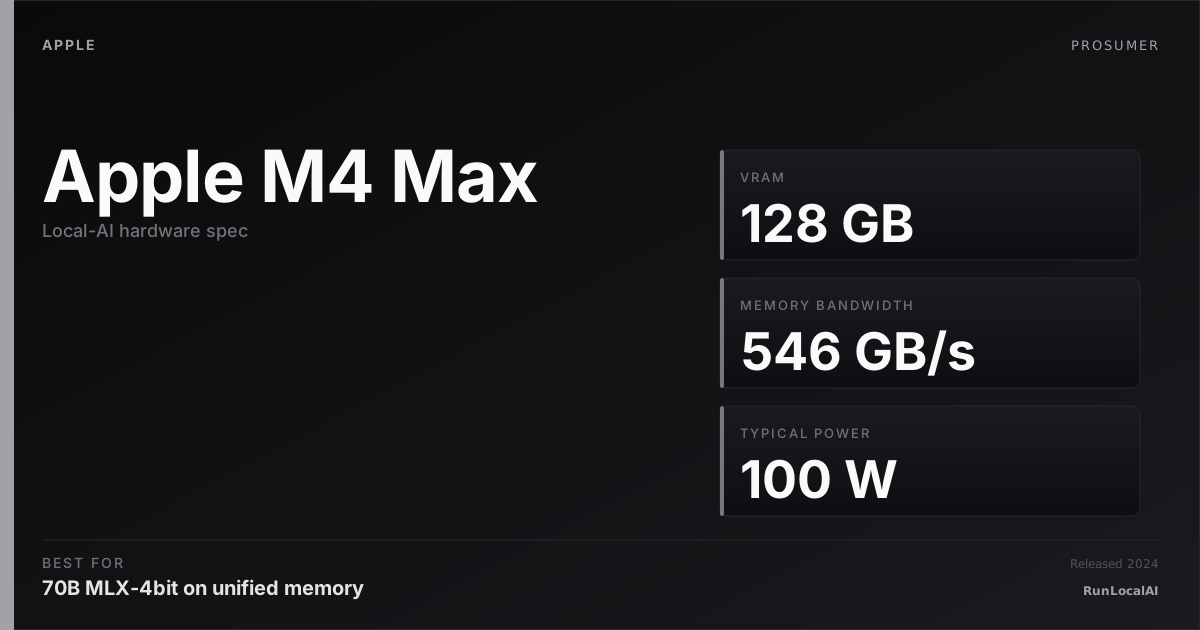
Apple M4 Max
Up to 128 GB unified memory; Apple Silicon flagship.
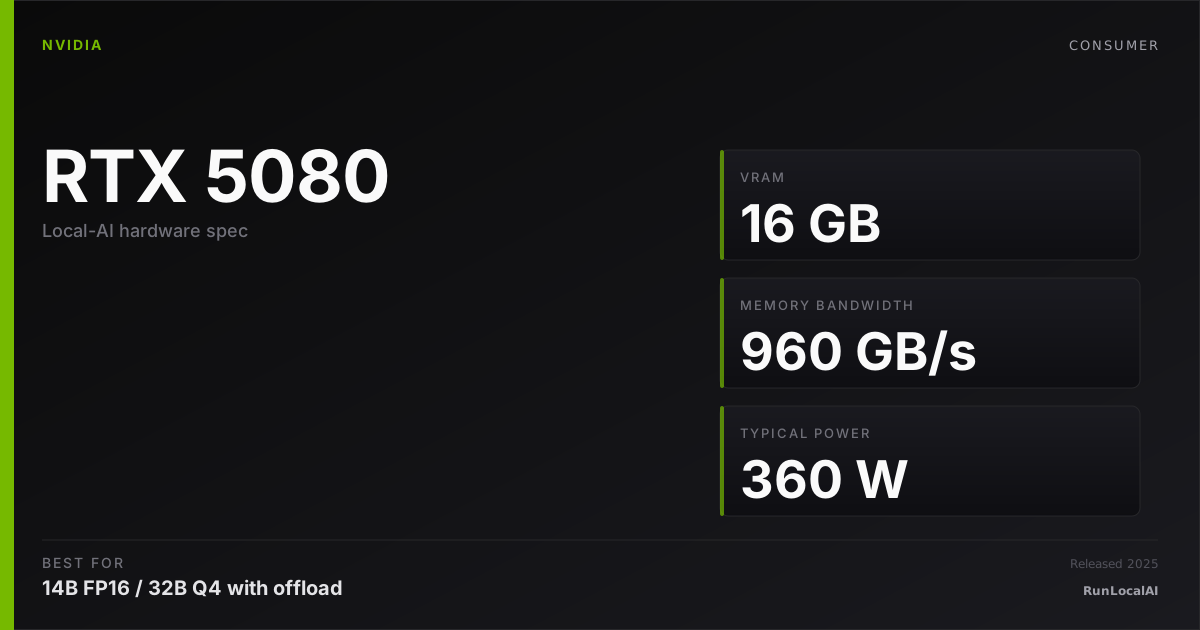
RTX 5080
16 GB GDDR7 Blackwell; the second-tier 2026 consumer card.
M4 Max in a MacBook Pro 16 (~$3,500-5,000 configured with 64-128 GB unified memory) vs an RTX 5080 in a desktop build (~$1,000-1,300 GPU + $1,500-2,000 system = $2,500-3,300 total). Similar total spend, dramatically different platforms.
M4 Max wins on: unified memory ceiling (64-128 GB beats 16 GB VRAM decisively for memory-bound workloads), portability (it's a laptop), silence, plug-and-play setup. Loses on: ecosystem breadth (CUDA-first runtimes), peak compute, multi-GPU scaling path.
RTX 5080 wins on: ecosystem maturity (vLLM, TensorRT-LLM, FlashAttention, day-zero new model wheels), peak compute, upgrade-ability (drop in next-gen GPU later), and CUDA-locked workflow support. Loses on: VRAM ceiling, portability, and operating-environment friction (it's a desktop).
Who wins each workload
Each row is a workload local-AI operators actually run. Verdicts derived from VRAM math + bandwidth — no editorial hand-wave.
What each card actually runs
VRAM math against a canonical set of popular models. The largest context window that fits with headroom appears in each cell.
| Model | Apple M4 Max | RTX 5080 |
|---|---|---|
Qwen 3 14B Q4_K_M 14B params · Q4_K_M | 32K ctx | 16K ctx, tight |
Qwen 3 32B Q4_K_M 32B params · Q4_K_M | 16K ctx | OOM |
Llama 3.3 70B Q4_K_M 70B params · Q4_K_M | 16K ctx | OOM |
DeepSeek R1 distill 32B 32B params · Q4_K_M | 16K ctx | OOM |
Mixtral 8x22B Q4 141B params · Q4_K_M | 16K ctx | OOM |
FLUX.1 image gen 12B params · FP16 | 1 | OOM |
Llama 3.3 70B Q4_K_M
Computed from each option's sustained TDP × predicted tok/s at $0.16/kWh. Cloud baseline: Claude Sonnet 4.6 (input + output).
Electricity-only cost — excludes the upfront hardware purchase, cooling, and amortized component depreciation. Hardware ROI math lives at /cost-vs-cloud; this line is for "is the marginal token cheaper than Claude?" not "should I buy this rig instead of paying Anthropic." MODELED ESTIMATE.
Quick decision rules
Operational matrix
| Dimension | Apple M4 Max Up to 128 GB unified memory; Apple Silicon flagship. | RTX 5080 16 GB GDDR7 Blackwell; the second-tier 2026 consumer card. |
|---|---|---|
Memory ceiling for inference How big a model fits. | Excellent 64-128 GB unified. 70B Q4 + FP16 32B comfortable. | Limited 16 GB VRAM. 13-32B Q4 comfortable; 70B Q4 short-context only. |
Memory bandwidth Decode speed. | Acceptable 546 GB/s. Lower than 5080 but unified-memory advantage on big models. | Strong 960 GB/s. ~75% faster decode at the same model size. |
Ecosystem breadth What runtime / framework support looks like. | Acceptable llama.cpp, MLX, Ollama. vLLM partial. Day-zero new wheels often skip MPS. | Excellent Every CUDA runtime. Reference platform for new model releases. |
Power + noise Operational footprint. | Excellent 90W under load. Effectively silent. | Limited 360W TDP + system. Audible AIB fan ramp under inference. |
Portability Can you take it on a plane. | Excellent It's a laptop. | — Desktop. |
Total cost (2026) Comparable AI tier. | Limited $3,500-5,000 (MacBook Pro 16 with 64-128 GB unified). | Strong $2,500-3,300 (full PC build with 5080). |
Upgrade path What happens 3 years in. | Limited Sealed. Buy a new Mac when slow. RAM soldered. | Excellent Drop in next-gen GPU. Upgrade RAM, NVMe, CPU separately. |
Setup complexity Time from purchase to first inference. | Excellent Unbox, install Ollama, run. ~10 min. | Acceptable PC build (or buy prebuilt) + Windows + drivers + runtime. 2-4 hours. |
Tiers are qualitative editorial labels, not derived from a single benchmark. For tok/s and VRAM measurements on these cards, browse the corpus or request a benchmark.
Who should AVOID each option
Avoid the Apple M4 Max
- If your stack is CUDA-locked (vLLM serious, TensorRT, custom CUDA)
- If multi-GPU scaling is on the roadmap (Mac is sealed)
- If $/perf at 13-32B inference is dominant (5080 wins decisively)
Avoid the RTX 5080
- If you need to run AI on the road (it's not a laptop)
- If 70B-class inference at usable context is your daily
- If silence + simplicity matter more than peak ecosystem support
Workload fit
Apple M4 Max fits
- 70B Q4 inference at unified 64+ GB
- Silent creative workflows
- Laptop-first AI on the road
RTX 5080 fits
- 13-32B Q4 + image gen + LoRA training
- CUDA-locked production stacks
- Multi-GPU scaling path
Reality check
M4 Max's 'wins' on memory ceiling are real but workload-dependent. If you don't actually run 70B+ models, the unified-memory advantage doesn't pay back. Most users buying M4 Max for AI run 13-32B daily — the 5080 covers that fine.
The 5080's 'wins' on ecosystem only matter for CUDA-locked workflows. Most casual local AI (Ollama for chat, basic image gen, small fine-tunes) runs equally well on either platform.
If you're a Mac household and don't want to learn PC building / Windows / driver management, that's a real factor — don't underestimate the OS-fluency tax of switching platforms. Total cost of ownership includes your time.
Power, noise, and heat
- M4 Max sustained inference: 75-95W, fan rarely spins up audibly. Silent in most setups.
- RTX 5080 desktop sustained: 320-360W GPU + 80-120W system = 400-480W total. Audibly loud under sustained load — plan for the noise or relocate.
- Annual electricity cost (4hrs/day inference, $0.15/kWh): M4 Max ~$20/year, RTX 5080 system ~$90/year. Real but small in absolute terms.
Where to buy
Where to buy Apple M4 Max
Editorial price range: $3,500-5,000 (MacBook Pro 16 / Mac Studio config)
Where to buy RTX 5080
Editorial price range: $1,000-1,300 (2026 retail; supply variable)
Affiliate links — no extra cost. Prices are editorial ranges, not real-time. Click through to verify.
Some links above are affiliate links. We may earn a commission at no extra cost to you. How we make money.
Editorial verdict
Pick M4 Max if portability + silence + 64+ GB unified memory matter to you. The premium is real but pays back for laptop-first creative workflows + occasional 70B inference + simplicity.
Pick RTX 5080 if you want the broadest CUDA ecosystem support, peak compute for image gen, and a multi-decade upgrade path. Save $1,000-1,500 vs M4 Max for equivalent (or better, for CUDA workloads) AI capability.
If you're between them and your workload is 70B Q4 inference: M4 Max with 64 GB. If your workload is image generation + LoRA training + 13-32B LLMs: RTX 5080.
If neither fits your use case cleanly, also look at: used 3090 PC build (24 GB + much cheaper than either), or M4 Pro Mac mini (48 GB unified at $1,800 — surprising value).
Who should skip both the M4 Max and RTX 5080
The M4 Max and RTX 5080 are cross-ecosystem competitors at similar price points, but neither is the right choice for every user.
If your budget is under $1,500. The M4 Max MacBook Pro 14-inch with 36 GB starts at approximately $3,200; the 16-inch with 48 GB starts at approximately $3,900. The RTX 5080 is a $1,200 GPU that requires a $800-1,200 system around it — total approximately $2,000-2,400. If your budget is capped at $1,500, look at the best-budget-gpu-for-local-ai guide or a used RTX 3090 at $700-900.
If you need 24+ GB for model training or fine-tuning. The M4 Max's 36 GB or 48 GB of unified memory is generous for inference but shared with the OS and other applications — usable VRAM for ML is approximately 28-38 GB after macOS overhead. The RTX 5080 has 16 GB of dedicated VRAM. Neither card is a training/fine-tuning platform for 70B-class models. If fine-tuning is your primary workload, look at used A6000 48 GB ($2,500-3,500) or dual RTX 3090s ($1,400-1,800).
If you're a Windows-only user who won't touch macOS. The M4 Max runs macOS. If your toolchain, workflow, or personal preference is Windows-only, the M4 Max is the wrong form factor and operating system regardless of its AI capability. The RTX 5080 on Windows is the pragmatic choice — but at 16 GB, it's limited. Consider a used RTX 4090 (24 GB, $1,600-1,900) as the Windows alternative at the M4 Max price point.
If you need CUDA for specific libraries. Unsloth, bitsandbytes, Axolotl, and most fine-tuning libraries assume CUDA. The M4 Max runs MLX and llama.cpp Metal — perfectly fine for inference, but if your workflow depends on a CUDA-specific library, the RTX 5080 is the only choice between these two. Conversely, if you're inference-only, MLX on M4 Max is excellent and the CUDA dependency isn't relevant.
Power, noise, heat, and electricity cost: M4 Max vs RTX 5080
The M4 Max and RTX 5080 represent opposite ends of the power-efficiency spectrum. This is the M4 Max's strongest differentiator.
Power draw: approximately 100W (M4 Max) vs 360W (RTX 5080). The M4 Max under sustained inference draws approximately 80-100W for the entire system (SoC + display + storage + memory). The RTX 5080 GPU alone draws approximately 360W at TDP, with the total system drawing approximately 450-500W from the wall under load. The M4 Max is approximately 4-5× more power-efficient for similar-throughput workloads (comparing 32B Q4 inference on both platforms — approximately 30-40 tok/s on M4 Max at 546 GB/s bandwidth, approximately 55-70 tok/s on RTX 5080 at 960 GB/s bandwidth). The M4 Max delivers approximately 0.35-0.45 tok/s per watt; the RTX 5080 delivers approximately 0.12-0.15 tok/s per watt. The M4 Max is 3× more efficient per token.
Noise: effectively silent (M4 Max) vs audible (RTX 5080). The M4 Max MacBook Pro's fans are essentially inaudible during sustained inference — approximately 25-30 dBA at 1 meter, below the ambient noise floor of most rooms. The RTX 5080 with a triple-fan cooler under sustained inference sits at approximately 38-44 dBA — clearly audible in a quiet room. This is the single most under-discussed difference between the two platforms. If the machine lives on your desk where you work, the M4 Max's silence is transformative; the RTX 5080's constant fan presence is tolerated, not enjoyed.
Heat: the M4 Max dissipates less heat into the room. At 100W sustained, the M4 Max adds approximately 0.4 kWh of heat over a 4-hour session. The RTX 5080 system adds approximately 1.8-2.0 kWh. In a 120-square-foot office, the M4 Max raises the temperature by approximately 1-2°F; the RTX 5080 raises it by approximately 5-8°F. For a machine in your primary workspace, the M4 Max's thermal footprint is a genuine quality-of-life advantage.
Electricity cost: M4 Max is approximately 75% cheaper to run. At $0.16/kWh and 4 hours/day, the M4 Max costs approximately $2-2.50/month in electricity; the RTX 5080 system costs approximately $9-11/month. The $7-9/month gap is modest but real — over a 3-year ownership period, the M4 Max saves approximately $250-325 in electricity. Combined with the lower heat load (reducing air conditioning cost in summer), the total energy cost advantage is meaningful. If electricity is expensive where you live ($0.30-0.50/kWh in parts of Europe and California), the M4 Max's efficiency advantage doubles or triples in dollar terms.
HonestyWhy benchmark numbers on this page might not reflect your real experience
- tok/s is not user experience. Humans read at ~10-15 tok/s — anything above that is buffer time, not perceived speed.
- Context length changes everything. A 70B Q4 model at 1024 tokens generates ~25 tok/s; the same model at 32K context drops to ~8-12 tok/s as KV cache fills.
- Quantization changes the conclusion. Q4_K_M vs Q5_K_M vs Q8 produce different speed AND different quality. A benchmark at one quant doesn't translate to another.
- Thermal throttling changes long sessions. The first 15 minutes of a benchmark see boost-clock peak; the next 4 hours see steady-state, which is 5-15% slower depending on case airflow.
- Driver and runtime versions silently shift winners. A 2024 benchmark on PyTorch 2.4 + CUDA 12.4 doesn't reflect 2026 reality on PyTorch 2.6 + CUDA 12.6. Discount benchmarks older than 6 months.
- Vendor and YouTuber benchmarks are cherry-picked. The standard 'Llama 3.1 70B Q4 at 1024 tokens' chart shows peak decode on a tiny prompt — exactly the conditions least representative of daily use.
- A 25-30% throughput gap between two cards rarely translates to a 25-30% experience gap. Both cards are fast enough; the differentiator is usually VRAM ceiling, not raw decode speed.
We try to surface these caveats where they apply. If a number on this page reads more confident than it should, please email us via contact. See also our methodology and editorial philosophy.
Don't see your specific workload?
The matrix above is editorial. If you want a measured tok/s number for a specific model + quant on either card, file a benchmark request — the community claims requests and reproduces them under our methodology checklist.