Used RTX 3090 vs RTX 4090 for local AI in 2026
24 GB Ampere classic; used-market workhorse.
- VRAM
- 24 GB
- Bandwidth
- 936 GB/s
- TDP
- 350 W
- Price
- $700-1,000 (2026 used)
24 GB Ada flagship; the local-AI workhorse.
- VRAM
- 24 GB
- Bandwidth
- 1008 GB/s
- TDP
- 450 W
- Price
- $1,400-1,900 (2026 used) / $1,800-2,200 (new where available)
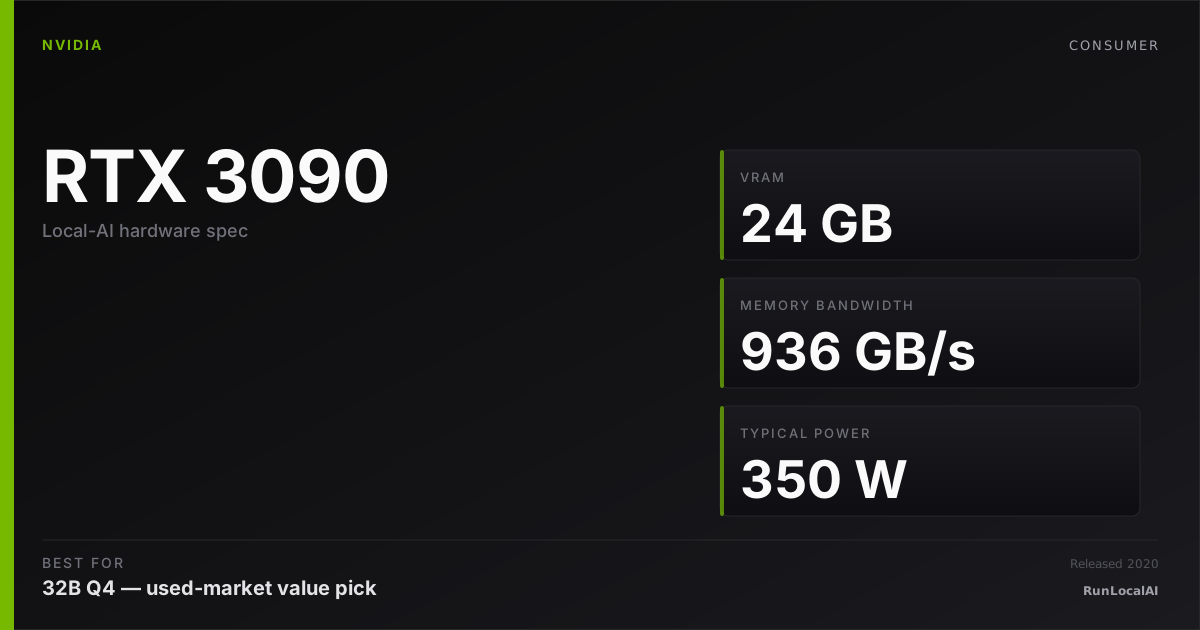
RTX 3090
24 GB Ampere classic; used-market workhorse.
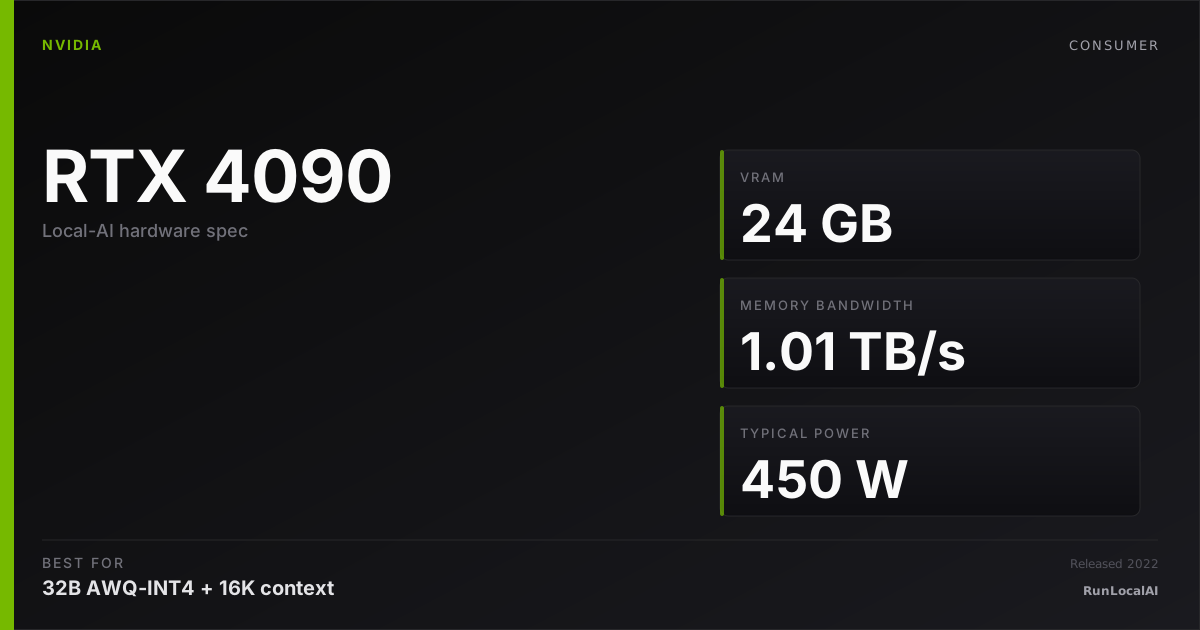
RTX 4090
24 GB Ada flagship; the local-AI workhorse.
Most homelab operators in 2026 building multi-GPU rigs pick used 3090s. Most single-card operators with budget pick the 4090. The middle case — single-card with budget under $1,200 — is where this comparison gets interesting.
Memory planning: RTX 3090 — 24 GB nominal memory: check 32B Q4. Reserve space for KV cache and runtime; offload is a separate configuration. RTX 4090 — 24 GB nominal memory: check 32B Q4. Reserve space for KV cache and runtime; offload is a separate configuration.
Who wins each workload
Each row is a workload local-AI operators actually run. Verdicts derived from VRAM math + bandwidth — no editorial hand-wave.
What each card actually runs
VRAM math against a canonical set of popular models. The largest context window that fits with headroom appears in each cell.
| Model | RTX 3090 | RTX 4090 |
|---|---|---|
Qwen 3 14B Q4_K_M 14B params · Q4_K_M | 32K ctx | 32K ctx |
Qwen 3 32B Q4_K_M 32B params · Q4_K_M | 4K ctx, tight | 4K ctx, tight |
Llama 3.3 70B Q4_K_M 70B params · Q4_K_M | OOM | OOM |
DeepSeek R1 distill 32B 32B params · Q4_K_M | 2K only | 2K only |
Mixtral 8x22B Q4 141B params · Q4_K_M | OOM | OOM |
FLUX.1 image gen 12B params · FP16 | OOM | OOM |
Fit figures are estimates. We have removed throughput and cost rankings without matched measurements. Compare model, quantization, context and runtime in the benchmark records. Price ranges are editorial estimates, not live merchant quotes.
Quick decision rules
Operational matrix
| Dimension | RTX 3090 24 GB Ampere classic; used-market workhorse. | RTX 4090 24 GB Ada flagship; the local-AI workhorse. |
|---|---|---|
VRAM Identical at the 24 GB tier. | — 24 GB nominal memory: check 32B Q4. Reserve space for KV cache and runtime; offload is a separate configuration. | Strong 24 GB GDDR6X. Same workloads as 3090. |
Memory bandwidth Decode speed. | — 24 GB nominal memory: check 32B Q4. Reserve space for KV cache and runtime; offload is a separate configuration. | Excellent 1008 GB/s. ~7% faster decode; gap small on quantized models. |
Compute (FP16/FP8) Prefill + image-gen workload throughput. | Acceptable ~35 TFLOPS FP16. Adequate for inference; weak for training. | Excellent ~83 TFLOPS FP16. ~2.4× compute advantage. Dominates on image gen + training. |
Efficiency (perf/watt) Sustained-load efficiency under inference. | — 24 GB nominal memory: check 32B Q4. Reserve space for KV cache and runtime; offload is a separate configuration. | — 24 GB nominal memory: check 32B Q4. Reserve space for KV cache and runtime; offload is a separate configuration. |
Price (2026) Acquisition cost. | Excellent $700-1,000 used. Best $/GB-VRAM in 2026. | Acceptable $1,400-1,900 used / $1,800-2,200 new where available. |
Multi-GPU economics Cost when scaling to 48 GB+ combined. | Excellent Two 3090s = 48 GB for $1,400-2,000 used. The homelab default. | Limited Two 4090s = 48 GB for $2,800-3,800. Better perf, much more $. |
Software stack Driver / CUDA / runtime support in 2026. | Excellent Mature Ampere; 5+ years of bug fixes. Every runtime supports it. | Excellent Mature Ada; 3+ years stable. Equivalently supported. |
Tiers are qualitative editorial labels, not derived from a single benchmark. For tok/s and VRAM measurements on these cards, browse the corpus or request a benchmark.
Who should AVOID each option
Avoid the RTX 3090
- If you can't tolerate buying used silicon
- If image gen + LoRA training is your daily (compute matters)
- If 350W TDP + heat is a dealbreaker (Ada is more efficient)
Avoid the RTX 4090
- If you're building multi-GPU (math is brutal vs dual 3090)
- If single-card budget caps under $1,200
Workload fit
RTX 3090 fits
- Multi-GPU homelab (dual / quad)
- Best $/GB-VRAM at 24 GB tier
RTX 4090 fits
- Image generation + LoRA training
- 24/7 always-on inference
- Single-card with warranty preference
Reality check
The 4090 is genuinely better silicon. The question is whether the difference matters for your workload — and at the 24 GB tier on quantized inference, it often doesn't.
Most 'I bought a 3090 and wish I'd bought a 4090' stories trace to image-gen / LoRA training operators who underestimated how much compute matters. The Ada compute advantage on these workloads is real — 30-50% faster end-to-end.
The honest split: if your workload is mostly LLM inference, 3090 wins decisively on $/perf. If it's image gen + training, 4090 earns the premium.
Used-market notes
- Used 3090 market is mature. Mining-rig provenance is the dominant source — not inherently bad (mining wears fans + thermal pads, replaceable; rarely silicon). Run a 30-min stress test before paying. ECC error count > 100 = walk away.
- Used 4090 market is thinner and pricier. Most used 4090s come from gaming or AI builds (less wear than mining). Verify thermal performance under load — some early-AIB designs throttled aggressively.
- Both cards: replace thermal pads ($30-50 + 1 hour) on any used purchase older than 18 months. Massive cooling improvement for marginal effort.
- Watch out for: aftermarket cooler conversions (often poor reseat quality), modded / overclocked cards (silicon may be near edge), or sellers refusing to demo under load (red flag).
Power, noise, and heat
- 3090 reference: 350W TDP, hot, audibly loud under sustained inference. AIB designs improve thermals significantly. Expect 75-85°C under load.
- 4090 reference: 450W TDP nameplate but typical sustained inference draw is 320-380W (Ada efficiency). Quieter than 3090 at equivalent throughput.
- Power efficiency matters for 24/7 operators. 4090 saves $40-60/year vs 3090 at typical homelab usage. Over 3-5 years, that's meaningful but not decisive — initial purchase price gap is larger.
- Both cards 3-slot designs typically. Multi-GPU spacing tight in standard ATX cases. Plan case + airflow before purchase.
Where to buy
Where to buy RTX 4090
Editorial price range: $1,400-1,900 (2026 used) / $1,800-2,200 (new where available)
Affiliate links — no extra cost. Prices are editorial ranges, not real-time. Click through to verify.
Some links above are affiliate links. We may earn a commission at no extra cost to you. How we make money.
Editorial verdict
For pure LLM inference workloads at the 24 GB tier, the used 3090 wins decisively. $700-1,000 vs $1,400+ for marginal performance gains on the workloads you actually run. Multi-GPU operators should not even consider this question — used 3090 is the answer.
For image generation + LoRA training workloads, the 4090's compute advantage is real (30-50% faster on end-to-end Flux training). Pay the premium if these are your primary workloads.
For 24/7 always-on homelabs, the 4090's efficiency advantage compounds over time. At $40-60/year electricity savings, the premium pays back in 8-15 years — long horizons.
Most buyers should buy a used 3090, save the $700+, and put it toward a second 3090 in 6-12 months for 48 GB combined VRAM. That's the leverage move.
Who should skip both the 3090 and 4090
The 3090-vs-4090 used-market comparison is the most common buying decision in consumer local AI, but both cards are wrong for some buyer profiles.
If your budget is under $700. The RTX 3090 used at $700-900 is the cheapest 24 GB card, but it's not cheap in absolute terms. If $700 is your hard ceiling, the RTX 3060 12 GB at $250 used or RTX 4060 Ti 16 GB at $350 used are the correct alternatives. You'll be limited to 7B-14B models, but you'll have $400-500 left over for other parts.
If you need a new card with a warranty. Both the 3090 (discontinued) and the used 4090 (no transferable manufacturer warranty in most cases) are warranty-free purchases. If a warranty matters — you're building for a business, you can't absorb a $900 hardware failure, or you just want the peace of mind — buy new. The RTX 5080 at $1,200 new (16 GB) or RTX 5070 Ti at $850 new (16 GB) are warrantied alternatives, albeit at half the VRAM.
If you're deploying in a hot climate without AC. Both the 3090 (350W) and 4090 (450W) dump significant heat into the room. In a non-air-conditioned space where ambient temperatures reach 85-90°F (29-32°C), these cards will thermal-throttle after approximately 10-15 minutes and sustain approximately 70-80% of their peak throughput. In these conditions, a lower-TDP card (RTX 4060 Ti 16 GB at 165W, or Apple Silicon at sub-100W) is more practical because it actually holds its boost clock in the heat.
If you're primarily doing image generation, not LLM inference. The 3090 is 4-6 years old and lacks FP8 tensor-core support. For Flux image generation, the 4090's Ada Lovelace FP8 acceleration produces images approximately 35-50% faster than the 3090 — a gap larger than the spec sheets suggest. If image generation is >50% of your workload, the 4090's architectural advantage justifies the price premium. If you're LLM-only, the 3090's 24 GB at half the price is the value play.
Power, noise, heat, and electricity cost: used 3090 vs 4090
The 3090 and 4090 have different thermal personalities, and the used factor multiplies the 3090's thermal variables.
TDP: 350W (3090) vs 450W (4090). The 100W gap is real at peak but narrows during inference decode. The 3090 sustains approximately 245-280W during Qwen 32B decode; the 4090 sustains approximately 315-360W during the same workload. The difference is approximately 70-80W — about one incandescent light bulb. Over 4 hours/day, that's approximately $4.50 vs $6.50/month — a $2/month gap. Electricity cost does not differentiate these cards meaningfully.
Noise: the used 3090 is often louder than a new 4090. A new 4090 with fresh fans and factory thermal paste runs at approximately 38-42 dBA. A used 3090 with 4-5 years of bearing wear, dust accumulation, and dried thermal paste runs at approximately 40-46 dBA — despite the lower TDP. The 3090's noise floor is determined by maintenance state, not TDP. A repasted 3090 with deshrouded fans drops to approximately 34-38 dBA — quieter than a stock 4090 and at half the cost. The lesson: a well-maintained used 3090 is quieter than a stock 4090; a neglected used 3090 is louder.
Heat load: the 4090 is warmer, but both are noticeable. In a 120-square-foot room, the 3090 adds approximately 4-7°F over 4 hours; the 4090 adds approximately 5-9°F. The gap is small — both are "you'll notice it on a warm day" territory. Neither is suitable for a bedroom in summer without air conditioning.
Efficiency: the 4090 delivers better tokens-per-watt. The 3090 at approximately 250W decode produces approximately 45-50 tok/s on Qwen 32B Q4 — approximately 0.18-0.20 tok/s per watt. The 4090 at approximately 340W decode produces approximately 55-70 tok/s — approximately 0.16-0.21 tok/s per watt. The efficiency is comparable; the 4090 wins on absolute throughput, not on efficiency per watt. If you're carbon-footprint-conscious, the difference is negligible at the 2-4 hour/day usage level.
HonestyWhy benchmark numbers on this page might not reflect your real experience
- tok/s is not user experience. Humans read at ~10-15 tok/s — anything above that is buffer time, not perceived speed.
- Context length changes everything. A 70B Q4 model at 1024 tokens generates ~25 tok/s; the same model at 32K context drops to ~8-12 tok/s as KV cache fills.
- Quantization changes the conclusion. Q4_K_M vs Q5_K_M vs Q8 produce different speed AND different quality. A benchmark at one quant doesn't translate to another.
- Thermal throttling changes long sessions. The first 15 minutes of a benchmark see boost-clock peak; the next 4 hours see steady-state, which is 5-15% slower depending on case airflow.
- Driver and runtime versions silently shift winners. A 2024 benchmark on PyTorch 2.4 + CUDA 12.4 doesn't reflect 2026 reality on PyTorch 2.6 + CUDA 12.6. Discount benchmarks older than 6 months.
- Vendor and YouTuber benchmarks are cherry-picked. The standard 'Llama 3.1 70B Q4 at 1024 tokens' chart shows peak decode on a tiny prompt — exactly the conditions least representative of daily use.
- A 25-30% throughput gap between two cards rarely translates to a 25-30% experience gap. Both cards are fast enough; the differentiator is usually VRAM ceiling, not raw decode speed.
We try to surface these caveats where they apply. If a number on this page reads more confident than it should, please email us via contact. See also our methodology and editorial philosophy.
Don't see your specific workload?
The matrix above is editorial. If you want a measured tok/s number for a specific model + quant on either card, file a benchmark request — the community claims requests and reproduces them under our methodology checklist.