NVIDIA GeForce RTX 3060 12GB
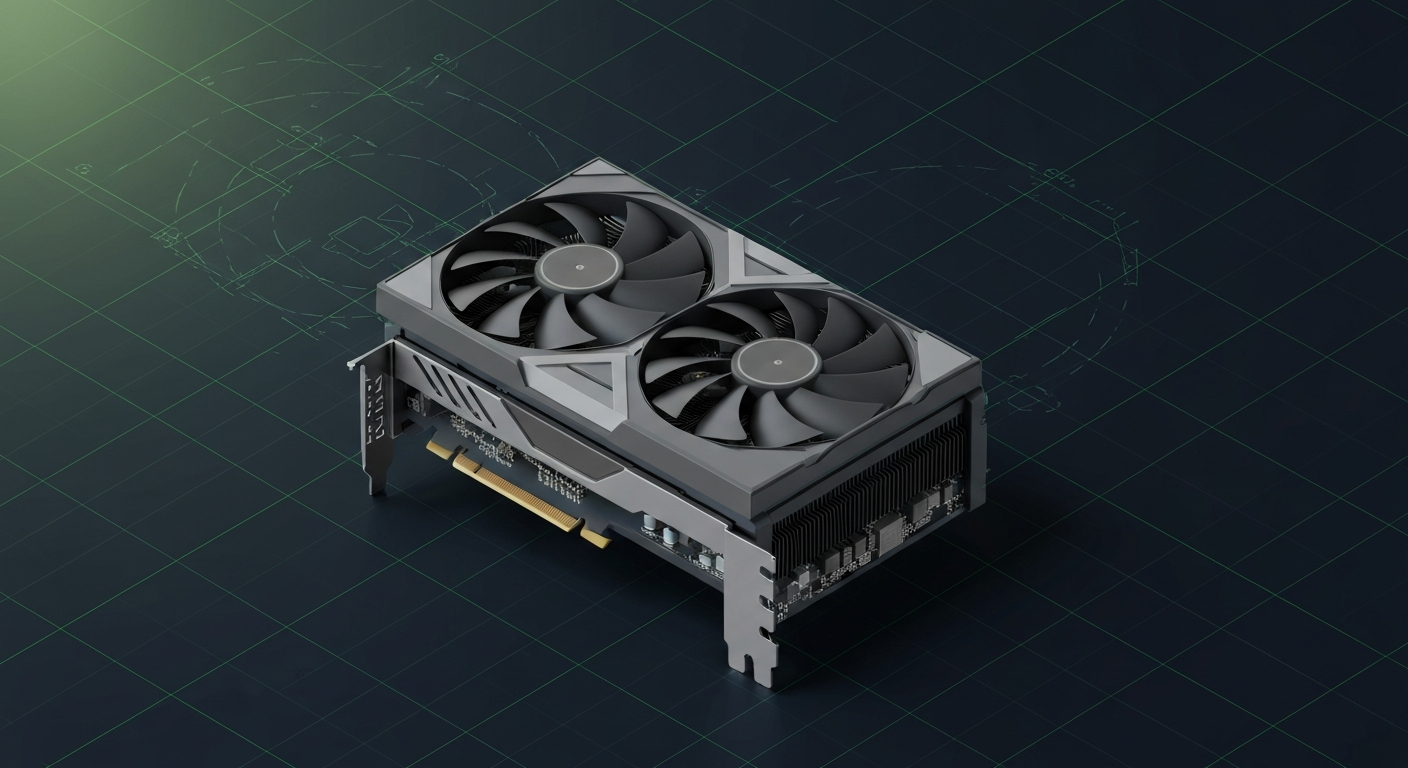
The community pick for 'cheapest CUDA card with serious VRAM'. The value floor for local AI in 2026.
Affiliate disclosure: as an Amazon Associate and partner of other retailers, we earn from qualifying purchases. The verdict on this page is our editorial opinion; affiliate links never influence what we recommend.
Sub-scores sum to 455 / 1000. Headline = 455 × 0.70 (Estimated-confidence discount) = 319. This is an algorithmic performance-tier score — distinct from, and often lower than, the editorial “Our verdict” below, which weighs value and real-world fit (especially for hardware we haven’t measured yet). How scoring works →
Extrapolated from 360 GB/s bandwidth — 43.2 tok/s estimated. No measured benchmarks yet.
Plain-English: Comfortable at 14B and below — snappy enough for a coding agent; vision models supported.
Verdicts extrapolated from catalog VRAM + bandwidth + ecosystem flags. Hover any chip for the rationale. Want measured numbers? Submit your own run with runlocalai-bench --submit.
What it does well
The RTX 3060 12GB is the budget-hero local AI card in 2026 and the cheapest viable path to "real CUDA + 12 GB VRAM" for local LLMs. 12 GB GDDR6 at 360 GB/s + Ampere tensor cores at $329 MSRP / $180–$280 used. Power draw at 170 W TDP fits in any ~500 W PSU build. The card was deployed widely as a mid-tier consumer GPU from 2021–2024, so used market liquidity is excellent — you can consistently find clean RTX 3060 12GB cards from gamers who upgraded. For 7B–13B class workloads, it's genuinely usable: ~30–50 tok/s on Llama 3.1 8B Q4, 13B Q5 fits 12 GB with limited context, smaller MoE models fit. Full CUDA stack works (sm_86 Ampere): Ollama, LM Studio, llama.cpp, single-card vLLM, ExLlamaV2. For absolute budget local AI buyers — students, hobbyists, "let me try local LLMs cheaply" — RTX 3060 12GB is an unbeatable value. The $200 used market is the right entry point for getting started.
Where it breaks
- Bandwidth is the limiter. 360 GB/s is roughly half of RTX 4070's 504 GB/s. For memory-bound decode, 3060 12GB is meaningfully slower than newer 12 GB cards.
- 12 GB ceiling kills serious local AI. Same hard ceiling as all 12 GB cards. 14B FP16 doesn't fit, 32B Q4 doesn't fit, 70B is wildly out of reach. For any model larger than ~13B, you need a different card.
- Ampere architecture is two generations behind in 2026. No FP8 native. Modern frameworks that exploit FP8 throughput don't get speedup.
- Compute ceiling vs newer cards. The 3060's tensor cores deliver only ~25 TFLOPS FP16 — well below 4070 Super's ~141 TFLOPS or 5070 Ti's ~150 TFLOPS. For compute-bound workloads (longer contexts, larger batches), 3060 12GB is markedly slower.
- Resale is approaching the floor. Used pricing has settled around $200; expected to soften further but not by much — the card has hit market-clearing levels.
- End-of-feature-support risk. sm_86 Ampere support remains in CUDA 12.x but new optimizations skip Ampere; bug fix horizon is closing.
Ideal model range
- Sweet spot: 7B FP16 / Q5 inference at ~30–50 tok/s — usable for IDE coding assistants, document Q&A, simple chat.
- Sweet spot: 13B Q4 / Q5 with 8–16K context — slow but functional (~15–25 tok/s decode).
- Sweet spot: Embedding models, classifiers, small re-rankers, speculative decoders.
- Sweet spot: "I want to learn local AI on a tight budget" — the right pick for getting started before committing real money.
- Sweet spot: Old desktop upgrade — drop-in replacement for older mid-tier cards (1060/1660/2060/3050) for sub-$300 entry into local AI.
- Stretch: 14B Q4 with 4K context (just fits 12 GB tight, slow).
- Bad fit: 32B-class anything, 70B-class anything, fine-tuning.
Bad use cases
- Anyone targeting 14B+ FP16 local AI. Hard 12 GB ceiling + slow bandwidth.
- Production / serious development. Pick 16 GB+ minimum (4070 Ti Super, 4080, 5070 Ti) or 24 GB+ (used 3090, 4090, 5090).
- Maximum tok/s on small models. Even 4060 Ti 16GB wins on bandwidth and modest compute upgrade.
- Buying new at MSRP. $329 retail in 2026 is overpriced — pick used at $180–$250 or step up to RTX 4070 Super at $599 for ~3× the compute.
- Heavy fine-tuning workflows. Wrong tier entirely.
Verdict
Buy this if you find a used RTX 3060 12GB at $180–$280 (eBay, Facebook Marketplace, microcenter open-box), you're learning local AI on a tight budget, your workload is firmly 7B-class with occasional 13B Q4 use, and you don't have $500+ for a current-gen card. RTX 3060 12GB is the canonical "I want to try local AI without spending much" pick — and at the right used price, it's an exceptional value.
Skip this if you'll use this for serious work over months (RTX 4060 Ti 16GB at $429 has 33% more VRAM at modest premium — meaningful headroom for the same money you'd save buying used 3060), you want decent decode speed (4060 Ti / 4070 / 4070 Super are dramatically faster), or you have $500+ available (just buy RTX 4070 Super instead).
How it compares
- vs RTX 4060 Ti 16GB → 4060 Ti 16GB has 33% more VRAM + Ada-gen + ~80% more compute + similar bandwidth at $429 MSRP. For pure AI value, 4060 Ti 16GB is the right "next step up" — meaningfully more headroom for the price. See /compare/rtx-3060-12gb-vs-rtx-4060-ti-16gb.
- vs RTX 4070 (12 GB) → Same VRAM tier. 4070 has Ada-gen + ~5× the compute + ~40% more bandwidth at $599 MSRP / $400-500 used. Pick 4070 for serious dev work; 3060 12GB for absolute budget learning.
- vs RTX 4070 Super (12 GB) → Same VRAM. 4070 Super has Ada-gen + dramatically more compute at $599 MSRP. Pick 4070 Super if budget allows.
- vs used RTX 3090 (24 GB) → 3090 used at $700–$1,000 has 2× the VRAM + 2.6× the bandwidth + 4× the compute. Different tier — pick 3090 for serious local AI; 3060 12GB only for tight budgets.
- vs Intel Arc B580 (12 GB) → Intel Arc B580 at $249 MSRP has same VRAM tier + Battlemage-gen + Vulkan/SYCL support. No CUDA. Pick Arc B580 for absolute budget non-CUDA exploration; 3060 12GB used for CUDA stack at similar money.
Overview
What the RTX 3060 12GB actually is, in local-AI terms
The RTX 3060 12 GB is the value floor for serious local AI in 2026. 12 GB of GDDR6 at 360 GB/s, full Ampere CUDA support, and a sub-$300 used-market price that makes it the cheapest CUDA card with enough VRAM to run a 13B-class model with comfortable headroom. There is no other GPU with the same price-per-VRAM-GB ratio plus full mainline CUDA software coverage.
It is not a fast card. It will not match a 4070 / 4080 / 4090 on tokens-per-sec at anything. What it offers is a floor — the cheapest way to run real local AI, period. For the hobbyist getting started, the budget homelab, the dev who wants a CUDA card in their workstation without spending $1000+, the 3060 12 GB is the right answer.
Where it fits in the hardware ladder
The bottom of the "serious local AI" tier:
| Card | VRAM | BW | Notes |
|---|---|---|---|
| RTX 3060 12GB | 12 GB | 360 GB/s | value floor |
| RTX 4060 8GB | 8 GB | 272 GB/s | wrong tier; 7B-only |
| RTX 4060 Ti 16GB | 16 GB | 288 GB/s | more VRAM, slower BW |
| RTX 4070 Ti Super | 16 GB | 672 GB/s | mid-range default |
The 3060 12 GB's pitch is VRAM and CUDA at the lowest price point that still works. The closest competitor is the RTX 4060 Ti 16 GB — more VRAM, slower bandwidth, more money. For a strict budget operator the 3060 12 GB usually wins on $/VRAM/GB; the 4060 Ti 16 GB wins if you can afford the upgrade and want headroom for 13B models at higher quants.
Best use cases
- Entry-level homelab learning local AI. Run Ollama + Llama 3.1 8B Q5_K_M comfortably. The whole "what does local AI feel like" experience for under $300 of hardware.
- CUDA-development sandbox. A working CUDA card in a dev box for testing inference scripts before scaling to bigger hardware.
- CPU-supplement card. Pair with a CPU-only workflow to offload the LLM layer; same Ollama / llama.cpp stack.
- Image generation entry point. Stable Diffusion 1.5 / SDXL with --medvram workflows fit; tokens-per-sec for LLMs is the constraint.
- Quiet-running 24/7 inference server. 170 W TDP, low-profile fan, fits in small chassis.
What it can run
The 12 GB ceiling is the binding constraint:
| Model class | Quant | Context | Headroom |
|---|---|---|---|
| 7B | F16 | 16K | comfortable |
| 7B-8B | Q5_K_M / Q6_K | 32K | comfortable |
| 13B-14B | Q4_K_M | 16K | tight |
| 13B-14B | Q5_K_M | 8K | very tight |
| 32B | — | — | does NOT fit |
| 70B | — | — | does NOT fit |
A 13B model at Q4 + 16K context is right at the edge. Anything larger needs more VRAM. The 3060 12 GB is unambiguously a 7B-class card with limited 13B capability.
OS support
| OS | Quality |
|---|---|
| Linux (Ubuntu 22.04 / 24.04) | excellent |
| Windows 11 native | excellent |
| Windows (WSL2) | excellent |
| macOS | unsupported |
CUDA 12.x supports Ampere fully; no special flags or pinned driver versions needed.
Software / runtime support
Full Ampere CUDA coverage:
- Ollama / llama.cpp — the canonical first-touch path; fully supported
- LM Studio — full GUI path with CUDA acceleration
- vLLM — supported but the 12 GB envelope is tight for serious multi-user serving
- ExLlamaV2 — works, single-stream throughput leader for the card
- PyTorch — first-class
- TensorRT-LLM — supported but heavyweight for this class
No FP8 acceleration (Ampere predates Hopper FP8); AWQ-INT4 / GGUF Q4_K_M / EXL2 4bpw are the practical quants. See /systems/quantization-formats.
What breaks first
- VRAM exhaustion at 13B + long context. The most common 3060 issue. Drop to Q4 quants and shorter context windows.
- Concurrent users. vLLM on a 3060 with multiple users hits VRAM pressure quickly; this is a single-user card.
- Driver lineage on used cards. Old crypto-mining 3060s sometimes have flashed BIOSes with weird power limits — check before buying.
- PCIe slot bandwidth. Some older platforms run the 3060 at PCIe 3.0 x4; you want at least x8 for inference.
- Bandwidth-bound at long-context decode. 360 GB/s is the floor; tokens-per-sec for 13B prompts will frustrate users coming from a 3090 / 4090.
Alternatives by intent
| If you want… | Reach for |
|---|---|
| Same price, more VRAM, slower BW | RTX 4060 Ti 16 GB |
| 24 GB used | RTX 3090 used (~$700-900) |
| Mid-range upgrade | RTX 4070 Ti Super |
| Pure budget AMD | Intel Arc A770 16GB |
| Apple-budget alternative | base M-series Mac mini (16 GB unified) |
| CPU-only with bigger RAM | Ryzen 9 + 64 GB DDR5 + llama.cpp CPU |
Best pairings
- Ollama + Llama 3.1 8B Q5_K_M — the canonical first-day setup
- Open WebUI + Ollama + 8B model — the homelab chat default
- Continue.dev + Qwen 2.5 Coder 7B — entry-level IDE coding agent
- AnythingLLM + Ollama embeddings + 8B chat — entry-level RAG
- A modest 650 W Bronze PSU — the card's low TDP doesn't demand premium power
Who should avoid the RTX 3060 12GB
- Anyone needing 32B-class models. Wrong VRAM tier entirely; jump to a 24 GB card.
- Multi-user production. Wrong tier; buy vLLM-class hardware.
- Anyone whose workflow needs FP8 acceleration. Pre-Hopper.
- Operators chasing maximum tokens-per-sec. The card is honest about being slow; this is the value tier.
- Buyers without space for a dual-slot card. Most 3060 designs are dual-slot full-length.
Related
- Stacks: /stacks/offline-rag-workstation, /stacks/local-coding-agent
- System guides: /setup, /compatibility, /systems/quantization-formats
- Tools: Ollama, LM Studio, llama.cpp
- Errors: /errors/wsl2-gpu-not-detected
Some links above are affiliate links. We may earn a commission at no extra cost to you. How we make money.
Specs
| VRAM | 12 GB |
| Power draw (peak) | 170 W |
| Released | 2021 |
| MSRP | $329 |
| Backends | CUDA Vulkan |
Models that fit
Open-weight models small enough to run on NVIDIA GeForce RTX 3060 12GB with usable context.
Hardware worth comparing
The closest alternatives by price, memory bandwidth, and form factor, plus a step up and down — so you can frame the buying decision against real options.
Curated head-to-heads against specific cards — the buyer-decision shape that crosses VRAM bands.
RTX 3060 12 GB owners are the most-asked upgrade-shoppers of 2026. The guide below covers the realistic next-card decision.
Frequently asked
What models can NVIDIA GeForce RTX 3060 12GB run?
Does NVIDIA GeForce RTX 3060 12GB support CUDA?
How much does NVIDIA GeForce RTX 3060 12GB cost?
Where next?
Reviewed by RunLocalAI Editorial. See our editorial policy for how we research and verify hardware specifications.