NVIDIA GeForce RTX 4070 Ti Super
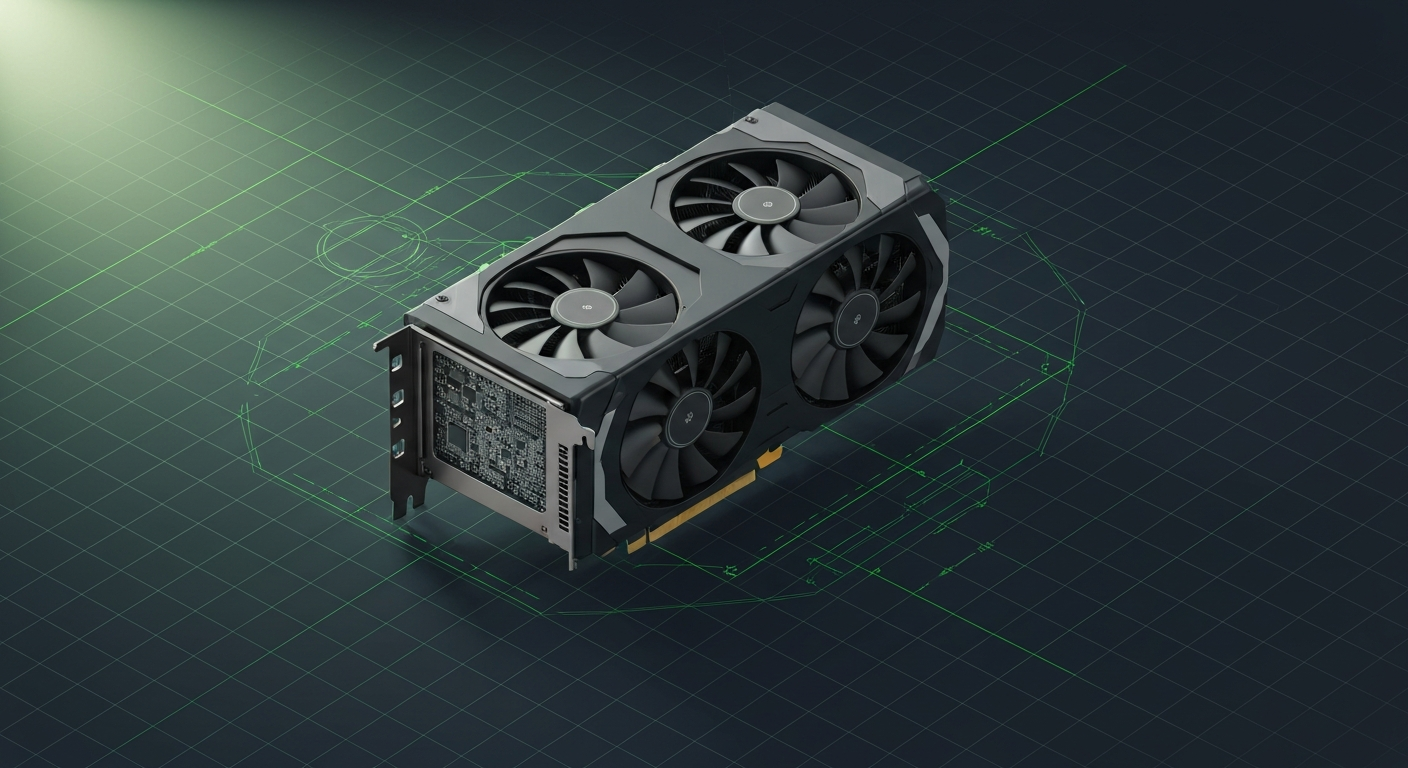
16GB upgrade of the 4070 Ti. Solid mid-high pick for local AI.
Affiliate disclosure: as an Amazon Associate and partner of other retailers, we earn from qualifying purchases. The verdict on this page is our editorial opinion; affiliate links never influence what we recommend.
Sub-scores sum to 597 / 1000. Headline = 597 × 0.70 (Estimated-confidence discount) = 418. This is an algorithmic performance-tier score — distinct from, and often lower than, the editorial “Our verdict” below, which weighs value and real-world fit (especially for hardware we haven’t measured yet). How scoring works →
Extrapolated from 672 GB/s bandwidth — 80.6 tok/s estimated. No measured benchmarks yet.
Plain-English: Comfortable at 14B and below — snappy enough for a coding agent; vision models supported.
Verdicts extrapolated from catalog VRAM + bandwidth + ecosystem flags. Hover any chip for the rationale. Want measured numbers? Submit your own run with runlocalai-bench --submit.
What it does well
The 16 GB GDDR6X at ~672 GB/s bandwidth is the headline — the same VRAM tier as the RTX 5080 at meaningfully lower price ($799 MSRP vs $999 MSRP, with street pricing $850-1000 vs $1100-1300). For 13B-class workloads — the most common consumer local-AI sweet spot — the 4070 Ti Super matches the 5080 within 10-15% on tok/s, despite costing 20-30% less. CUDA support is universal: every local runtime (vLLM, llama.cpp, Ollama, SGLang, TensorRT-LLM) has full Ada Lovelace coverage with mature flash-attention paths. 285 W TDP is honest — fits a 750W PSU comfortably without dual-card bracket gymnastics.
Where it breaks
- 16 GB caps daily-driver workloads at 13B-class. 32B-class models (Qwen 3 32B, Qwen 2.5 Coder 32B, QwQ 32B) need ~19-22 GB at Q4 — partial-offload to system RAM drops tok/s from 70+ to 18-25. Same constraint as the 5080.
- 70B-class is largely out of scope. 70B Q4 (~40 GB) means heavy partial offload, single-digit tok/s. Wrong card for serious 70B daily work.
- Bandwidth ceiling is meaningfully below the RTX 4090. 672 GB/s vs 1.0 TB/s — ~33% slower decode on memory-bound workloads. For 13B-class this rarely shows; for borderline 32B partial-offload, the 4090's 24 GB + faster bandwidth is a noticeable upgrade.
- Released early-2024 — supply is normal but resale floor is starting to compress as 5080s become more available. Buying at full retail in mid-2026 is questionable when used 4090s are at $1,400-1,900.
Ideal model range
- Sweet spot: 13B-class at full 32K context — Qwen 2.5 14B, Phi 4 14B, smaller Llama variants — at ~70-90 tok/s with comfortable headroom.
- Sweet spot (continued): 7B-class at 100+ tok/s with 128K context. Coding agents, autocomplete pipelines.
- Stretch: 32B-class at Q4 with partial offload — drops to ~15-22 tok/s. Functional for occasional use.
- Comfortable: 7B at 130+ tok/s, embedding models, RAG pipelines, multi-instance serving of small models.
Bad use cases
- 70B daily-driver. Wrong tier — pick RTX 4090 (24 GB used) or RTX 5090 (32 GB new) or dual-GPU homelab.
- 32B-class daily inference. 16 GB caps comfortable working range; partial-offload tok/s isn't acceptable for repetitive use.
- Multi-GPU rigs. Two 4070 Ti Supers for $1,800 give you 32 GB combined, no tensor parallelism advantage over single 5090's 32 GB at higher bandwidth.
- Anyone who needs CUDA-FP8. Ada consumer cards lack hardware FP8 (only Hopper datacenter has it natively). For FP8 production work, use H100 or wait for consumer-Blackwell FP8 to mature on 5080/5090.
Verdict
Buy this if 13B-class is your daily-driver target, you want CUDA + 16 GB at sub-flagship pricing, and used 4090 economics don't appeal (privacy concern about prior owner usage, no warranty acceptance). The 4070 Ti Super is the right "I want stable 16-GB CUDA at reasonable cost" pick when 4080 Super is unavailable at MSRP.
Skip this if 32B-class or 70B are your daily targets (5090 or 4090 territory), if you can find a 4080 Super at MSRP (similar 13B performance, $999 MSRP, marginally faster), if you're building multi-GPU (used 3090s win on $/VRAM), or if a 4060 Ti 16GB at $450-550 covers your workload (saves you $300-500 with similar VRAM but lower bandwidth).
How it compares
- vs RTX 5080 (16 GB GDDR7) → 5080 has slightly faster GDDR7 + Blackwell FP4 future-proofing at $1,100-1,300 street vs 4070 Ti Super at $850-1000. Pick 5080 if you specifically want Blackwell silicon or need the 5-10% extra perf; pick 4070 Ti Super for the better $/perf ratio at the same VRAM tier.
- vs RTX 4080 Super (16 GB) → 4080 Super is 10-15% faster at $999 MSRP. If you can find a 4080 Super at retail, it's the better pick at the 16 GB tier. The 4070 Ti Super is the right pick when the 4080 Super is supply-constrained.
- vs RTX 4090 (24 GB) → 4090 has 50% more VRAM (24 vs 16 GB) at ~2× the price (used $1,400-1,900). Pick 4090 if 32B-class is your goal; pick 4070 Ti Super if 13B-class is your ceiling.
- vs RTX 4060 Ti 16GB (16 GB) → 4060 Ti 16GB has same VRAM at $450-550 — half the price — but ~40% slower bandwidth (288 GB/s vs 672 GB/s). For 7B-class workloads the 4060 Ti is dramatically better $/perf. The 4070 Ti Super wins at 13B-class where bandwidth becomes the operative bottleneck. See /compare/rtx-4060-ti-16gb-vs-rtx-4070-ti-super.
- vs RX 7900 XTX (24 GB) → 7900 XTX has 50% more VRAM at ~similar pricing. NVIDIA wins on CUDA + ecosystem; AMD wins on $/VRAM. For 32B-class workloads the 7900 XTX's extra 8 GB makes a real difference. Pick 4070 Ti Super if Linux + ROCm isn't acceptable; pick 7900 XTX if it is.
Overview
What the RTX 4070 Ti Super actually is, in local-AI terms
The RTX 4070 Ti Super is the best mid-range CUDA card for local AI in 2026, and the right answer for the operator who wants a serious Ada-Lovelace tensor pipeline without the price tag of a 4090. 16 GB GDDR6X at ~672 GB/s memory bandwidth, full Ada-class FP8 / INT4 acceleration, and a 285 W power envelope that fits comfortably in a single-GPU homelab without a PSU upgrade.
It is not a 24 GB card. That single fact constrains everything below — 32B-class workloads at 4-bit fit on the edge, 70B-class doesn't fit, long contexts on 13B models eat into KV-cache headroom faster than on a 3090 / 4090. Within the 16 GB envelope, though, it is the most capable mid-range CUDA option you can buy.
Where it fits in the hardware ladder
The mid-range NVIDIA tier in 2026:
| Card | VRAM | BW | Bin |
|---|---|---|---|
| RTX 4060 Ti 16GB | 16 GB | 288 GB/s | budget 16 GB; bandwidth-starved |
| RTX 4070 Ti Super | 16 GB | 672 GB/s | mid-range default |
| RTX 4080 Super | 16 GB | 736 GB/s | top of mid-range |
| RTX 4090 | 24 GB | 1008 GB/s | enthusiast tier |
vs the 24 GB consumer tier:
| Card | VRAM | Notes |
|---|---|---|
| RTX 4070 Ti Super | 16 GB | what this page is about |
| RTX 3090 used | 24 GB | older arch, 1.5× VRAM, similar money |
| RTX 4090 | 24 GB | ~2× the price |
The 4070 Ti Super vs used 3090 question is the real decision in 2026 for homelab buyers under $1000. If you want newer arch, lower power, FP8, warranty — 4070 Ti Super. If you want 24 GB to fit 32B models comfortably — used 3090.
Best use cases
- Single-user homelab with 13B-class models comfortably or 32B-class at the edge. Llama 3.1 8B, Qwen 2.5 14B, 13B coding models all fit with headroom.
- Solo coding-agent workstation at the budget tier. Pair with Qwen 2.5 Coder 14B AWQ-INT4 + 32K context — the canonical setup that doesn't require a 4090.
- First-card buy with growth path. Drop in a second 4070 Ti Super later for tensor-parallel 32B serving via vLLM.
- Image generation alongside small LLMs. Stable Diffusion XL + a 7B chat model concurrently fits.
- Lower-power-envelope homelab. 285 W vs 450 W (4090) is a meaningful difference for 24/7 servers.
What it can run
The 16 GB ceiling is the thing to keep in mind:
| Model class | Quant | Context | Headroom |
|---|---|---|---|
| 7B | F16 | 32K | comfortable |
| 13B-14B | Q5_K_M / EXL2 5bpw | 32K | comfortable |
| 13B-14B | Q8_0 | 16K | tight |
| 32B | AWQ-INT4 / EXL2 4bpw | 8K-16K | very tight, OOM on long context |
| 32B | EXL2 3.5bpw | 16K | works, quality drop noticeable |
| 70B | — | — | does NOT fit |
If your workload is consistently 32B + 32K context, you should pick a 24 GB card. Below that, the 4070 Ti Super is excellent. For the ladder picture see /compatibility.
OS support
| OS | Quality |
|---|---|
| Linux (Ubuntu 24.04 LTS) | excellent |
| Windows 11 native | excellent |
| Windows (WSL2) | excellent |
| macOS | unsupported |
If WSL2 isn't seeing the GPU, see /errors/wsl2-gpu-not-detected.
Software / runtime support
Full Ada-Lovelace coverage means every major engine in 2026:
- Ollama / llama.cpp — full GGUF / CUDA support
- vLLM — full AWQ / GPTQ / FP8 support; FP8 actually matters here because Ada has the kernel
- SGLang — full coverage
- ExLlamaV2 — single-stream throughput king on this class of hardware
- LM Studio — full GUI path
- TensorRT-LLM — supported but datacenter-tuned; not the natural target
- PyTorch — first-class
FP8 (E4M3 / E5M2) on Ada is real and meaningful — 32B-class FP8 models fit the 16 GB envelope better than AWQ-INT4 fits a 24 GB card after KV-cache.
What breaks first
- VRAM at 32B models. The narrowness of the 16 GB envelope shows up first on 32B + long context. Dropping to AWQ-INT3 or EXL2 3.5bpw is the workaround but quality drops.
- Concurrent multi-user load. PagedAttention + KV-cache headroom is tighter than a 24 GB card; vLLM at 4+ concurrent users on a 32B model OOMs faster.
- PCIe bandwidth on multi-GPU. Like the 4090, no NVLink; tensor-parallel goes over PCIe 4.0 x8 + x8 on most consumer boards.
- Driver vs CUDA toolkit drift. Same trap as all CUDA cards — pin both.
- Ada-only kernels in older runtime versions. FP8 acceleration requires recent vLLM / TensorRT-LLM; older builds use FP16 fallback silently.
Alternatives by intent
| If you want… | Reach for |
|---|---|
| 24 GB on a similar budget | RTX 3090 used |
| Same VRAM, top-tier mid-range | RTX 4080 Super (similar price, ~10 % faster) |
| Cheapest 16 GB | RTX 4060 Ti 16 GB (much slower BW) |
| Cheapest serious CUDA card | RTX 3060 12GB |
| 24 GB enthusiast | RTX 4090 |
| AMD 16 GB equivalent | RX 7800 XT — ROCm tax applies, see ROCm |
Best pairings
- Ollama + 14B Q4_K_M — the homelab default
- ExLlamaV2 + 14B EXL2 5bpw — single-stream throughput-leader pairing
- vLLM + 14B FP8 — the small-team default; FP8 actually shines here
- Continue.dev + Qwen 2.5 Coder 14B — IDE coding-agent pairing
- Ubuntu 24.04 + driver 550+ + CUDA 12.4 — reference software stack
Who should avoid the RTX 4070 Ti Super
- Operators running 32B-class models day-to-day. 16 GB is the wrong tier; pay for 24 GB.
- Anyone running 70B with any frequency. Wrong tier entirely; either 2× 3090 or Apple M3 Ultra or datacenter.
- Apple-ecosystem operators. Use Apple M4 Max or M3 Ultra.
- AMD-philosophy operators. RX 7900 XTX is the AMD equivalent at 24 GB.
- Buyers expecting the card to age well into 70B-class workloads. It won't; the VRAM ceiling is fixed.
Related
- Stacks: /stacks/local-coding-agent, /stacks/offline-rag-workstation
- System guides: /guides/running-local-ai-on-multiple-gpus-2026, /systems/quantization-formats
- Tools: vLLM, Ollama, ExLlamaV2
- Errors: /errors/wsl2-gpu-not-detected
Some links above are affiliate links. We may earn a commission at no extra cost to you. How we make money.
Specs
| VRAM | 16 GB |
| Power draw (peak) | 285 W |
| Released | 2024 |
| MSRP | $799 |
| Backends | CUDA Vulkan |
Models that fit
Open-weight models small enough to run on NVIDIA GeForce RTX 4070 Ti Super with usable context.
Hardware worth comparing
The closest alternatives by price, memory bandwidth, and form factor, plus a step up and down — so you can frame the buying decision against real options.
Curated head-to-heads against specific cards — the buyer-decision shape that crosses VRAM bands.
Frequently asked
What models can NVIDIA GeForce RTX 4070 Ti Super run?
Does NVIDIA GeForce RTX 4070 Ti Super support CUDA?
How much does NVIDIA GeForce RTX 4070 Ti Super cost?
Where next?
Reviewed by RunLocalAI Editorial. See our editorial policy for how we research and verify hardware specifications.