AMD Ryzen AI 9 HX 370 (Strix Point)
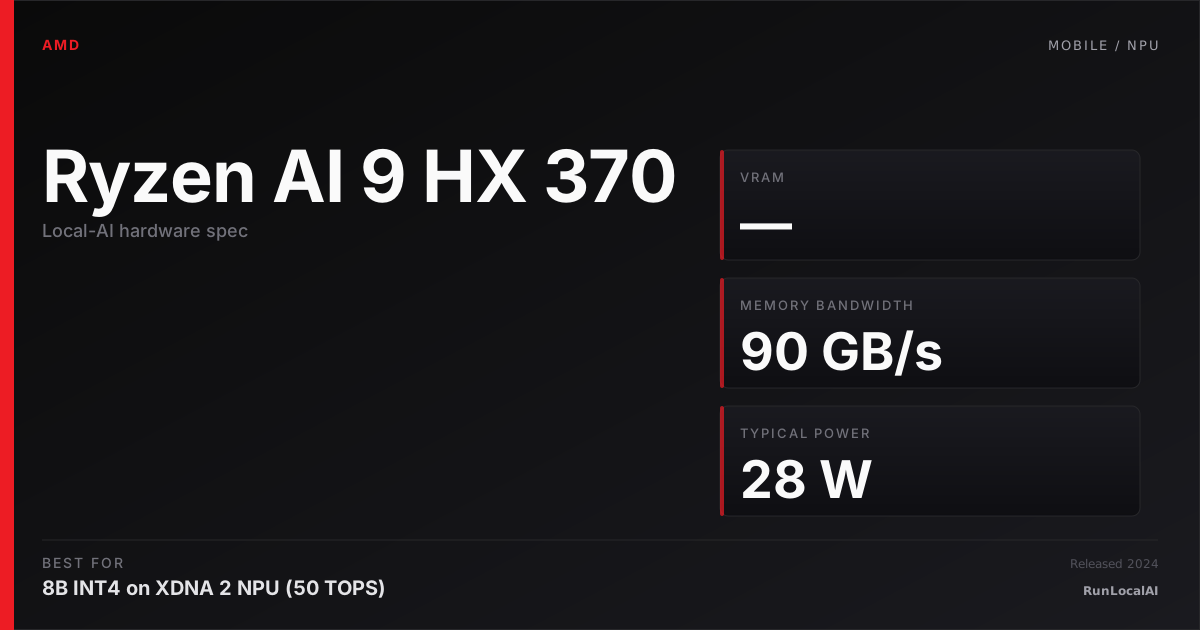
Strix Point laptop SoC. XDNA 2 NPU at 50 TOPS INT8 + RDNA 3.5 iGPU. ROCm support on Linux unlocks llama.cpp ROCm path; on Windows, ONNX Runtime + DirectML.
Affiliate disclosure: as an Amazon Associate and partner of other retailers, we earn from qualifying purchases. The verdict on this page is our editorial opinion; affiliate links never influence what we recommend.
Sub-scores sum to 352 / 1000. Headline = 352 × 0.70 (Estimated-confidence discount) = 246. This is an algorithmic performance-tier score — distinct from, and often lower than, the editorial “Our verdict” below, which weighs value and real-world fit (especially for hardware we haven’t measured yet). How scoring works →
Extrapolated from 90 GB/s bandwidth — 9.0 tok/s estimated. No measured benchmarks yet.
Plain-English: Doesn't fit modern chat models usefully.
Verdicts extrapolated from catalog VRAM + bandwidth + ecosystem flags. Hover any chip for the rationale. Want measured numbers? Submit your own run with runlocalai-bench --submit.
What it does well
The AMD Ryzen AI 9 HX 370 (Strix Point) is AMD's flagship laptop APU and the most credible "AI laptop without a discrete GPU" pick on the Windows side. Twelve Zen 5 / Zen 5c CPU cores + 16-core RDNA 3.5 integrated GPU + dedicated XDNA 2 NPU rated at 50 TOPS — all in a laptop chassis at $1,599 retail (mid-tier laptops often ship with this chip in well-built systems). The unified memory architecture (typically 32 GB DDR5X-7500 in laptops) is shared across CPU + iGPU + NPU, which means smaller LLMs can use the full 32 GB DRAM ceiling without VRAM constraints. For 7B–13B class inference, the iGPU + NPU combination delivers genuinely useful throughput (~15–35 tok/s on 7B Q4 is realistic) without the discrete GPU's 100+ W power envelope. Battery life under inference load is meaningfully better than RTX-equipped gaming laptops (5–8 hours real local AI on battery vs 1–3 hours on Razer Blade 16). The chip is excellent for "I want to run small AI models on my work laptop" segment without paying for a gaming-class discrete GPU.
Where it breaks
- No CUDA — RDNA 3.5 + XDNA 2 NPU are AMD ecosystems. llama.cpp ROCm + DirectML + ONNX Runtime work; vLLM, SGLang, TensorRT-LLM all do not. If your stack is CUDA-locked, this APU is friction.
- NPU framework support is thin. XDNA 2's 50 TOPS sounds compelling but real-world LLM throughput on the NPU is limited by software — most inference runs on the iGPU instead, where ROCm support is patchy on Windows.
- iGPU memory bandwidth limits decode speed. Shared LPDDR5X-7500 at ~120 GB/s is dramatically below discrete GPU bandwidth (RTX 4090 mobile at 1.0 TB/s). For 13B+ workloads, decode is meaningfully slower than equivalent discrete-GPU laptops.
- Hard ceiling on model size. 32 GB unified RAM minus OS + apps leaves ~24 GB for LLM workloads. 70B Q4 doesn't fit. 32B FP16 doesn't fit. 14B Q4 fits with limited context.
- No real story for fine-tuning. Wrong tier — pick a discrete-GPU laptop or workstation.
- Variable system quality. The HX 370 ships in laptops ranging from $1,500 to $2,500 with very different cooling + RAM configurations. Performance varies dramatically — read laptop reviews carefully before buying.
- Linux support is improving but laggy. Strix Point Linux drivers (kernel 6.10+, mesa 24.x+) are functional but new-architecture kinks remain. Windows is the more polished path in 2026.
Ideal model range
- Sweet spot: 7B FP16 / Q5 inference at ~25–40 tok/s on the iGPU — genuinely useful for IDE coding assistants, document Q&A.
- Sweet spot: 7B QLoRA inference for embedding models or specialized smaller-class fine-tunes.
- Sweet spot: Multi-model agentic loops fitting 24 GB total — 4B + embedding + small re-ranker.
- Sweet spot: Battery-life-friendly local AI for the traveling professional who doesn't need 24×7 fast inference.
- Stretch: 13B Q4 with 8K context (~10–18 tok/s — usable but slow for interactive use).
- Bad fit: 32B-class anything, 70B-class anything, fine-tuning, production serving, anything that requires CUDA.
Bad use cases
- Anyone targeting 70B / 32B local AI. Hard memory ceiling + bandwidth ceiling. Pick a discrete-GPU laptop (Razer Blade 16, ASUS ROG Strix Scar 18) or MacBook Pro 16 M4 Max.
- CUDA-locked stacks. No CUDA. Don't pick AMD if the rest of your toolchain is NVIDIA.
- Production serving / sustained inference. Wrong tier — laptop APU.
- Maximum tok/s on small models. Even discrete laptop GPUs (RTX 4060/4070 Mobile) win decisively on bandwidth-bound decode.
- Heavy fine-tuning workflows. Pick a discrete GPU.
- Gaming + AI dual purpose. RDNA 3.5 iGPU is gaming-capable but a discrete RTX laptop is dramatically better at both AI and gaming.
Verdict
Buy this if you want a laptop that runs sub-13B local AI well (8B Q4 / Q5 at usable speed), you value battery life and silence over raw throughput, your stack is Windows-AMD-friendly (ROCm / DirectML / ONNX Runtime), and you don't need 14B+ models. AMD Ryzen AI 9 HX 370 is the right pick for the segment that wants "good enough" local AI on a normal-form-factor productivity laptop without paying for a gaming GPU.
Skip this if you need 14B+ models (jump to discrete GPU laptop), you're CUDA-locked (pick NVIDIA), you want maximum local AI performance (Razer Blade 16 with RTX 5090 Mobile is dramatically faster), you can use macOS (MacBook Pro M4 Max wins on memory ceiling + ecosystem maturity at higher tier), or you're production-serving (wrong category entirely).
How it compares
- vs Intel Core Ultra 7 258V (Lunar Lake) → Lunar Lake at $1,199 has Intel Arc Xe2 iGPU + 48 TOPS NPU vs Strix Point's RDNA 3.5 iGPU + 50 TOPS NPU. Intel has slightly better Windows-on-ARM-ish driver experience; AMD has more raw iGPU compute. Both are sub-13B class machines. Pick by laptop OEM availability + Windows ecosystem preference.
- vs Razer Blade 16 (RTX 5090 Mobile) → Razer Blade 16 has 24 GB CUDA discrete GPU + dramatically more compute + actual 70B Q4 capability at +180% price. Strix Point wins on battery life, silence, weight, sub-13B-class accessibility. Pick by workload size — sub-13B accept Strix Point, anything serious pick discrete GPU.
- vs MacBook Pro 16 M4 Max (128 GB unified) → MBP 16 wins on memory ceiling (4× the RAM), battery life, silence, ecosystem (MLX is more polished than ROCm-on-Windows). Strix Point laptops win on price (sub-$1,800 vs $4,000+), Windows ecosystem, AMD-aligned stacks. Pick by ecosystem and budget.
- vs Lenovo Legion 5 Pro Gen 7 (RTX 3080 Mobile) → Legion has 16 GB discrete CUDA at +$700 price. Discrete GPU wins for AI throughput; Strix Point wins for portability + battery + sub-13B accessibility.
- vs Framework Laptop 16 (RX 7700S) → Framework Laptop 16 with discrete dGPU (8 GB RX 7700S) is similar AMD AI ecosystem at modest discrete GPU. Pick Framework for repairability + AMD discrete; HX 370 systems for newer NPU + Strix Point arch + better battery life on integrated-only workloads.
Overview
What the Ryzen AI 9 HX 370 actually is, in local-AI terms
The AMD Ryzen AI 9 HX 370 (Strix Point) is AMD's 2024-2025 Copilot+ PC laptop SoC and the most capable on-device-AI x86 mobile chip AMD has shipped. 12 Zen 5 / Zen 5c cores, an RDNA 3.5 integrated GPU, and the XDNA 2 NPU at 50 TOPS INT8 — the headline number that puts the chip past Microsoft's 40 TOPS Copilot+ certification floor.
For the local-AI operator looking at "what's the best AMD-powered AI laptop in 2026," the HX 370 is the answer. The same operator should also be honest about the trade: Strix Point is a meaningfully better laptop CPU + iGPU + NPU combination than the Hawk Point predecessor, but it does not change the fundamental fact that on-device AI on x86 laptops in 2026 is a 7B-class story, not a 32B-class story.
Where it fits in the hardware ladder
In the Copilot+ x86 laptop tier:
| Chip | NPU TOPS | iGPU | Mem BW | Notes |
|---|---|---|---|---|
| Intel Lunar Lake (258V) | 48 | Xe2 | 136 GB/s | Intel Copilot+ flagship |
| AMD Ryzen AI 9 HX 370 | 50 | RDNA 3.5 | ~90 GB/s | AMD Copilot+ flagship |
| AMD Ryzen AI 9 365 | 50 | RDNA 3.5 | ~90 GB/s | sibling chip, slightly fewer cores |
| Snapdragon X Elite | 45 | Adreno X1 | 135 GB/s | ARM Copilot+ alternative |
vs the Apple alternative: the Apple M4 Max plays in a different league for "real LLM inference" because of memory bandwidth (~400+ GB/s) and unified-memory capacity. The HX 370 is competitive for NPU-accelerated small-model inference, not for transformer attention bound on memory bandwidth.
Best use cases
- Copilot+ native Windows AI workloads. Phi-4 / Llama 3.2 1B / 3B running through ONNX Runtime + DirectML on the NPU. Native Windows on-device AI is what Strix Point is built for.
- Linux laptop with a usable iGPU LLM path. ROCm support on Strix Point's RDNA 3.5 iGPU is real in 2026 and lets you run llama.cpp GPU-accelerated on a laptop without a dGPU.
- Battery-aware on-device coding assistant. Small coding models (Qwen 2.5 Coder 1.5B / 3B) routed through the NPU keep the dGPU idle, save battery.
- Enterprise compliance laptops. Air-gapped on-device AI for fields where cloud inference is prohibited.
- Developer dev box with light local-AI workloads. Use the laptop for prototyping, do real inference on a workstation.
For the laptop pattern see /stacks/offline-rag-workstation.
What it can run
The story is memory-bandwidth-bound, not compute-bound. ~90 GB/s system DRAM bandwidth is the actual ceiling on transformer decode tok/s.
| Model class | Quant | Path | Realistic tok/s |
|---|---|---|---|
| 1B-3B | INT4 / INT8 | NPU + ONNX Runtime + DirectML | usable, snappy |
| 7B-8B | Q4_K_M | iGPU via ROCm + llama.cpp | usable for short prompts |
| 7B-8B | Q4_K_M | NPU via ONNX + DirectML | usable; small wins over iGPU |
| 13B | Q4_K_M | iGPU + 32 GB RAM | works but slow |
| 32B+ | — | — | unrealistic on a laptop |
The headline 50 TOPS INT8 number is meaningful for prefill but transformer decode is bandwidth-bound, and 90 GB/s is the wall.
OS support
| OS | Quality | Notes |
|---|---|---|
| Windows 11 (24H2+) | excellent | the Copilot+ path; ONNX Runtime + DirectML |
| Linux (Ubuntu 24.04 LTS) | good | ROCm 6.x supports the iGPU; some laptop quirks |
| Linux (other) | partial | distro-dependent driver packaging |
| WSL2 | partial | GPU passthrough exists; rougher than native |
| macOS | unsupported |
If your day job is Linux dev, expect a few weeks of debugging to get full ROCm + NPU + power management working cleanly.
Software / runtime support
- ONNX Runtime + DirectML — the canonical NPU path on Windows
- AMD Ryzen AI Software (XDNA driver) — Windows-only; the official NPU access SDK
- ROCm 6.x on Linux — works on the RDNA 3.5 iGPU with the right gfx target
- llama.cpp HIP — works on Linux; the Linux-native path
- llama.cpp Vulkan — cross-platform fallback; usable on Windows when ROCm-on-iGPU isn't an option
- Ollama — works on Linux via HIP, on Windows via Vulkan
- OpenVINO — partial support; primarily an Intel path
- CUDA / TensorRT-LLM / ExLlamaV2 — wrong vendor
For format support across runtimes see /systems/quantization-formats.
What breaks first
- NPU access on non-Windows. XDNA Linux driver work is ongoing in 2026 but Windows is dramatically smoother for NPU paths.
- iGPU memory budget. The iGPU shares system DRAM; allocating 16 GB to an LLM leaves less for the OS / apps. Plan around 32 GB minimum, ideally 64 GB for serious work.
- Power management vs throughput. Sustained inference pushes the chip to its 28 W ceiling; battery life collapses. Plug in for serious workloads.
- Driver lineage drift on Linux. ROCm + amdgpu + linux-firmware versions need to match; mismatches surface as silent CPU fallback. See /errors/rocm-device-not-found.
- Bleeding-edge model architectures on the NPU. ONNX-conversion-and-NPU-deployment workflow assumes the model converts cleanly; novel architectures often need manual op-implementations.
Alternatives by intent
| If you want… | Reach for |
|---|---|
| Intel x86 Copilot+ flagship | Intel Lunar Lake (258V) |
| ARM Windows alternative | Snapdragon X Elite |
| Apple-ecosystem on-device | Apple M4 Max |
| Real serious LLM workstation | RTX 4070 Ti Super or RTX 4090 desktop |
| Older AMD AI laptop (cheaper) | Hawk Point Ryzen AI 8040 |
| Maximum unified memory on Apple | Apple M3 Ultra Mac Studio |
Best pairings
- Windows 11 24H2 + ONNX Runtime + DirectML + Phi-4 / Llama 3.2 — the Copilot+ canonical setup
- Ubuntu 24.04 LTS + ROCm 6.x + llama.cpp HIP — the Linux dev box default
- Ollama + Llama 3.1 8B Q4_K_M — the cross-platform homelab-on-laptop fallback
- 64 GB system RAM — non-negotiable for serious laptop AI; iGPU borrows from main DRAM
- Plugged-in operation for LLM workloads — battery-only is fine for 1-3B models, painful for 8B+
Who should avoid the Ryzen AI 9 HX 370
- Anyone expecting workstation-class throughput from a laptop. Wrong tier.
- Operators on a CUDA-only software stack. Wrong vendor.
- Multi-user-serving production. Wrong form factor.
- Apple-ecosystem operators. Stay with Apple Silicon.
- Linux purists who want zero-friction. The Strix Point Linux experience is good but not the smoothest path; M4 Max + macOS is smoother for "just works."
- Workloads that need 24+ GB of GPU memory. Wrong tier; buy a desktop dGPU.
Related
- Stacks: /stacks/offline-rag-workstation, /stacks/android-on-device-ai
- System guides: /systems/linux-local-ai, /systems/quantization-formats
- Tools: ONNX Runtime, OpenVINO, llama.cpp, ROCm
- Hardware: Intel Lunar Lake (258V), Snapdragon X Elite, Apple M4 Max
- Errors: /errors/rocm-device-not-found, /errors/wsl2-gpu-not-detected
Some links above are affiliate links. We may earn a commission at no extra cost to you. How we make money.
Specs
| VRAM | 0 GB |
| System RAM (typical) | 32 GB |
| Power draw (peak) | 28 W |
| Released | 2024 |
| MSRP | $1599 |
| Backends | ROCm |
Hardware worth comparing
The closest alternatives by price, memory bandwidth, and form factor, plus a step up and down — so you can frame the buying decision against real options.
Ryzen AI 9 HX 370 (Strix Point) is the headline integrated-graphics AI part of 2026. The iGPU + eGPU guides below frame this decision space.
Frequently asked
Does AMD Ryzen AI 9 HX 370 (Strix Point) support CUDA?
Where next?
Reviewed by RunLocalAI Editorial. See our editorial policy for how we research and verify hardware specifications.